CCR 1.0 User Guide Page 136
15-601130 Issue 1k (22 May 2009)IP Office
6.5 System Settings
The System Settings tab contains several sections. The information in each section is shown or hidden by clicking on
the section name.
This tab can also be accessed by supervisors and agents clicking on the Status option. However they will not see the
Preferences section and cannot restart services.
The information sections are:
· Switches
This section displays information about the telephone systems (switches) that the IP Office Customer Call Reporter
is aware of and which one it is connected to.
· Services
This section displays information about the different IP Office Customer Call Reporter services and their status.
· Preferences Details
This section is only available to the administrator.
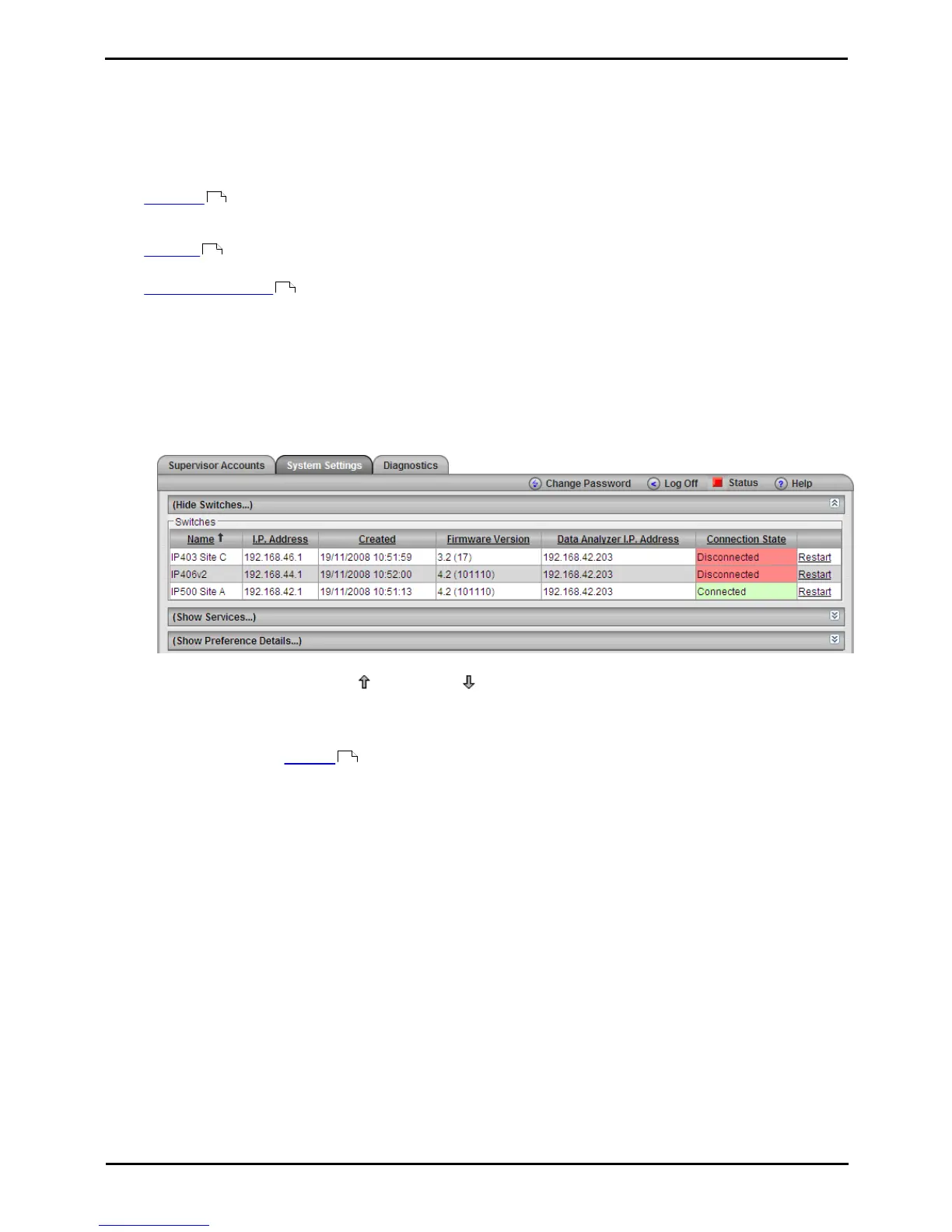
Switches
This section displays information about the telephone systems (switches) that the IP Office Customer Call Reporter is
aware of and which one it is connected to.
1. Click System Settings tab. If necessary, click on Show Switches. A list of all the telephone systems is shown.
The system to which the IP Office Customer Call Reporter is working is indicated by Connected in the
Connected State column.
2. Click on a column name to sort the list using that column. The arrow icon indicates the column that the list is
sorted by and if it is in ascending or descending order.
3. The information displayed cannot be changed here. Refer to the IP Office Customer Call Reporter Installation
Manual for details on changing this information:
· Name
The name of the IP Office telephone system.
· IP Address
The IP address of the IP Office telephone system.
· Created
When the connection was configured for use by IP Office Customer Call Reporter.
· Firmware Version
The IP Office core software version of the IP Office telephone system.
· Data Analyzer IP Address
The data analyzer is a service which collects information from the IP Office telephone system and passes it
to the IP Office Customer Call Reporter server database.
· Connected
This column shows the state of the connection from the IP Office Customer Call Reporter server to the data
analyzer and IP Office. False may indicate a problem that requires attention by your system maintainer.
· Restart
This option is disabled for non-administrators.
136
137
138
197











 To Next Page