CCR 1.0 User Guide Page 137
15-601130 Issue 1k (22 May 2009)IP Office
Administrator: System Settings
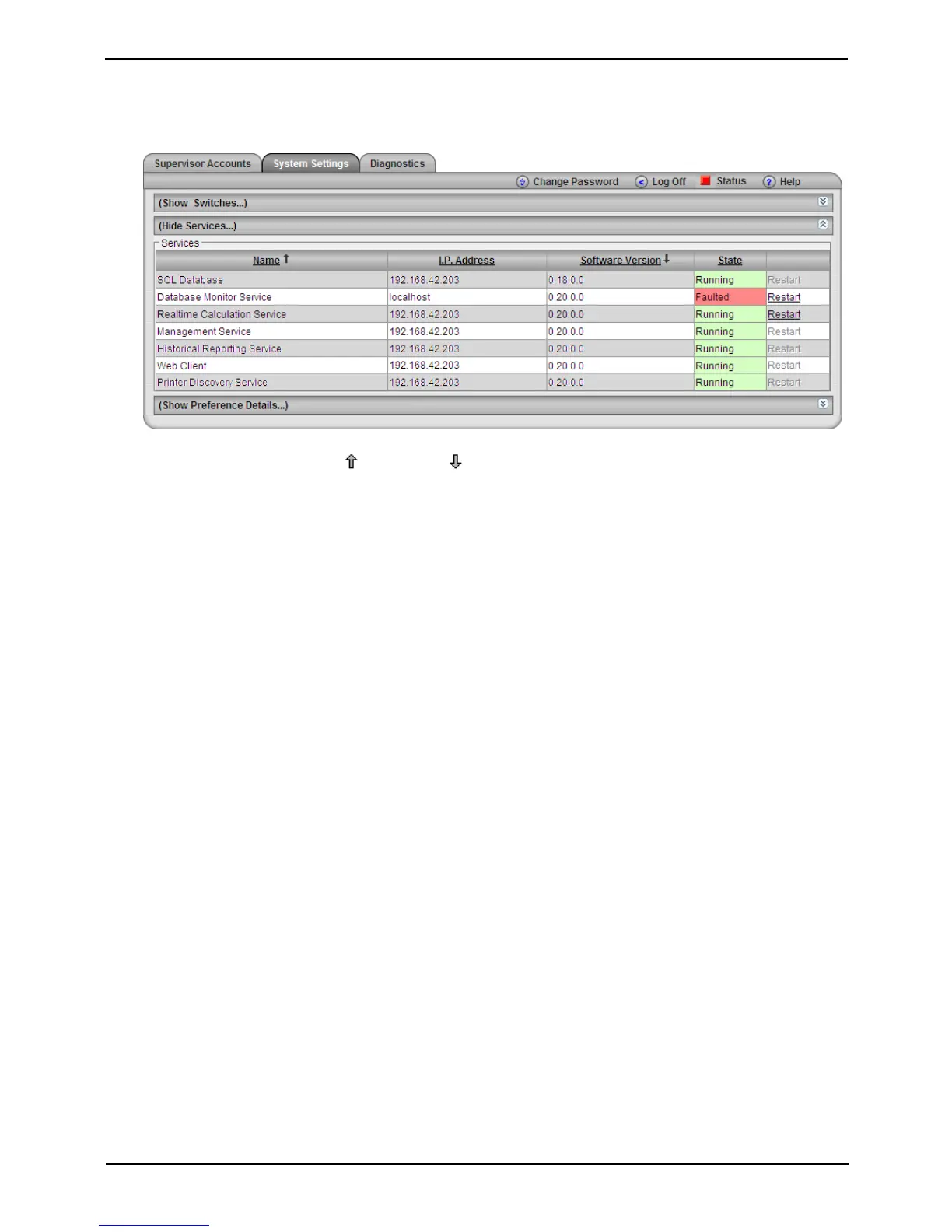
Services
This section displays information about the separate software services used by IP Office Customer Call Reporter.
1.Select the System Settings tab.
2.Select Show Services.
3.Click on a column name to sort the list using that column. The arrow icon indicates the column that the list is
sorted by and if it is in ascending or descending order.
4.The information displayed is:
· Name
The name of the service.
· IP Address
The address or host name of the server PC on which the service is running.
· Software Version
The version of the service. .
· State
The current state of the service.
· Restart
This option is disabled for non-administrators. If underlined, the option can be used to restart the related
service. Note that restarting any services may reset the the statistics seen in all supervisor and agent
views.











 To Next Page