Page 128 – 6. Shapes and Pixel Mapper effects
TitanUniversal_Man_v8-0_TT.doc 05 August 2014
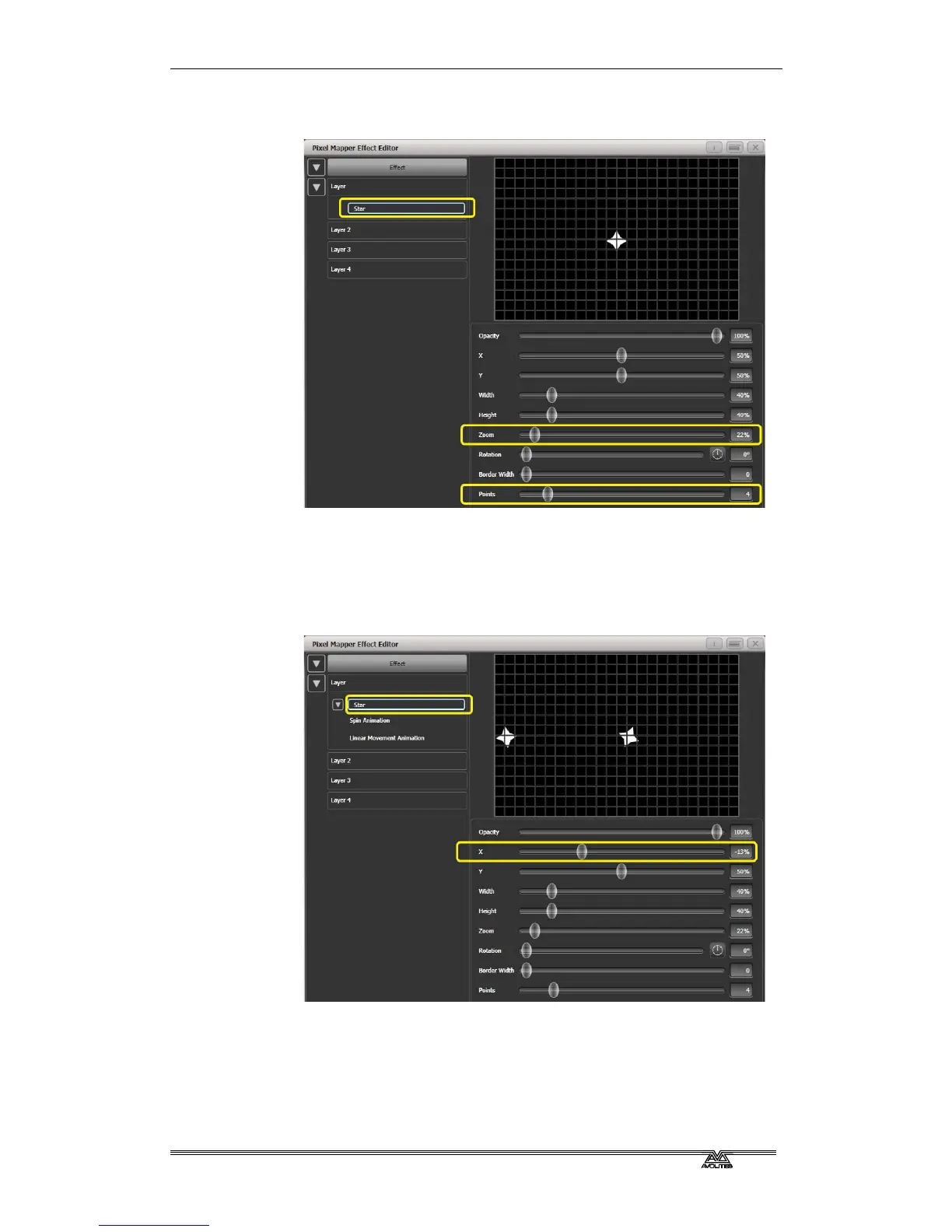
Reduce 'Zoom' so that we can fit lots of baby shurikens in the
grid.
3> Add a Spin animation.
Reduce 'Speed' so they are relatively harmless.
4> Add a Linear Movement animation.
Slow it down so it looks like it is rolling along.
5> Select the Star element again and change 'X' so the shuriken
starts further from the left and rolls along the whole grid.
6> Add a Displacement animation.
Now each new shuriken starts rolling at a different height on
the grid.
7> Go back to the Linear Movement animation and increase 'Spawn
Rate' so that more shurikens are on screen at once. (This
determines how frequently a new element appears.)



 To Next Page