6. Web Interface
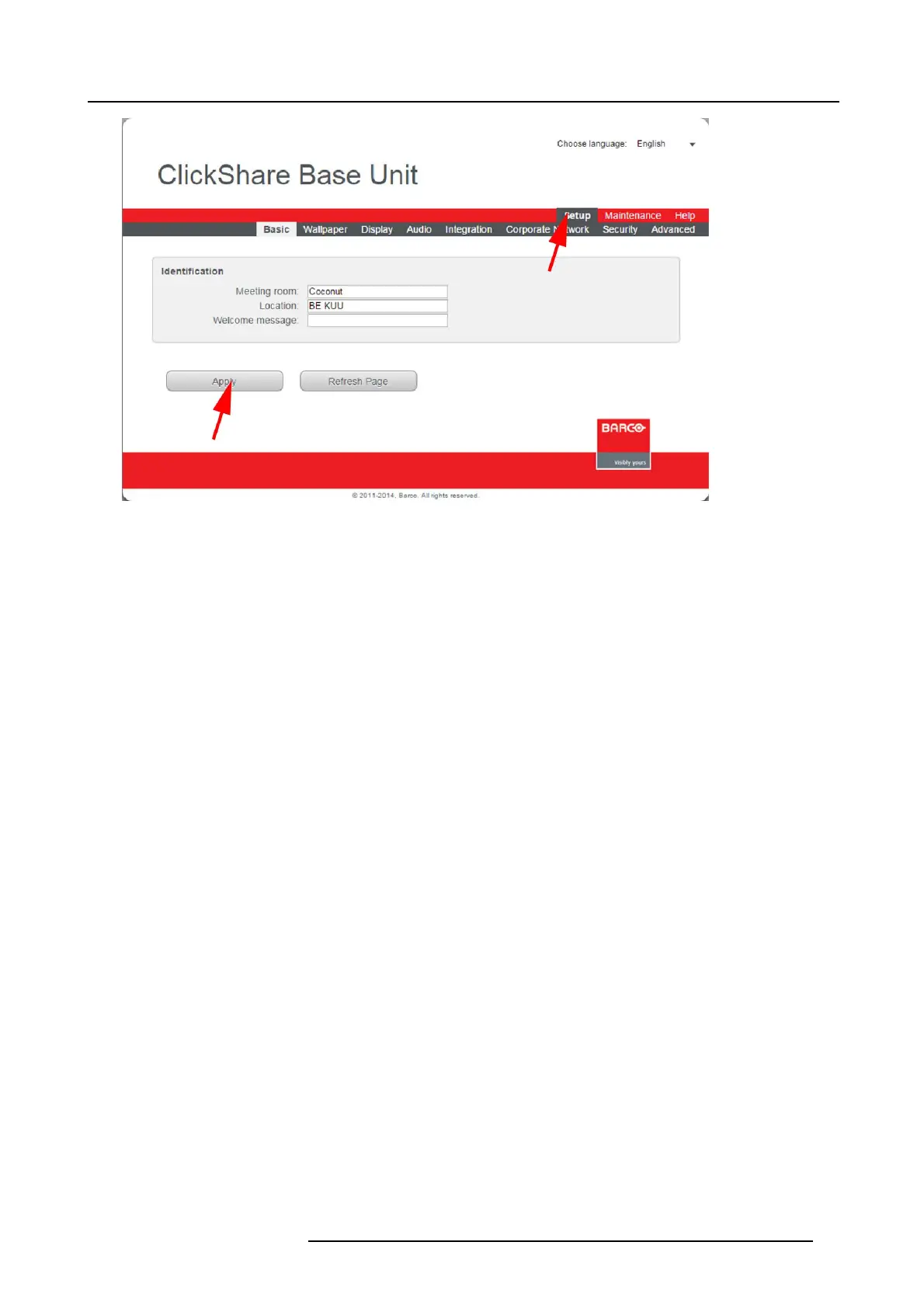
Image 6-4
Setup, basic settings
The Basic tab is displayed by default.
3. In the Identification section click in an input field and enter
- the nam e of the m eeting roo m
- the location of the meeting room
- a welcome message wh ich will be displayed below the meeting room n ame and location.
Note: The name of the meeting room is used by the Client software to identify the Base Unit it is con nected to.
4. Click Apply to confirm your change s.
R5900004 CLICKSHARE 23/12/2014
45















 To Next Page