6. Web Interface
strictly required by the standard it is m andatory in most im plementations including for C lickShare. When impleme nted using client
certificates, EAP-TLS is considered one of the m ost secure EAP methods. The only minor disadvantage is that the user identity is
transmitted in the clear before the actual TLS handshake is performed.
How to start up for EAP-TLS
1. Log in t o the ClickShare web interface.
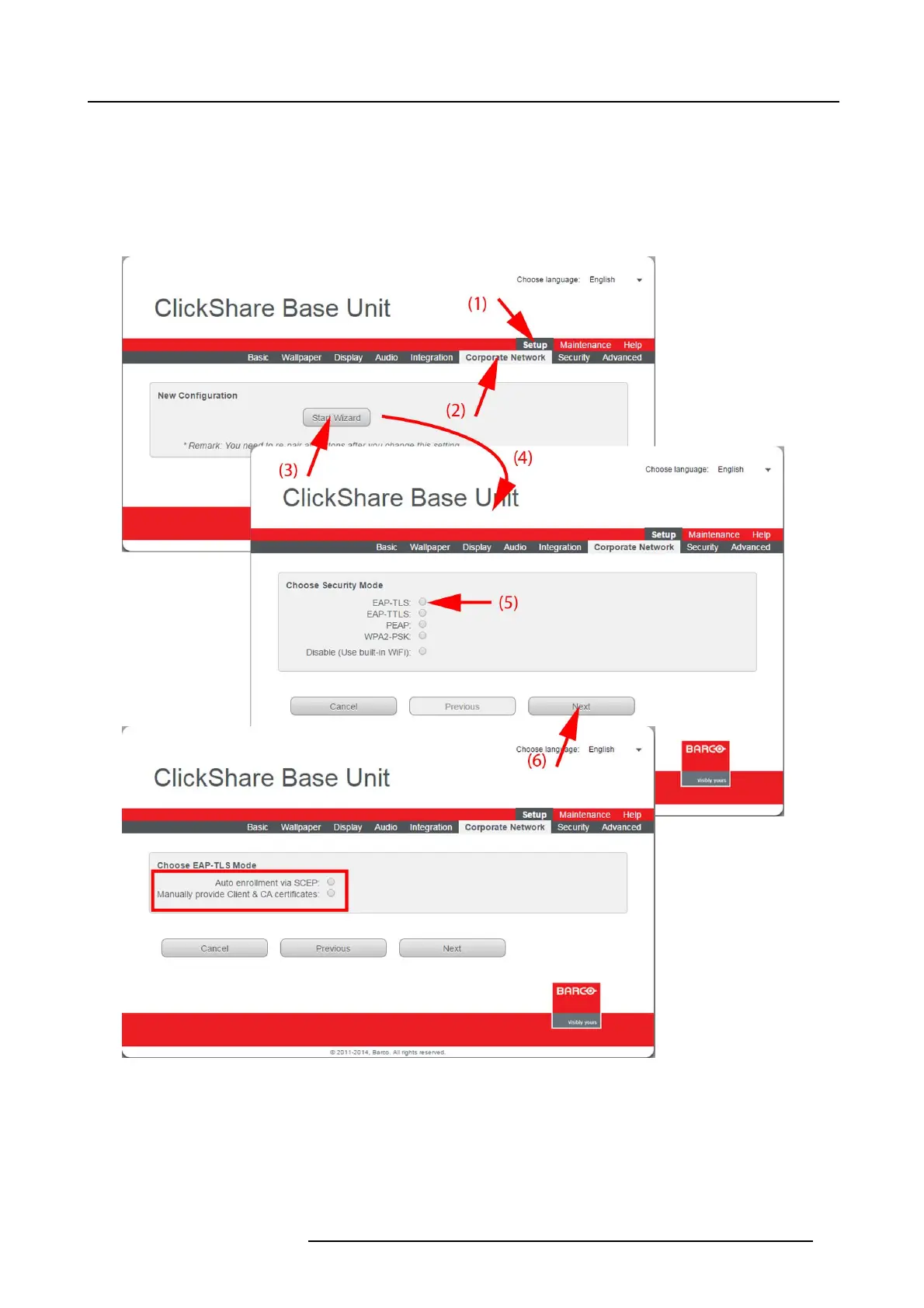
2. Click the Setu p tab (1) and click Corporate Network (2).
Image 6-23
Corporate network
, EAP-TLS
3. Click Start Wizard (3) to start up the configuration process.
The Sec urity Mode selection window opens ( 4).
4. Select the radio button next to EAP-TLS ( 5) and click Nex t (6).
R5900004 CLICKSHARE 23/12/2014
59















 To Next Page