6. Web Interface
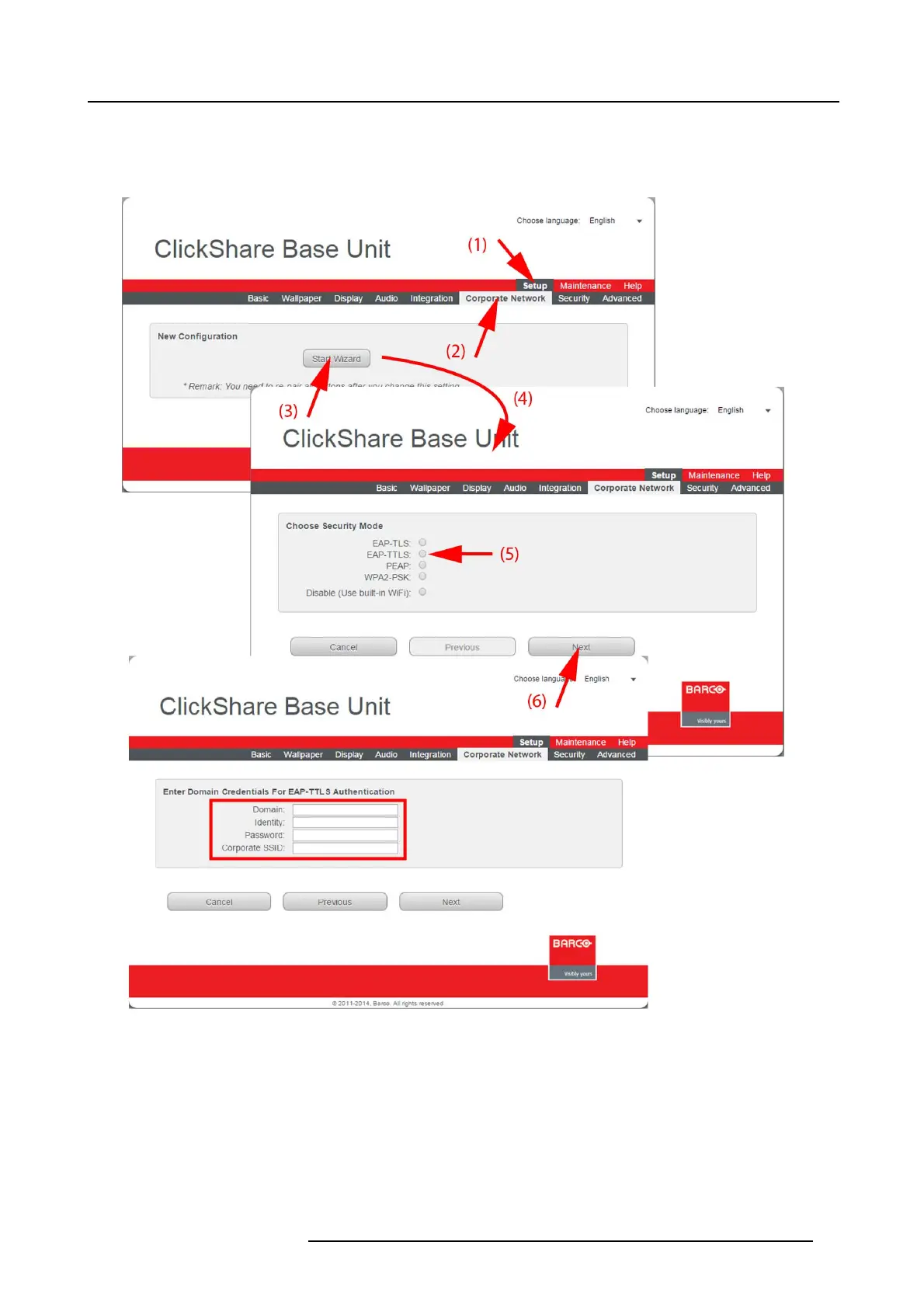
How to start up for EAP-TTLS
1. Log in t o the ClickShare web interface.
2. Click the Setu p tab (1) and click Corporate Network (2).
Image 6-27
Corporate network, EAP-TTLS
3. Click Start Wizard (3) to start up the configuration process.
The Sec urity Mode selection window opens ( 4).
4. Select the radio button next to EAP-TTLS (5) and click Next (6).
R5900004 CLICKSHARE 23/12/2014
63















 To Next Page