42-101-01175_01178 Revision D Page | 22
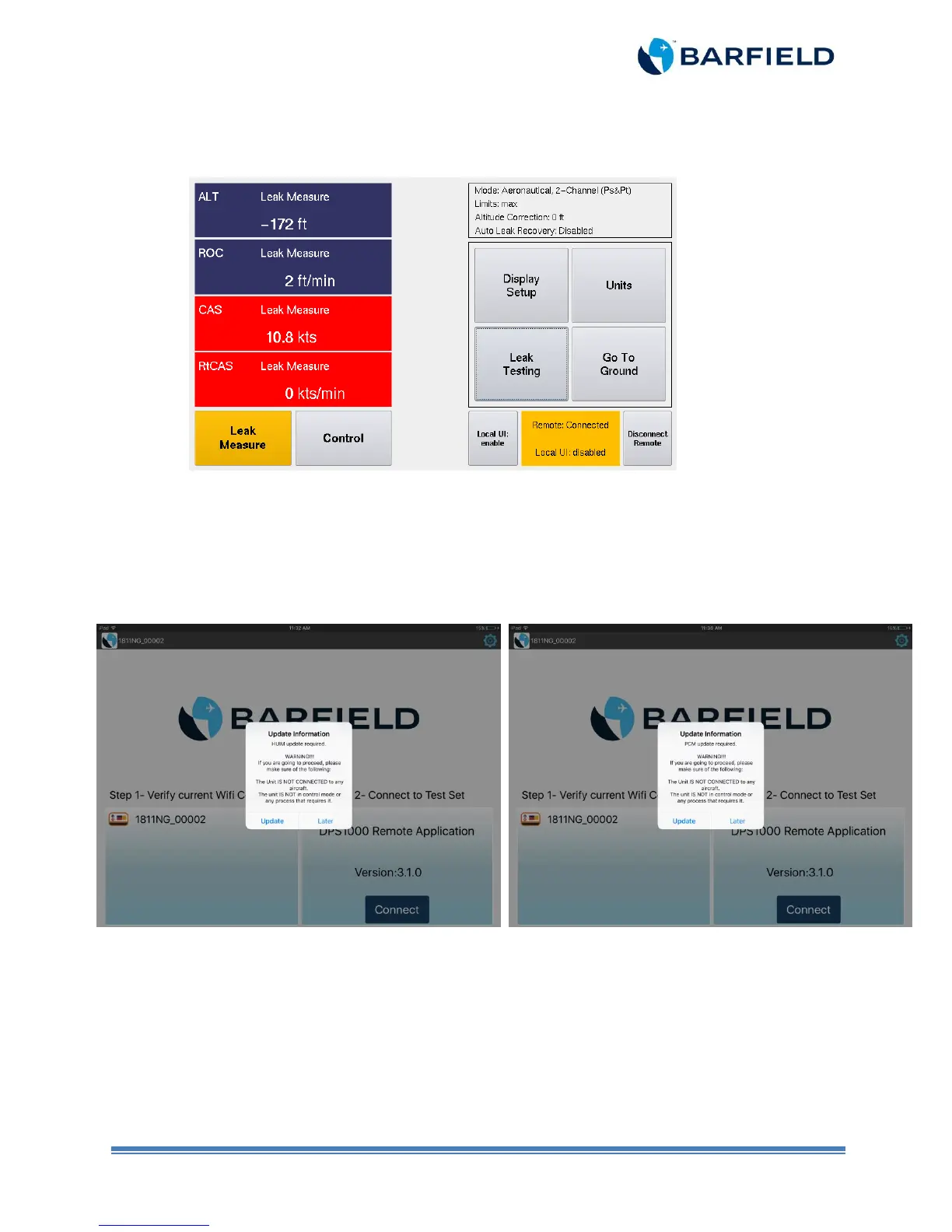
j) The remote terminal window, which is identical to the test set display (Figure 2.20),
opens. The DPS1000/1811NG is now ready for testing through the tablet app.
Figure 2.20 Remote Terminal Screen
Note:
Usually, the unit requires update from both HUIM and PCM. However, there are
some instances when only one update process is required. In this case, the
software not requiring an update remains disabled. (Figure 2.21 and 2.22).
Figure 2.21 HUIM Update Only Figure 2.22 PCM Update Only
iOS does not allow apps to operate in the background. Do not close the tablet
app during the updating process or while operating the DPS1000/1811NG.
b) The tablet becomes the master Unit Interface (UI) with an active touch screen. Once the
tablet becomes the master, the touch screen on the test set becomes disabled.
o Note: the test set display will continue to replicate the same screens as selected
and displayed on the tablet, but the UI touch will only be active on the tablet app.



 To Next Page