56-101-01175 Revision H Page | 45
that allows viewing of ascii text files. It is recommended to email this file to Barfield to
aide in trouble shooting some issues/problems when the need occurs. In case of
required technical support, Barfield personnel may request that this file be forwarded
to them for troubleshooting purposes.
G. Setup 2 – (PIN Required)
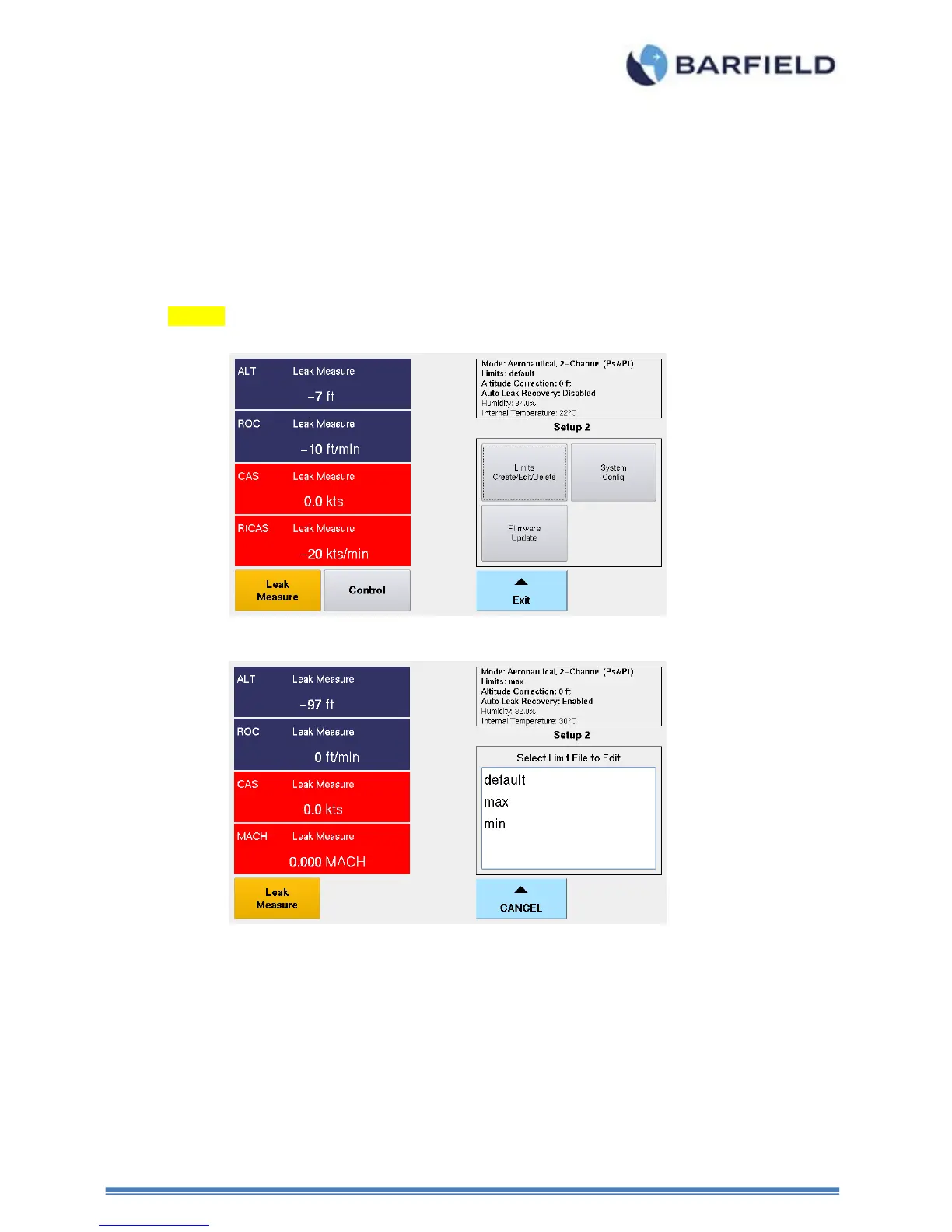
The Setup 2 menu is PIN protected to provide some level of security to the activities
completed under this menu structure. After entering the user PIN code (default code is
123456), the following screen (Fig 42) will appear and show:
Figure 42 Setup 2 - Selecting Limit File to Edit
1. Limits – Create, Edit, Delete
a) Create Custom Limits
Allows user to create custom limit profile(s).
Note: This is in addition to the two pre-defined (1) default and (2) max limit
profiles.



 To Next Page