56-101-01175 Revision H Page | 47
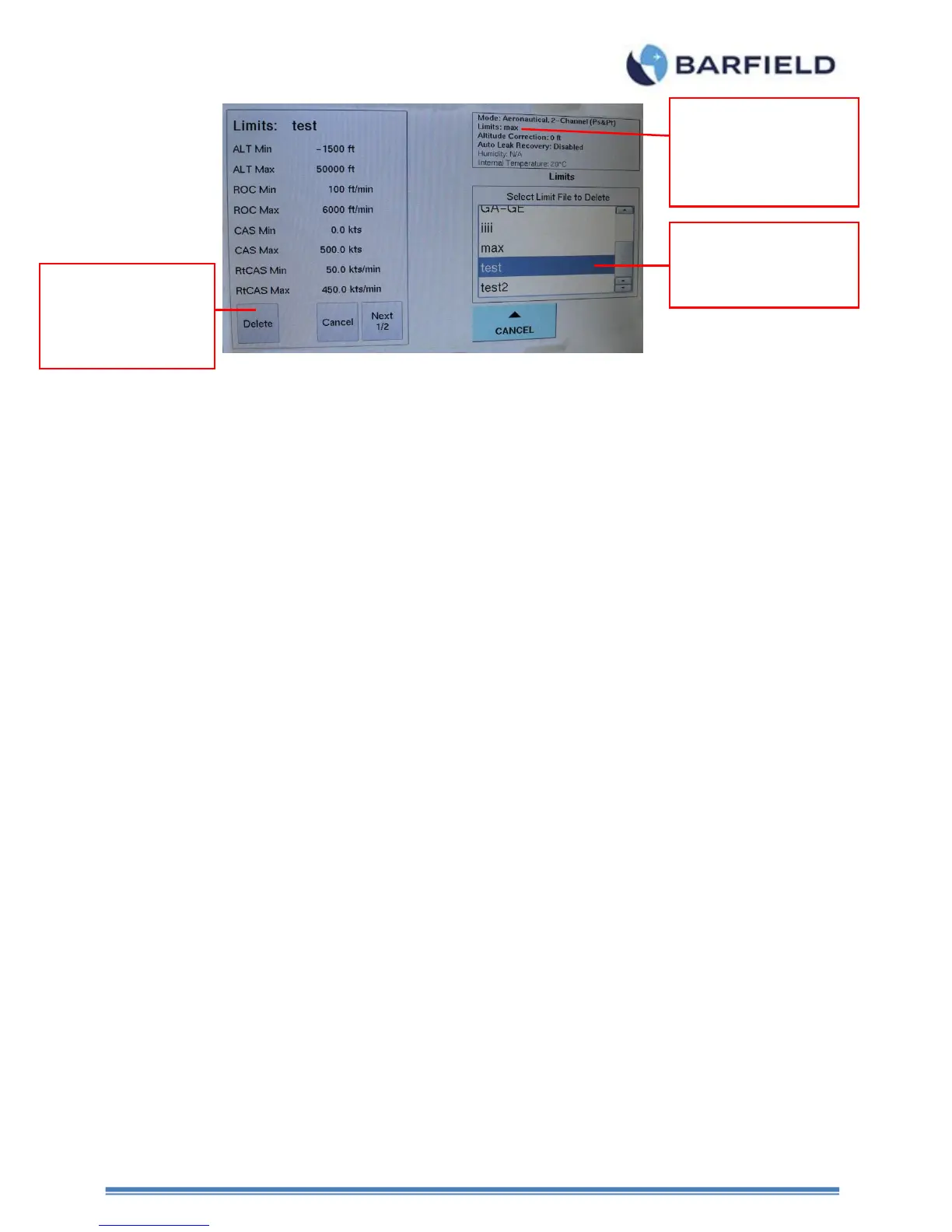
Figure 44 Delete Custom Limits
2. System Config
Set Date & Time (set time and date of unit)
Wi-Fi Option (enables or disables the WI-FI capability)
Cabin Pressure Mode (refer to Appendix G)
3. Firmware Update (refer to Appendix E)
Flash – HUIM from USB (Update HUIM firmware from dpsx file located on
the USB flash drive).
Flash – PCM from USB (Update PCM firmware from controller.hex file
located on the USB flash drive).
H. Setup 3 – This is for OEM only, OEM or Service PIN required.
(Custom PIN required for each Test Set)
I. Change User PIN
1. Allows user to change the current user PIN
2. Note: User must know the current PIN in order to change it
J. Touchscreen Calibration
Main Menu: Page 2, Page 3
1. If touch screen sensitivity or zone accuracy has shifted, allow user to calibrate touch
screen.
K. Log File - There are two log file selections available
Main Menu: Page 2, Page 3
1. Current History – Recorded event history since the unit was last powered on.
2. Complete History – Recorded ALL event history dating back to either when the
product was 1
st
powered ON or when it was last cleared.
Note: Only OEM can clear the Complete History file through Setup 3.
Step 4
Select the “custom
limits” created.
Step 5
Touch “delete” to
erase the “custom
limits” created
Step 3
Ensure “Limits” is
different from
“custom limits”
created.



 To Next Page