56-101-01175 Revision H Page | 29
4. PREPARATION
The DPS1000 has been designed with a user friendly GUI “Graphical User Interface” which
provides an intuitive understanding of the man/machine interaction thereby greatly
simplifying the learning experience. However, we still STRONGLY RECOMMEND that the
user becomes familiar with the DPS1000 operations and menu structure before connecting
it to an aircraft system or instruments and/or performing any tests.
The test procedures are described in place of any specifications by either the airframe or the
instrument manufacturer. Particular attention should be addressed to the preliminary
procedures so as to avoid erroneous test results and to preclude any risk of damage to the
aircraft or Test Set instruments. The ports on the Test Set and mating hoses are color-
coded to help prevent accidental crossing of Pitot and Static hoses.
Each Test Set is completely calibrated and tested before shipment. However to ensure the
integrity of the tests, the DPS1000 should be leak checked before each use. To help
automate this process, use the predefined ATP Test Set–only.
WARNING: Observe aircraft and equipment servicing procedures as well as safety
precautions detailed in the AMM “Aircraft Maintenance Manual”, CMM
“Component Maintenance Manual” and procedures and practices stated in
local orders.
5. POWER ON INITIALIZATION
A. Set power switch to ON. After approximately 7 seconds, the display will indicate
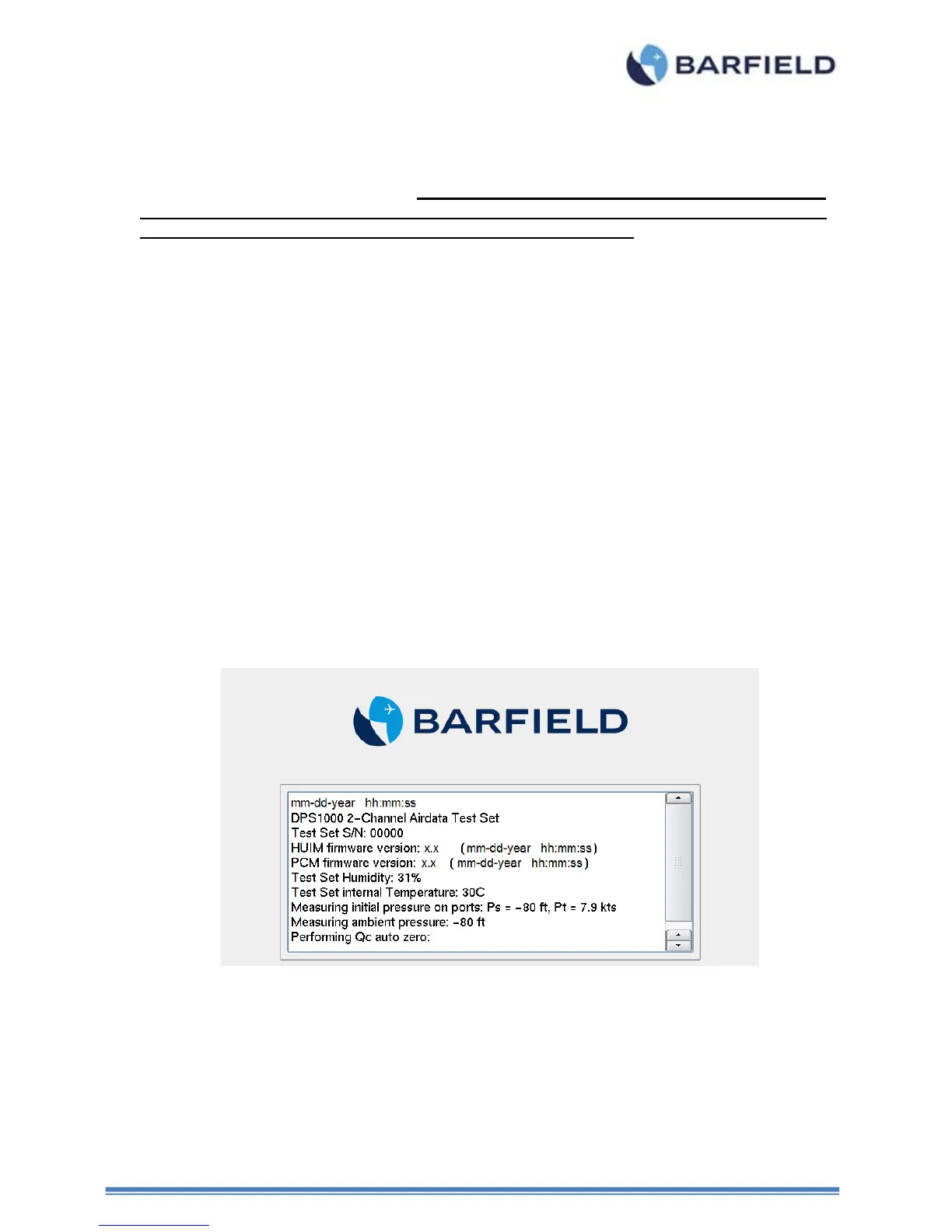
“DPS1000” during the initial boot-up process. The following, or similar screens will appear
during the Test Set initialization:
Figure 18 Power On Initialization Display
B. During the DPS1000 power ON initialization process the information is both displayed
and written to a log file. The log file provides the ability to go back and view the
initialization process and results if needed. The log file can be viewed at a later time by
going to the Menu sequence Main Menu , Page 2 , Page 3 , Log File, Current
History.
Note: The “Current History” log file contains logged information for the current powered
ON session.



 To Next Page