56-101-01175 Revision H Page | 53
the automated leak test and return when the ATP Leak Test has completed to
review the leak test results.
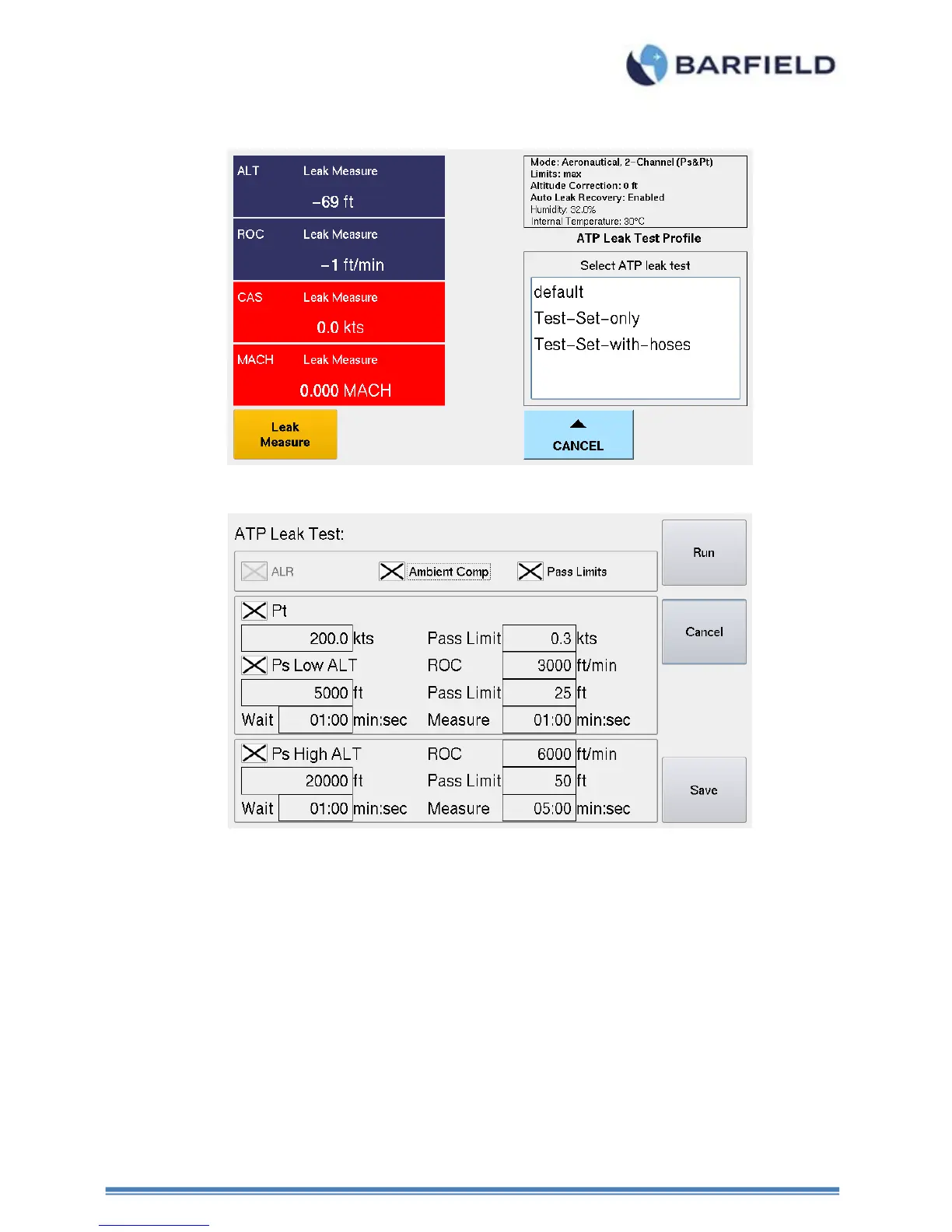
Figure 49 Selecting ATP Leak Test Profile
Figure 50 Leak Test Profile - Parameters Screen
5. From the UI main menu, touch to select “Leak Testing”. A panel appears with two
options: “Leak Rate Timer and ATP Leak Test Profiles.
Touch “ATP Leak Test Profiles”. The ATP Leak Test Profiles screen appears with
three options.
Touch “ATP Select Leak Test Profile(s)”. The Select ATP leak test control screen
appears displaying the following: Default, Test Set Only and Test Set with Hoses.
Touch “Test Set Only”. The Test Set Only control screen appears.
Touch “Test Set with Hoses”. The Test Set with Hoses control screen appears
6. On the “Test Set Only” and “Test Stet with Hoses” screens, the unit performs a
combined Pitot and Static leak test in the following order:
a) Pitot (Pt channel) Leak Test (default = 200.0 kts) while Ps channel remains at



 To Next Page