56-101-01175 Revision H Page | 85
3. On the numbered keypad, enter the user PIN code (default code is “123456”). Touch
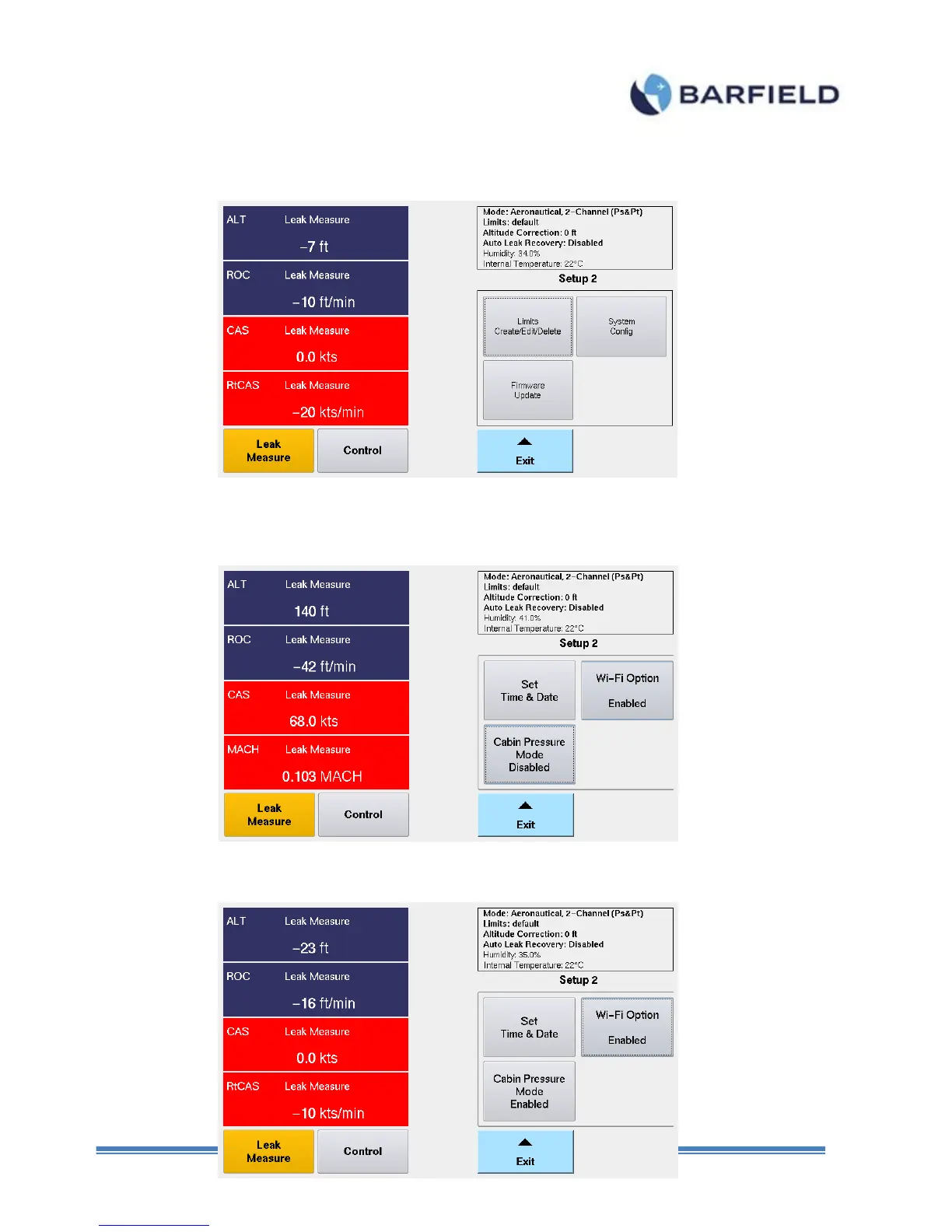
“Enter”, “Setup 2” screen is displayed (Fig. E. 3).
Figure E. 3 Setup 2 Screen
2. Touch “System Config”. A screen appears with three options. Touch “Cabin Pressure
Mode Disabled” to activate that function.
Figure E. 4 Disabled Cabin Pressure Mode
3. The unit will change the Cabin Pressure Mode to Enabled (Fig. E. 5).



 To Next Page