56-101-01175 Revision H Page | 86
Figure E. 5 Enabled Cabin Pressure Mode
4. The unit is now ready to be used in the Cabin Pressure Mode. In order to access the
mode, please re-start the unit.
Section 2
To use “Cabin Pressure Mode” in the aircraft:
1. Turn the unit ON. The unit will go through an initialization process.
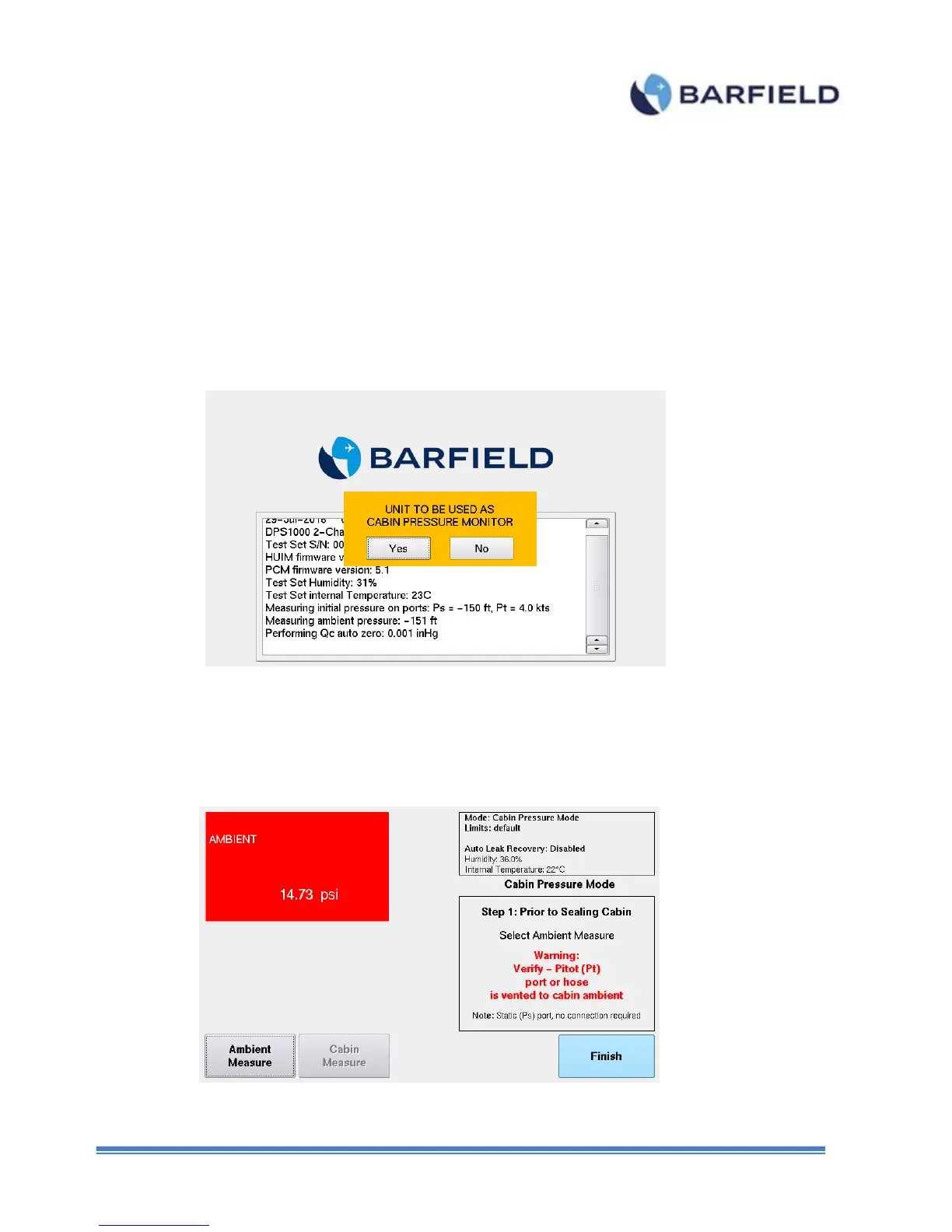
2. Then, the unit will prompt you to answer “yes” or “no” to the message below (Figure E. 6).
Figure E. 6 Initialization Screen
3. Touch “No” and the unit will continue with normal operation (no cabin pressure mode)
4. Touch “Yes” to use the unit in Cabin Pressure Mode.
5. The Cabin Pressure Mode screen is displayed.
Figure E. 7 Cabin Pressure Mode – Step 1



 To Next Page