56-101-01175 Revision H Page | 44
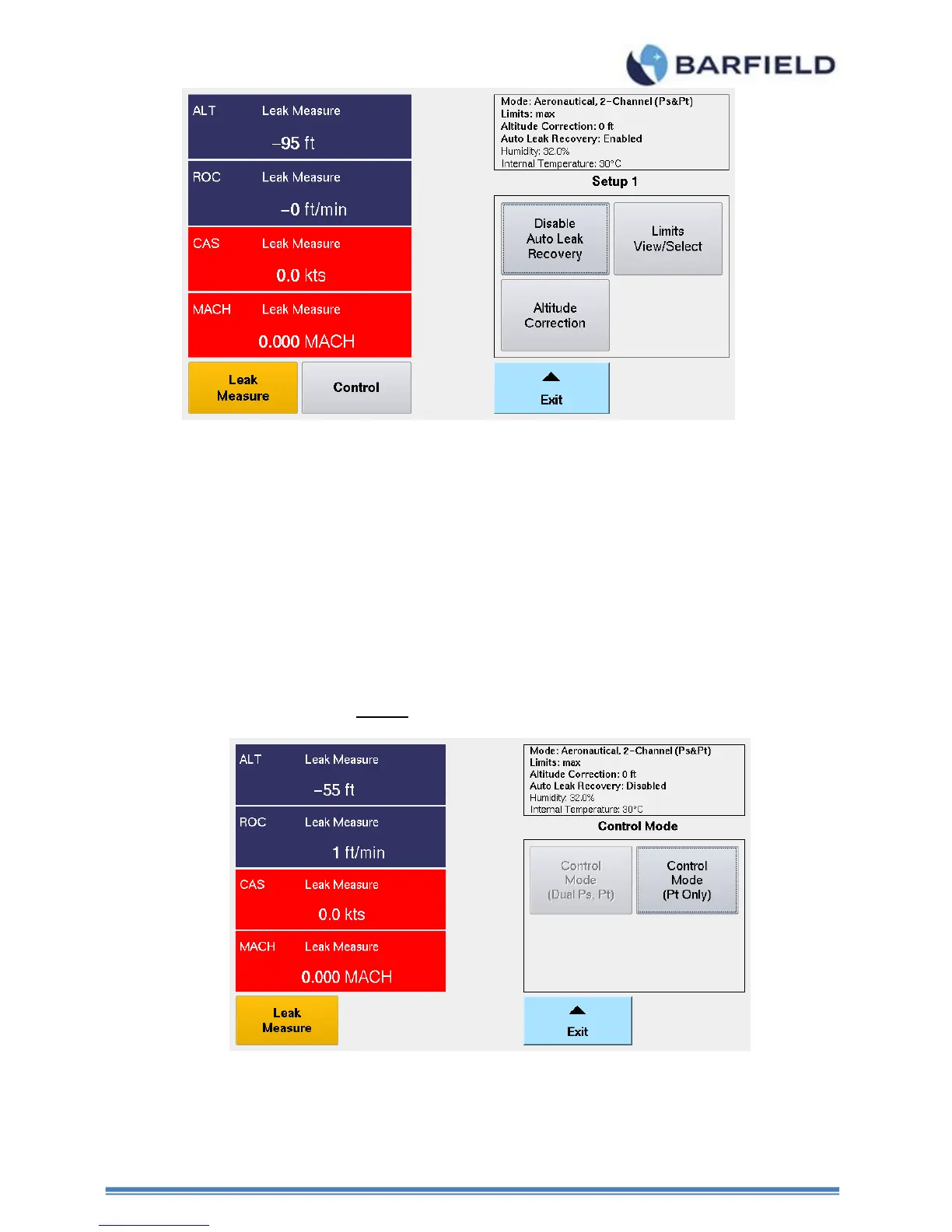
Figure 40 Test Set Configuration, Updated Altitude Correction
4. Control Mode – Allows user to select the default: 2-Channel (Ps & Pt) mode or
1-Channel (Pt-Only) mode. You will see the operating “Mode” is always indicated in
the status window located on the top right-side of the UI display.
5. The Pt-Only mode can be used to drive an Airspeed or MACH indicator that has it’s Ps
(static) port vented to ambient (local barometric pressure). When the single channel Pt-
only mode is selected the DPS1000 will perform a Go To Ground function before
transitioning into this mode to ensure the Test Set Ps port is at ambient barometric
pressure, at the conclusion of the Go To Ground the Test Set will leave the Ps port
vented to ambient while driving the Pt port to the Target pressure specified by the user.
Note: The DPS1000 always powers up into the default: 2-Channel (Ps & Pt) mode.
Figure 41 Setup 1 Control Mode(s)
6. Copy History file to USB
This allows the user to copy and transfer the history log to an external USB flash
drive. Once on the flash drive the file can be opened and reviewed using any tool



 To Next Page