56-101-01175 Revision H Page | 88
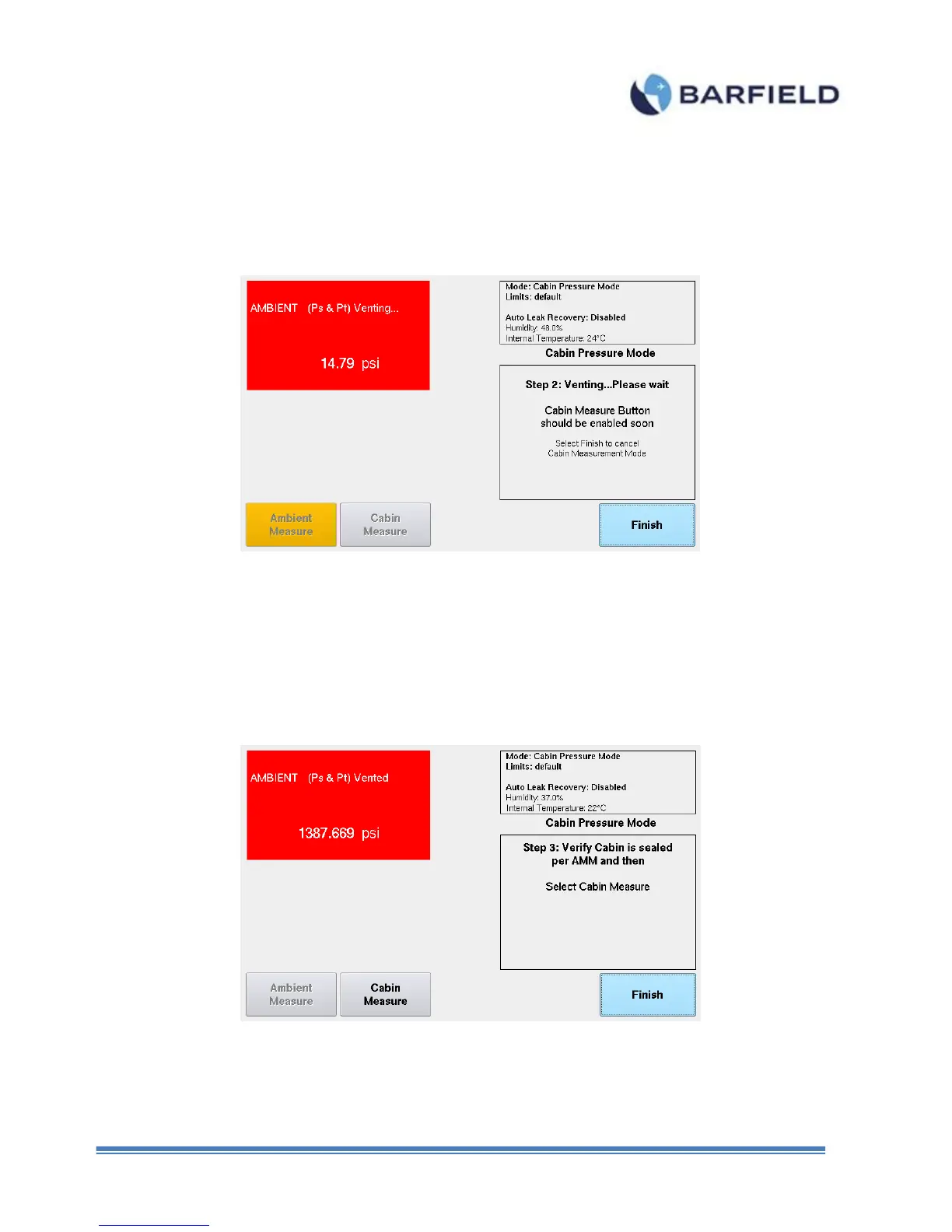
7. Touch “Yes”. Continue to follow on-screen instructions. Step 2 window is displayed.
Here, the unit will vent to ambient.
Figure E. 10 Cabin Pressure Mode – Step 2
Once unit is vented, Step 3 screen will appear. The Cabin Measure button will be
available. Please ensure that the cabin is sealed and ready for pressurization as per
AMM.
Figure E. 11 Cabin Pressure Mode – Step 3



 To Next Page