Baumer GenICam Camera Features | 11
V1.2 | VCXG.2 / VCXG.2.XC / VCXG.2.I / VCXU.2 Operating Manual 147
11.11 Category: EventControl
This chapter describes how to control the Events generation for host application. Event is a
message sent to the host application to notify the presence of an internal event.
General Information
The asynchronous message channel is described in the GigE Vision standard
®
and can option-
ally be used to signal events. Every Event is assigned a timestamp (64 bits) with the exact point
in time the event has occurred. Every Event can be separately enabled and disabled (EventSe-
lector).
Event: EventLost
Event is output if a selected Event was lost. The cause may be too many Events having oc-
curred.
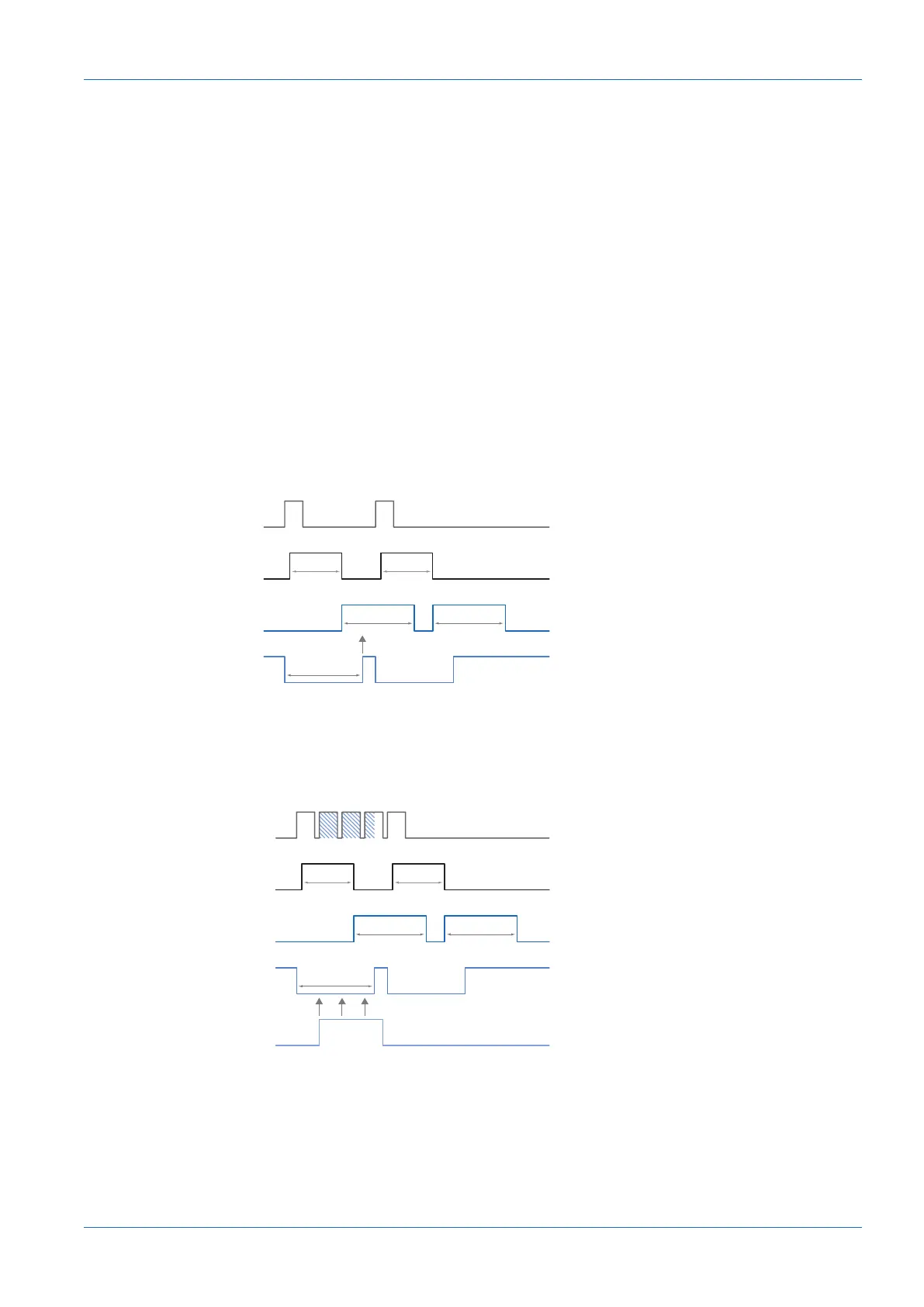
Event: TriggerReady
Event signal whether the camera is able of processing incoming trigger signals or not.
Exposure
Readout
t
exposure(n)
t
readout(n+1)
t
readout(n)
t
exposure(n+1)
Trigger
TriggerReady
Event: TriggerReady
t
notready
Event: TriggerSkipped
If the camera is unable to process incoming trigger signals, meaning camera trigger should be
within the tnotready interval , these trigger signals are skipped. This will be indicated to the user
by event TriggerSkipped..
Exposure
Readout
t
exposure(n)
t
readout(n+1)
t
readout(n)
t
exposure(n+1)
Trigger
TriggerReady
t
notready
TriggerSkipped
Event: TriggerSkipped


 To Next Page