8. Ultrafiltration
a. if the Instrument is in Dialyze, press the UF
Removed button on the right side of the screen
b. if the Instrument is in Prime, press the Target UF
button on the right side of the screen..
3. Press the Profile UF button on the right side of the screen.
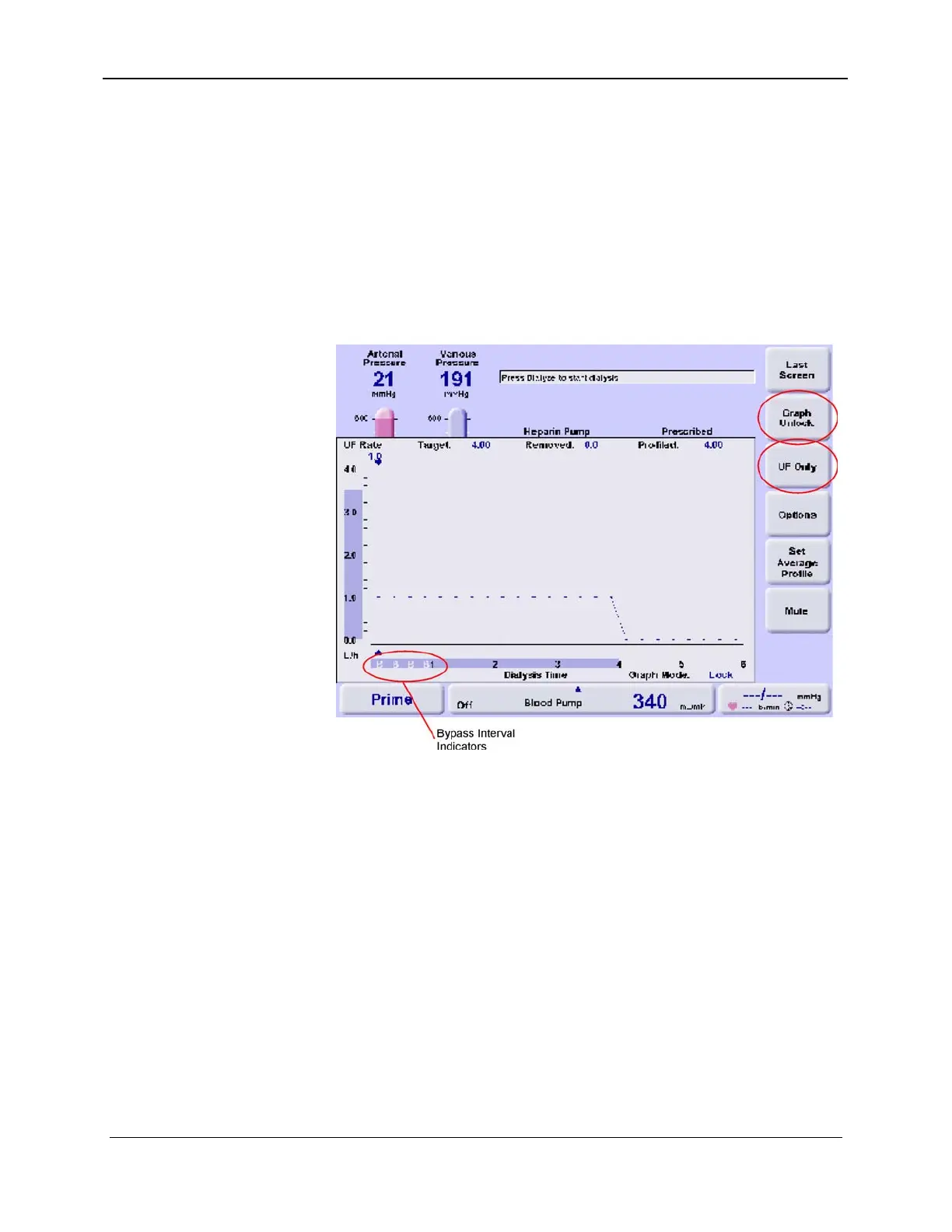
4. On the Profile UF screen, press the Graph Unlock button,
then select UF Only (see red circles upper right side of
screen in Figure 8-12). The label on the UF Only button
will change to UF Only Verify.
Figure 8-12. UF Only Bypass Intervals
5. Next, press the Options button, then select the UF Only
interval in minutes by repeatedly pressing the UF Only
Interval button. It will display "15", "30" and "60" in turn.
The recommended minimum interval is 30 minutes because
the intervals displayed on the graph become quite small if
15 minutes is selected.
6. Press the Last Screen button to accept the interval.
7. Program the Bypass points on the graph by touching
anywhere on the graph with your finger. A "B" will appear
in the intervals selected (see Figure 8-12). If touched
again, the "B" is turned off. If you have difficulty turning
the "B" indicators on or off, try selecting a longer interval
as described in Step 5.
157-1278-915 Rev A 8-19
January 2004














 To Next Page