5. Electronics
stores programs and data currently being used so they are
accessible to the microprocessor. The SDRAM and Compact
Flash Memory are not included in the SBC spare, therefore both
need to be removed from old SBC and placed on the new SBCs.
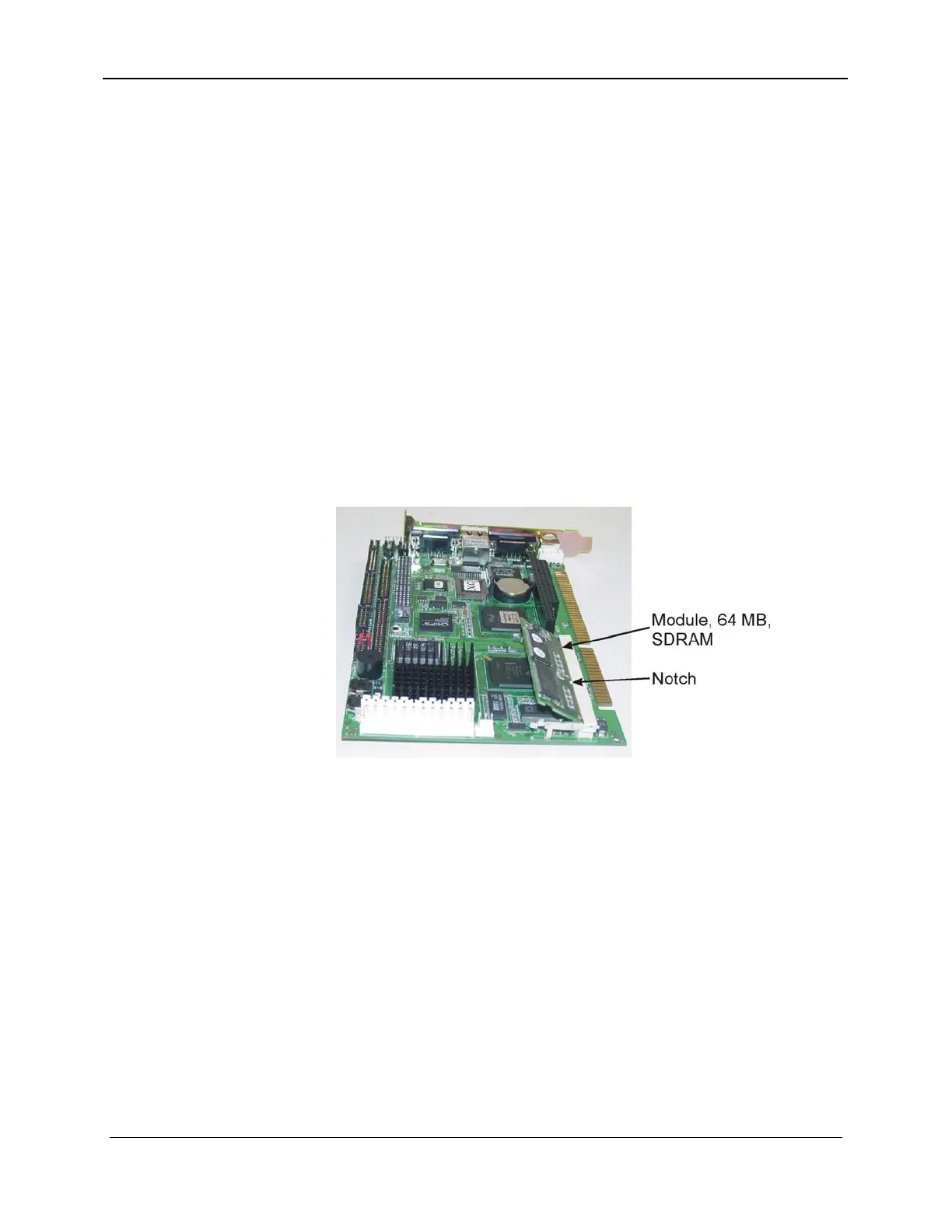
Follow the next procedure to install the SDRAM on the SBC.
5.4.2.2 SDRAM Installation
1. Observe the orientation of SDRAM module (499-4000-
374), SBC (916-5001-494), and position of the notch as
shown in Figure 5-13.
2. Insert SDRAM module into connector on Single Board
Computer at approximate angle as shown.
3. Push SDRAM module further into the connector keeping
the SDRAM module at the same approximate angle until
gold fingers at the bottom edge of the SDRAM are
completely within the SBC connector.
Figure 5-13. Single Board Computer
4. Push down on the top edge of the SDRAM module until it
snaps into place as shown in the picture.
157-1278-912 Rev A 5-19
November 2003














 To Next Page