MX08 Multichannel Weighing System, Technical Manual, Rev. 2.5 Page 20 of 144
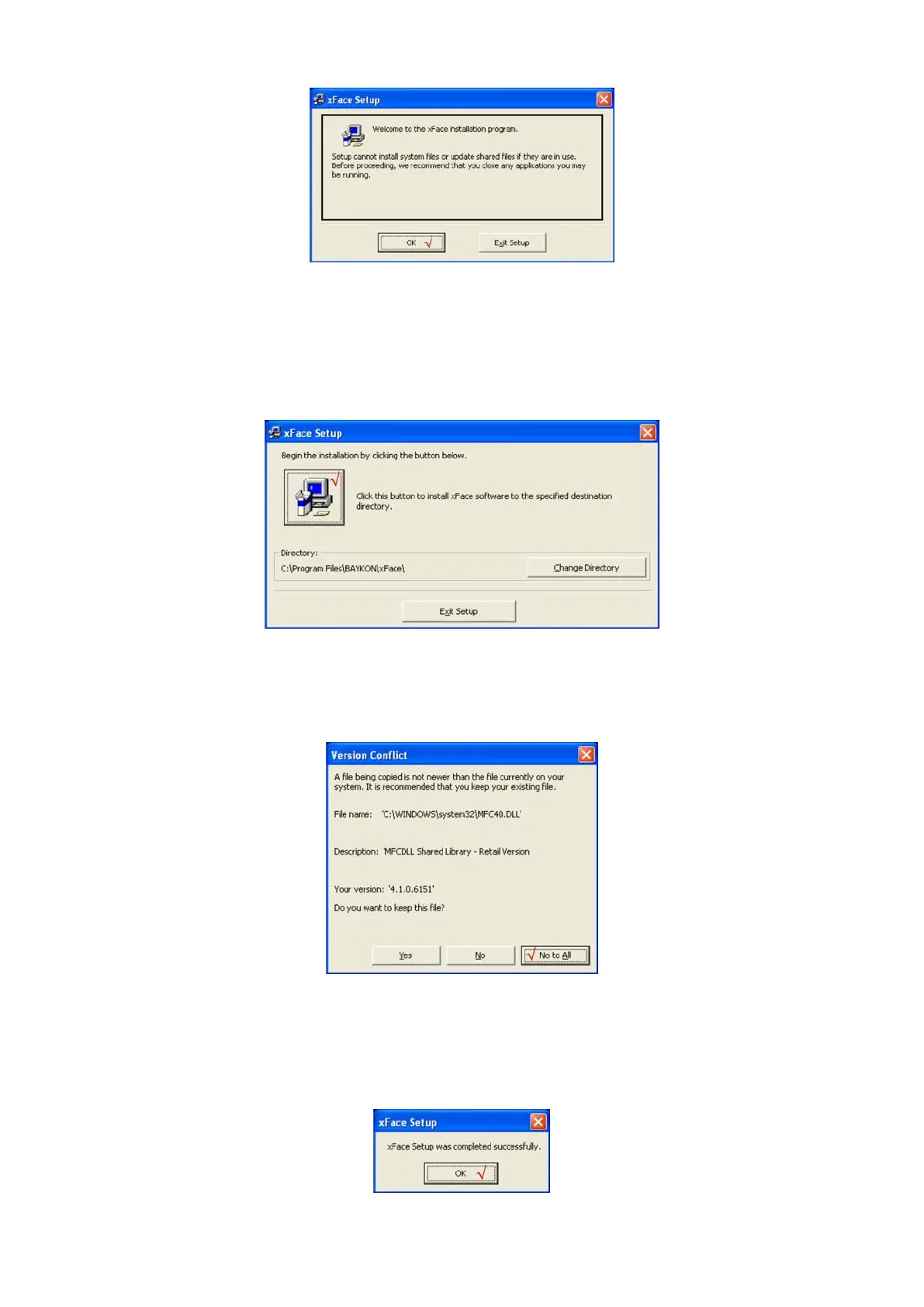
Figure 3.1 - xFace installation step 1
• Follow menus in the setup wizard step by step.
• The installation directory name shall be written with Latin characters. Chinese folder
name is not supported.
Figure 3.2 – xFace installation step 2
• If the Version Conflict window is displayed, click to “No to All” button.
Figure 3.3 – xFace installation step 3
• After finishing the installation, the Setup Wizard will inform you the software is
installed successfully and than click to “OK” button.
Figure 3.4 – xFace installation step 4


 To Next Page