MX08 Multichannel Weighing System, Technical Manual, Rev. 2.5 Page 36 of 144
Power Supply Connection:
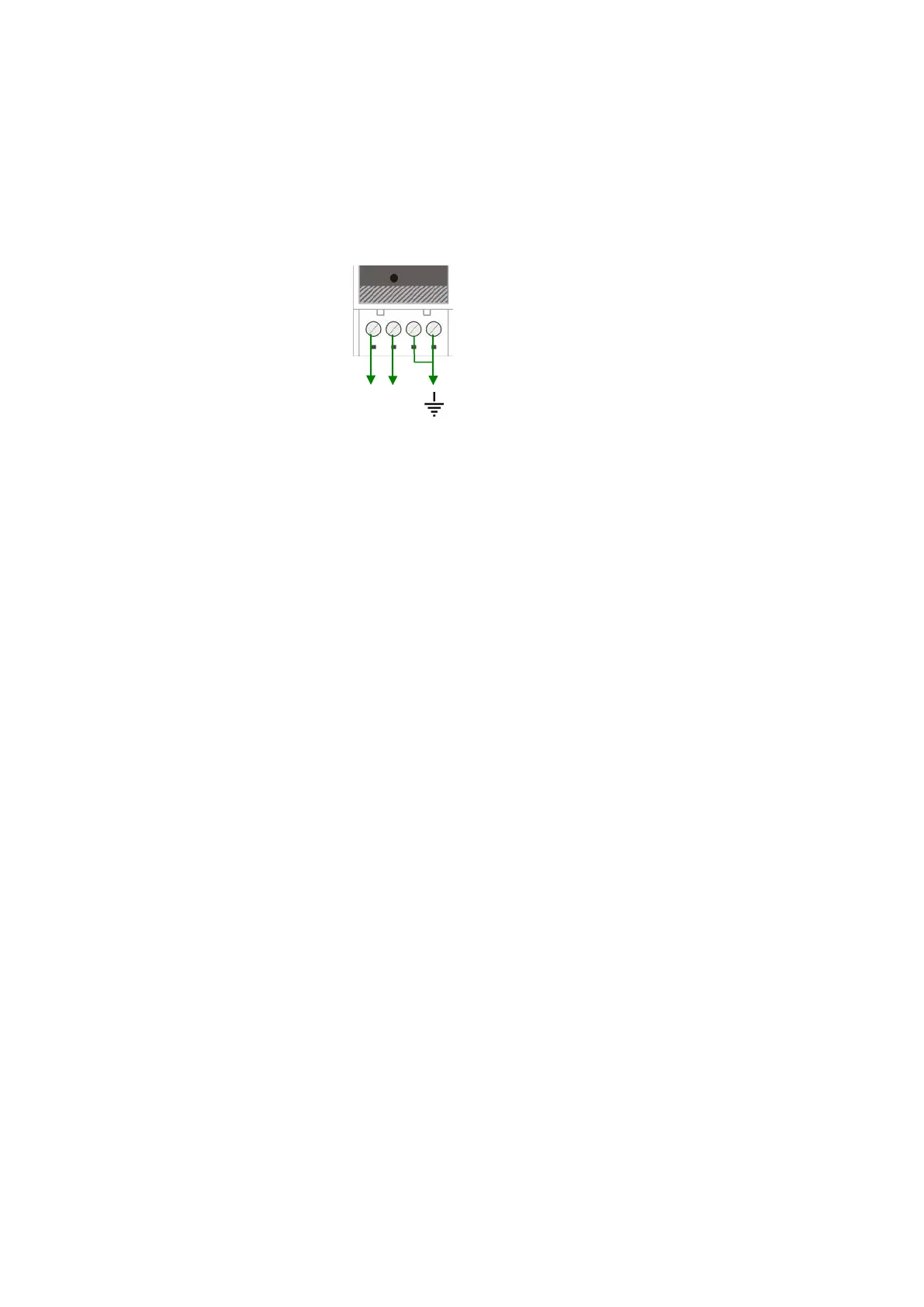
The pin configuration of the 24 VDC power supply connector located on front bottom of the
instrument is shown in Figure 4.2. Proper grounding is very important for the accuracy and
the safety of your measuring system. Before interfering the instrument, please turn off the
power and wait at least for 30 seconds.
Warning: Connect the grounding terminal to the reference ground.
24V 0V
Figure 4.2 - Pin layout of 24VDC Connector
5.3. Programming and Calibration
MX08 AD instruments are programmed and calibrated by xFace software which is
connected via Gateway instrument. Analog digitizer parameter values are very important
for better weighing performance.
5.3.1. Setup the Scale Parameters
In setup menu, parameter values at MX08 AD can be seen, changed and saved to MX08
AD. These parameters are;
Increased External Resolution
This parameter enables to follow the weight value as 10 time higher resolution than
programmed division in weighing and force mode for service engineer. Increased
resolution must be disabled for usage in process.
(Not available in Count Mode)
Default is ‘Disable’.
Digital Filter
Environmental noises like bounding forces, air flow, vibration, motor control instruments
etc. disturb the load cell signal. The selection of proper filter determines how quickly the
system will react to the load cell signal.
Load cell signal digital filtering is done according to the selected value of this parameter.
This parameter values are changed from 0 (fastest settling by low filtering) to 9 (slowest
settling by high filtering).
Default is ‘7’.


 To Next Page