MX08 Multichannel Weighing System, Technical Manual, Rev. 2.5 Page 43 of 144
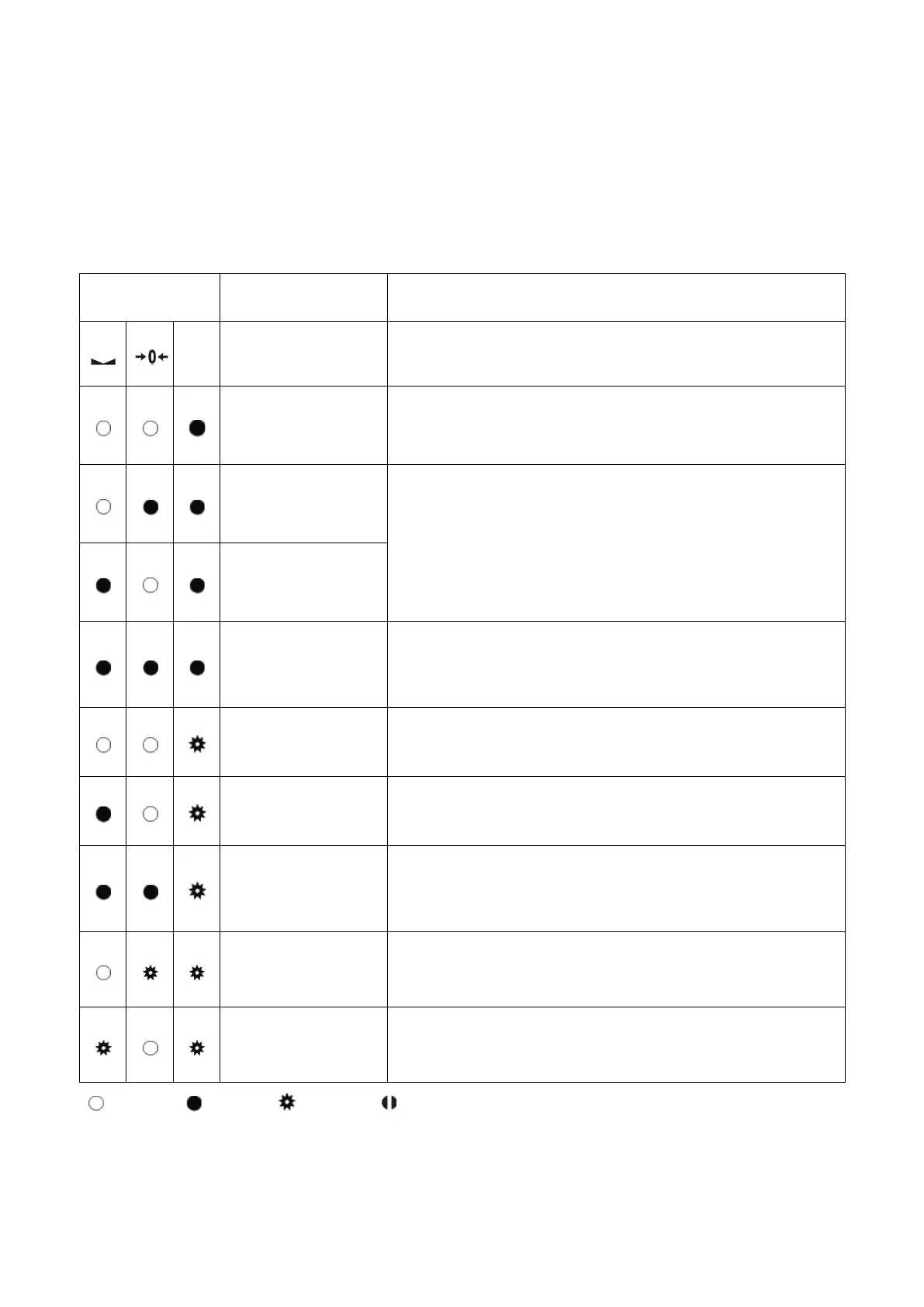
5.5. Error Table
The MX08 AD instruments have been designed as very reliable and virtually error free
instruments. However if an error occurs do not attempt to repair the equipment before you
understand what caused the error. Note the problems you have with your instrument and
the error messages shown by the LEDs located on the front panel. Then try to solve the
problem according to the error table given below.
Error Code Description Actions to take / Possible cause
Err
ADC Error
− Re-
energize the instrument. If seen again, change
the board.
Over Load
− Check the load
− Load cell or instrument could be defective
Weight is too low
signal
input range
− Check the load
− Check the calibration
− Load cell or instrument could be defective
System Error
− Re-
energize the instrument. If seen again, change
the board
Configuration
Error
− Re-address the instruments on N-
section 3.3 or Section 3.9 N-Bus addressing)
N-Bus
Communication
Error
− Check the Gateway instrument whether it is in
system and powered on
− Check the N-
Bus connector whether they are
installed on the rail
Detected
−
Check the power supply that the voltage is in the
required voltage range.
Detected
− Check the power supply that the voltage is in the
required voltage range.
Blank Light Flash Blank for 0.3 second
Table 4.3 - Error table


 To Next Page