MX08 Multichannel Weighing System, Technical Manual, Rev. 2.5 Page 55 of 144
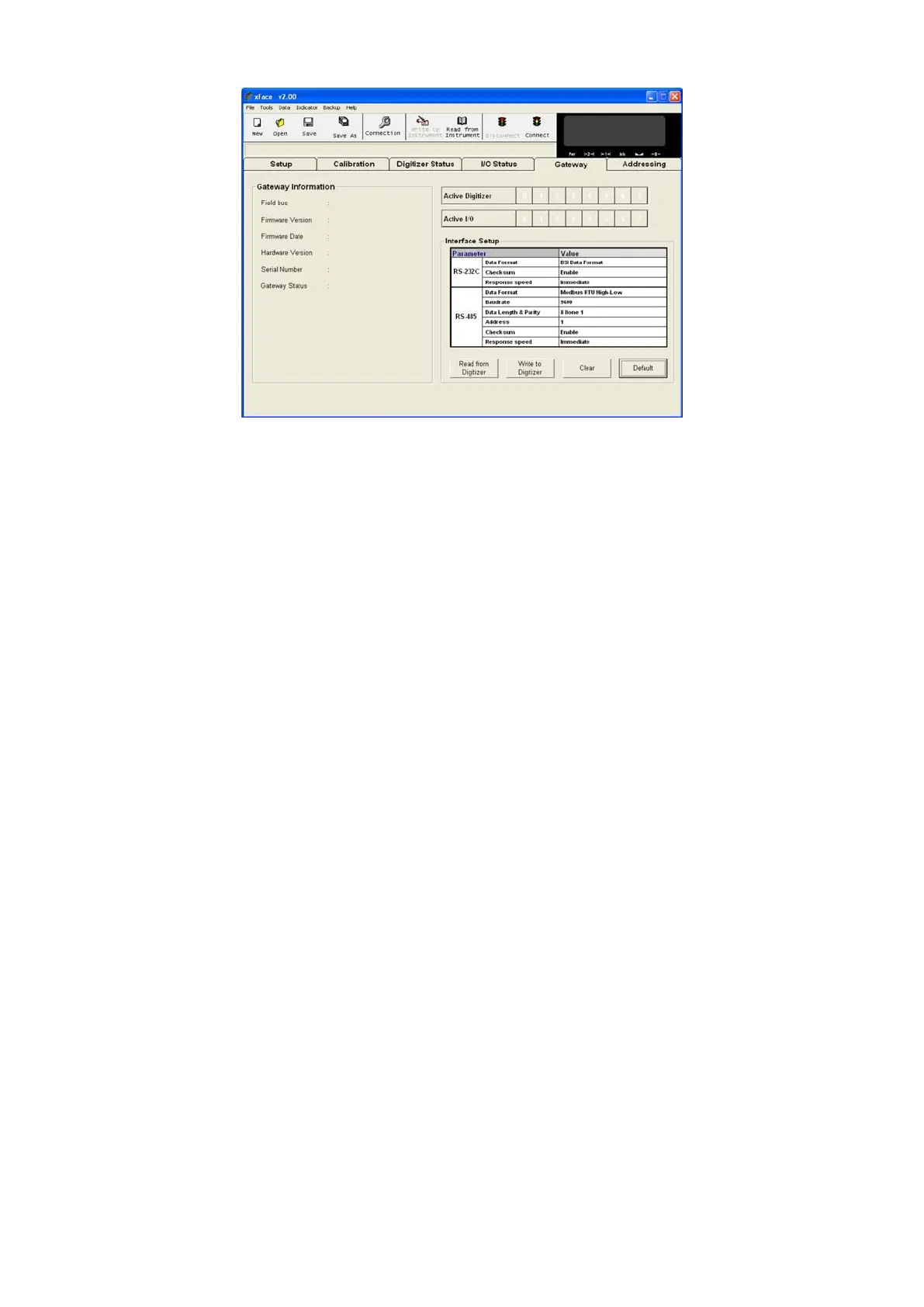
Figure 7.4 - Modbus RTU setup
8.4.1. Modbus RTU Parameters
RS-485 and RS-232C serial port parameters are data format, baudrate, parity and
address.
RS-232C Data Format
This parameter programs the RS-232C communication port data format. The available
data formats are;
No data will be transmitted. Select disable if this port is not used.
BSI :
Communicates in BSI data format as a slave. Refer to ‘Refer to
Section 3.11’ for details.
: Modbus RTU communication. Refer to Section 7.5 for details.
: Modbus RTU communication. Refer to Section 7.5 for details.
Note: xFace automatically connects to the instrument whatever the data format is. After
xFace disconnection, the instrument returns to run with last saved data format.
Warning: Disable this interface if it is not used to increase the interfacing performance.
Default is ‘BSI’.
RS-232C Checksum
The checksum can be enabled or disabled from BSI data format. The checksum
calculation can be found in the related data format description.
Default is ‘Enable’.


 To Next Page