MX08 Multichannel Weighing System, Technical Manual, Rev. 2.5 Page 27 of 144
4.8. Digital Input/Output Tests
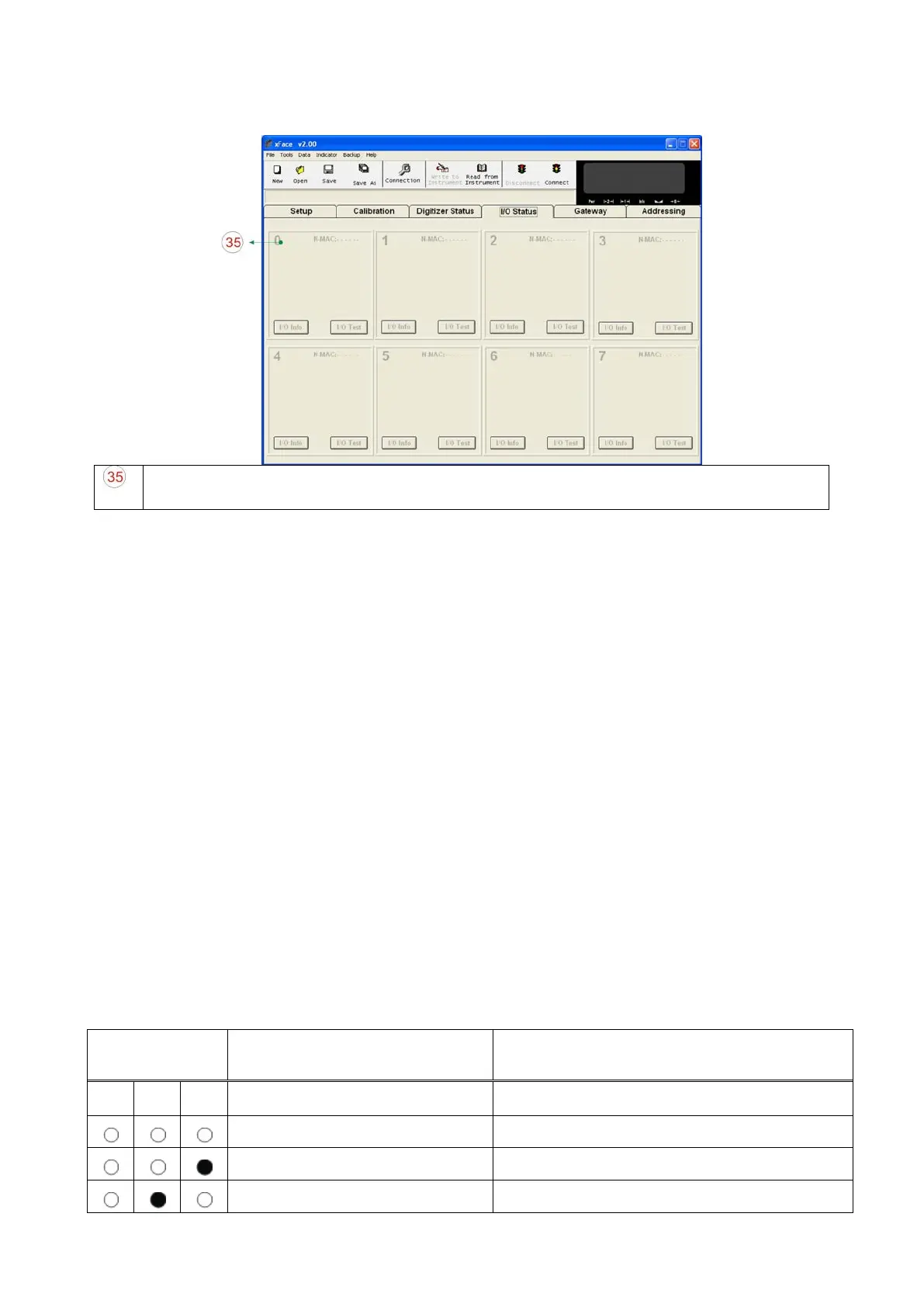
Input / Output tests: This block allows the user to check I/O status. I/O test button is
used to test outputs as seen in this figure.
Figure 3.13 - I/O Status
The active MX08 IO instruments are seen with its own N-Bus address block. You can
follow inputs and outputs, and change outputs. I/O test property is very useful for checking
the output states.
Warning: Please be careful to avoid damaging your process during output test.
4.9. N-Bus Addressing via Programming Switch
For the first time energizing of MX08 system, all Analog Digitizer and I/O instruments need
to be addressed to N-Bus. One way is addressing by xFace and it is described above.
Another way is addressing via programming switch (up to 7).
First, energize the instruments installed on the N-Bus. Press programming switch of
gateway instrument for 5 seconds. Three LEDs of the gateway instrument flash 4 times
and then indicate an address number to be assigned to Analog Digitizer or I/O instrument
for N-Bus address number. Change the address number via pressing programming switch
of the gateway instrument. Assign selected address number to AD or I/O by pressing
programming switch of AD or I/O.
LED and Programming Switch Descriptions in N-Bus Addressing Mode:
Description of LED Description of Programming Switch
Pwr Lnk Err
Address number is [0]. Increases address number to [1].
Address number is [1]. Increases address number to [2].
Address number is [2]. Increases address number to [3].


 To Next Page