MX08 Multichannel Weighing System, Technical Manual, Rev. 2.5 Page 25 of 144
Note: PLC GSD/GSDML configuration shall be match with selected configuration. The new
GSD configuration will be include only bytes/words of number of selected MX08 AD and
IO.
4.6. Analog Digitizer Programming and Calibration
PROPOSEL: Read the MX08 AD Analog Digitizer section carefully before programming
and calibration of the instruments. This will increase your weighing system performance by
applying proper programming and calibration.
MX08 AD Analog Digitizers shall be programmed in this sequence, if there is any analog
digitizer in the system. First select the scale number you will program by pressing the
scale selection buttons.
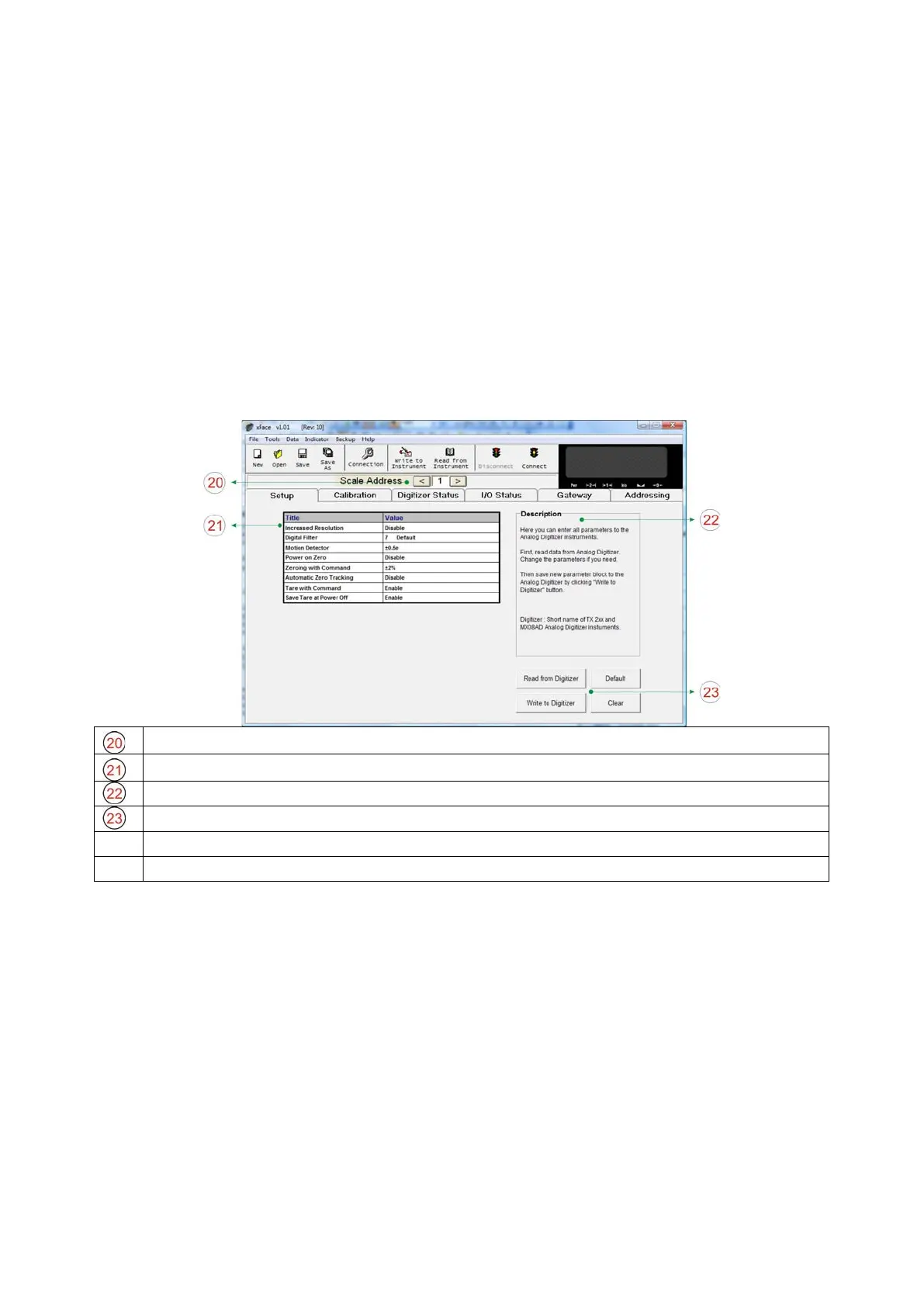
Clicking to left or right arrows selects the current Analog Digitizer.
Analog Digitizer Parameters:
Refer to Section 4.3.1 for details.
Description: This block helps to user to explain the parameters.
Read from Digitizer: Click this button to read the parameters from selected Digitizer.
Write to Digitizer: Click this button to save the parameters to selected Digitizer.
Default: Click this button to load the default parameters to parameter fields.
Figure 3.11 - MX08 AD setup parameters
For entering the parameter values enter set up tab, adjust parameter values and then write
this data to the Analog Digitizer. After writing parameter values to the Analog Digitizer,
calibrate the Digitizers. You can find parameter descriptions in Section 4.
4.6.1. Calibration
Scale build, operation mode selection and scale calibration is performed in the calibration
tab of xFace as seen in Figure 3.12. Please follow the procedure described in the following
sections in Section 4.3.2.


 To Next Page