5 – Reference
105
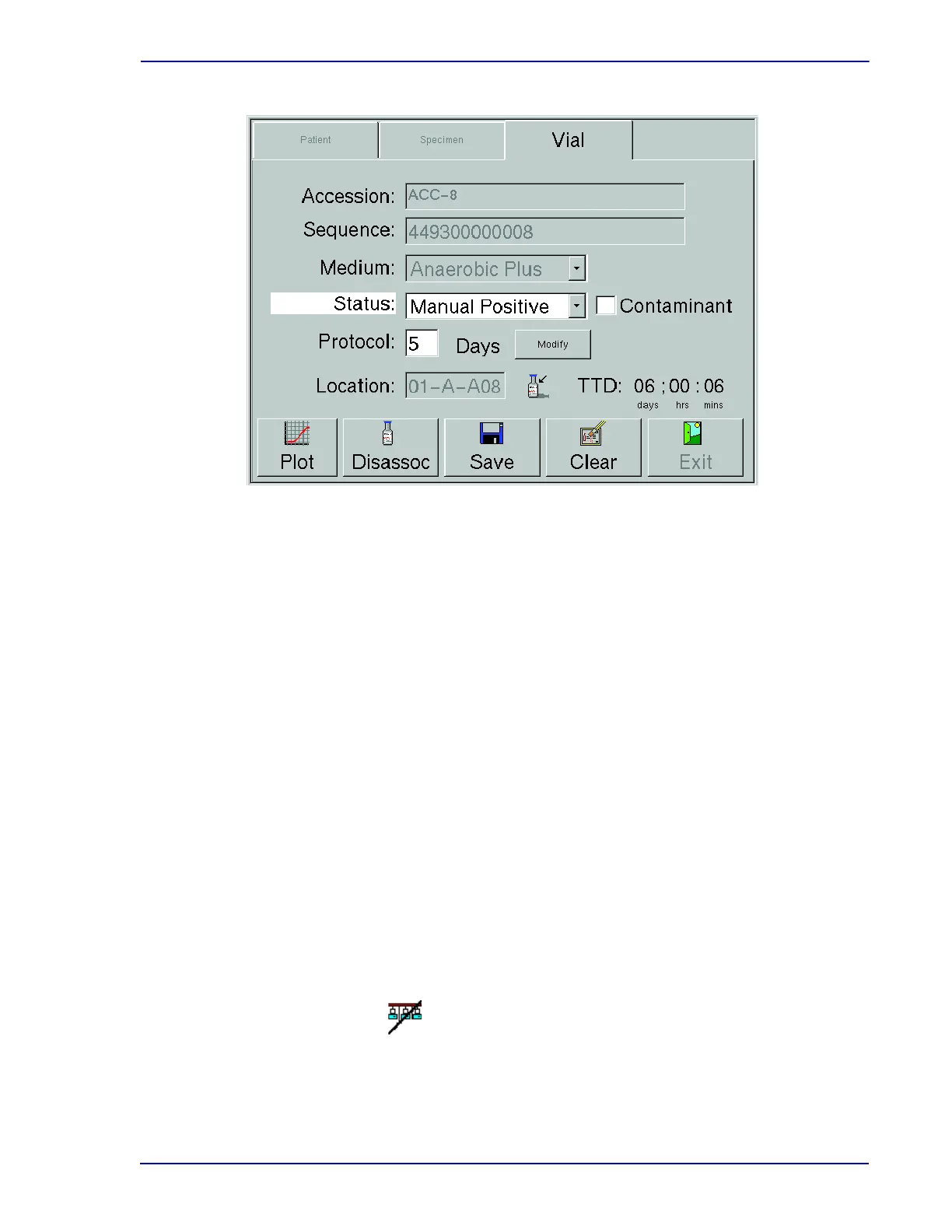
Figure 5-10 – Culture – Vial Display
Status
The current status of the vial. Statuses include: Pending, Ongoing, Positive, Negative. These
statuses are explained in Section 4.2.4. In addition, you can select Manual Positive or Manual
Negative in the drop-down box if you have determined through offline testing that a vial is
positive or negative.
Contaminant checkbox
If the vial status is Positive or Manual Positive and the state is not Anonymous, this checkbox
appears. Check the box to indicate that testing has confirmed that the organism is a
contaminant. The default value is unchecked.
Protocol
The default protocol for the medium type entered is shown. To change this protocol, select
Modify and refer to that information below.
Location
This field shows the last known station for the vial. If the vial is still in the instrument, it shows
the current station (see In Instrument indicator below). If the vial has been removed from the
instrument, it shows the last known station.
If no vial has been recalled (all fields blank), you can select the Location field and select a vial
from the Drawer View display to recall the vial information.
When this icon appears between the Location and TIP/TTD fields it indicates that the vial is
currently in a drawer or row that is offline.
Offline indicator











 To Next Page