3 – Controls & Indicators
49
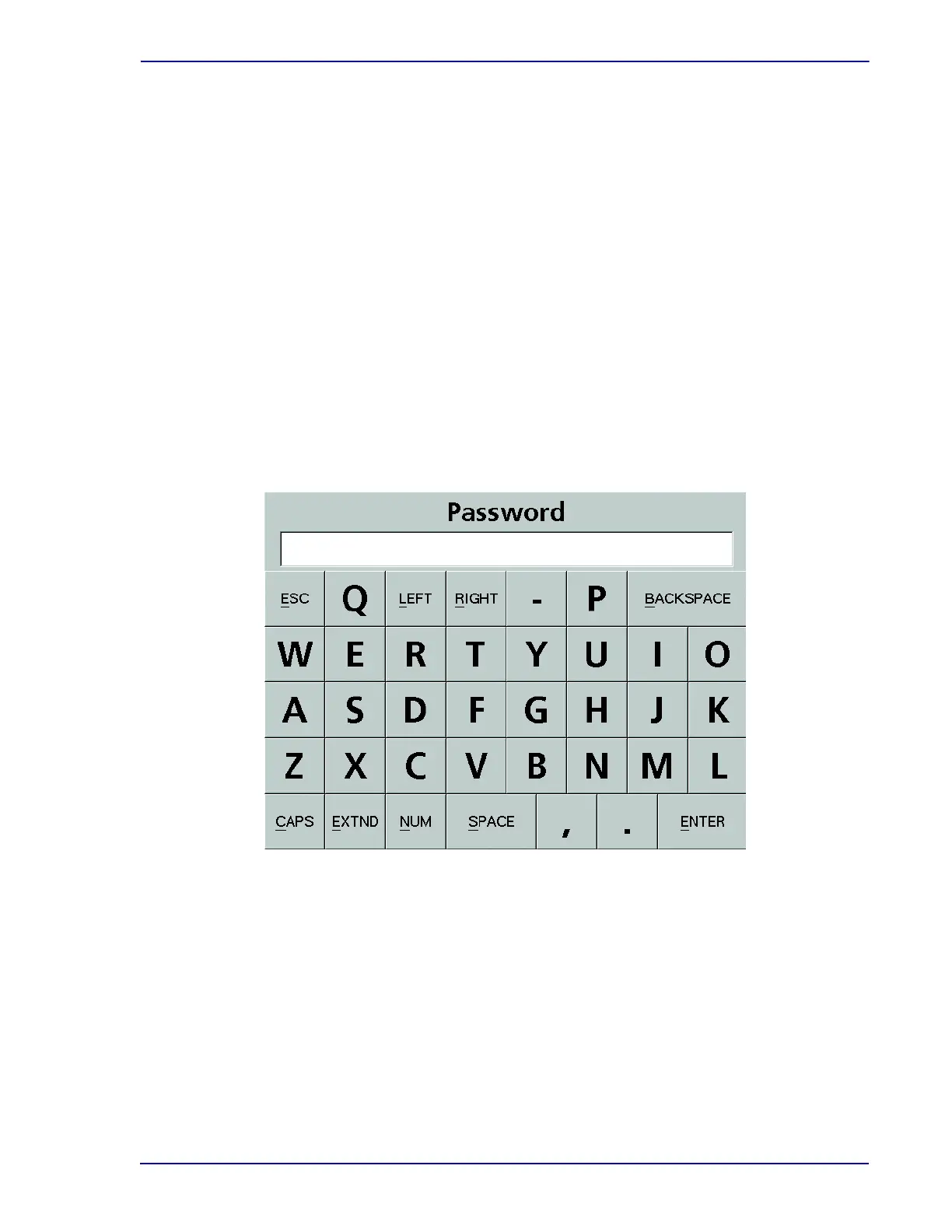
The following keyboards can be accessed:
• NUM -- Numeric
• CAPS -- Alphabetic (toggles between UPPER CASE and lower case letters)
• EXTND -- International characters (accented, extended character set)
To switch between keyboards, select the key at the bottom corresponding to the desired character set.
To enter text or numbers, select the desired characters. The text is shown in the white box at the top of
the keyboard display. Then select ENTER.
To erase one or more characters, select BACKSPACE.
To move the cursor left without erasing, select LEFT.
To move the cursor right without overtyping, select RIGHT.
To exit the keyboard display, select ESC.
To enter the text into the field, select ENTER.
The keyboard display is shown in Figure 3-6.
Figure 3-6 – Keyboard Display (CAPS shown)
3.11 Digital Thermometer
The digital thermometer eliminates many of the problems associated with a liquid in glass
thermometer, such as hazardous materials and column separation.
To activate a new thermometer, pull out the plastic tab from the battery compartment and remove
the plastic sheath.
The thermometer is now ready to use and may be inserted into any rack location that will not
interfere with the barcode reader or its cable.
When the thermometer is not being read, turn it off by pressing the On/Off button. This will prolong
the battery life.











 To Next Page