2 – Installation
25
No clearance is required on the left or right sides of the instrument, however a minimum of 1.3 cm is
required at the rear. If the instrument is placed against a wall that protrudes, make sure you allow
sufficient space for personnel to access the drawer opposite the protruding wall.
Environments that exceed these limits could adversely affect the performance of the system
components.
The incubation system should maintain its temperature to within plus or minus 1.5 °C of the
temperature controller's setting (35 °C). This accuracy can be assured only if the room temperature
meets the requirements given above.
2.4 Software Setup
The instrument ships with all setup parameters preset to factory default values. However, before using
the instrument for culture testing, you should review the setup parameters to see if they are suitable for
your laboratory. These parameters are set in the Configuration function, and are grouped as follows:
• Lab (e.g., language, test protocol duration, etc.)
• Reports (Lab name, etc.)
• Instr(ument) (e.g., Instrument number, barcode readers, etc.)
• LIS (communications) (for standalone configurations only)
• Time (Time and Date Format, etc.)
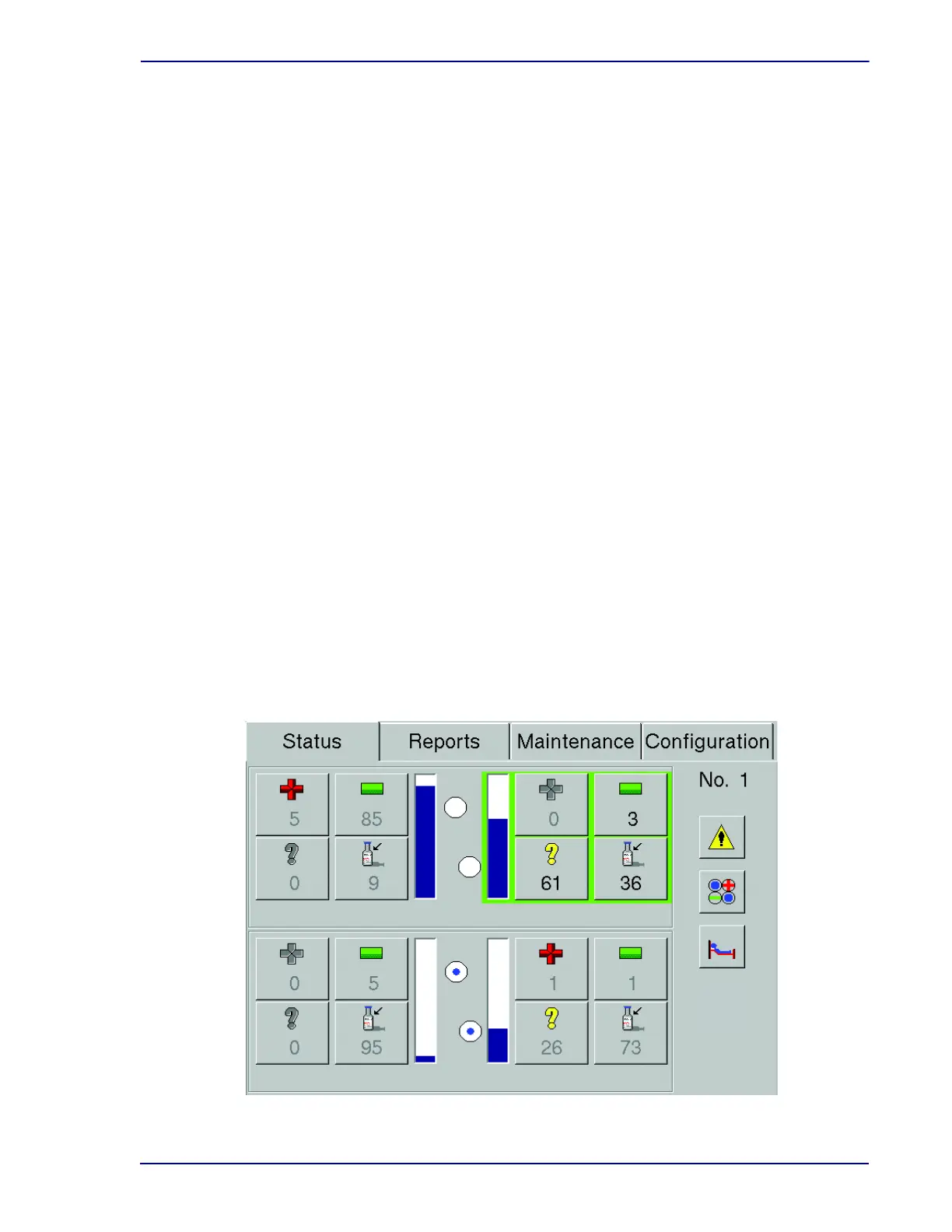
To access the configuration function, from the Status display (Figure 2-2), select the Configuration
tab. The last configuration display that was accessed appears. Field values can be changed by
selecting the arrows (▲/▼), drop-down arrows, radio buttons, or checkboxes next to them.
Any changes to configuration parameters are in effect from the time of the change forward.
To cancel your changes, select the Undo button.
You cannot access Configuration displays in an instrument that is in degraded mode.
Figure 2-2 – Status Display











 To Next Page