BD BACTEC™ FX Instrument User’s Manual
32
2.4.3 Instr(ument) Configuration
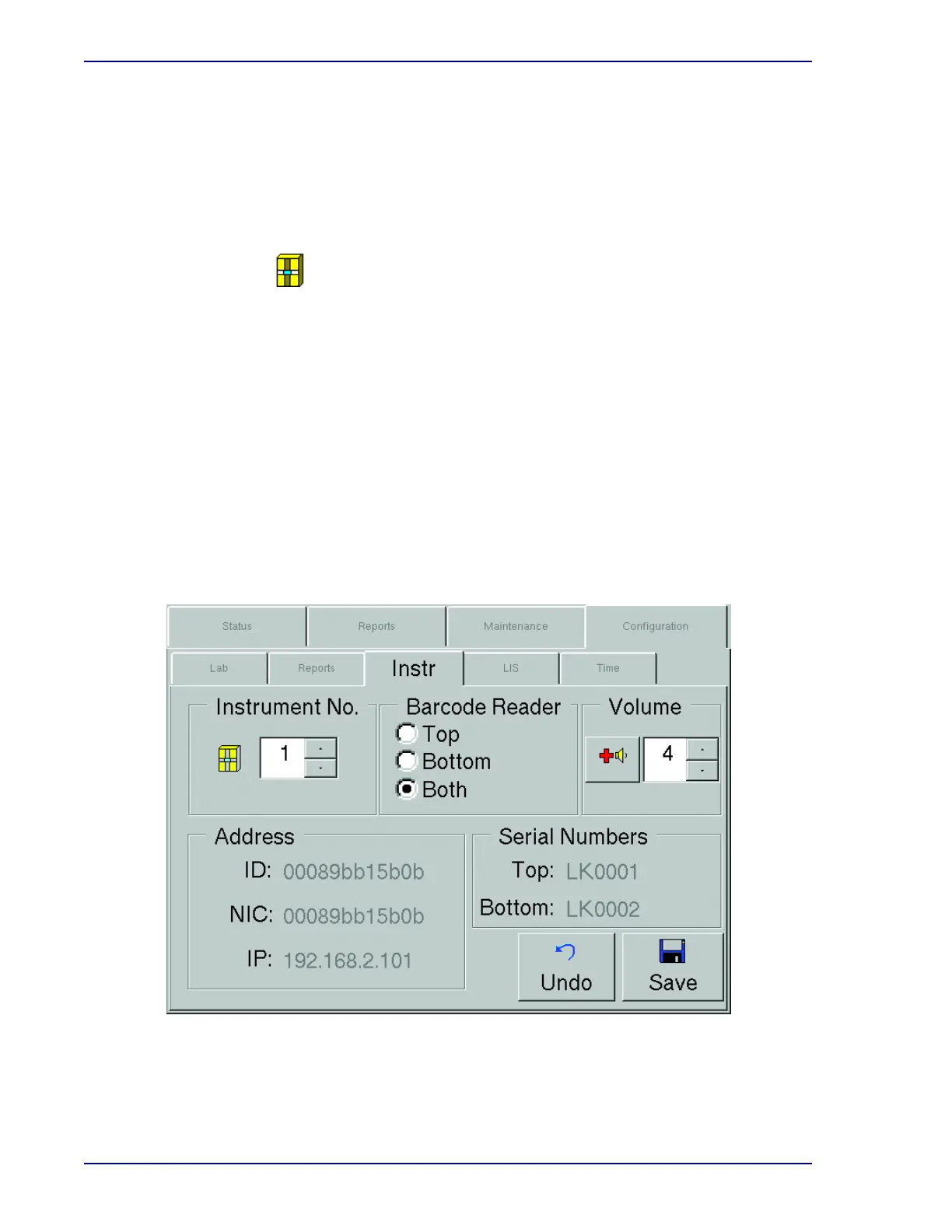
Instrument configuration settings are unique to each individual instrument within a stack or workgroup.
See Figure
2-6.
To modify default instrument values, refer to the field requirements listed below. When changes are
complete, select Save and enter the Supervisor password.
Select the instrument identification number. The default setting is 1. To increase or decrease
the instrument number, select the Up or Down Arrow to increase or decrease the value in the
field. You can choose a number from 1 to 99. If there is only a single instrument at your
location, you should leave this value set at 1. Instrument number appears in report headers.
Instrument numbers must be unique in a BD EpiCenter configuration.
Barcode Reader Radio Buttons
This field enables or disables the instrument barcode readers in an instrument stack. To
enable the top barcode reader only, select the Top radio button. To enable the bottom barcode
reader only, select the Bottom radio button. To enable both barcode readers, select the Both
radio button. (When Both is selected, the barcode reader associated to the currently open
drawer is active.)
If there is only a single instrument at your location, only the Top selection is available.
Figure 2-6 – Instrument Configuration Display
Instrument No.











 To Next Page