2 – Installation
31
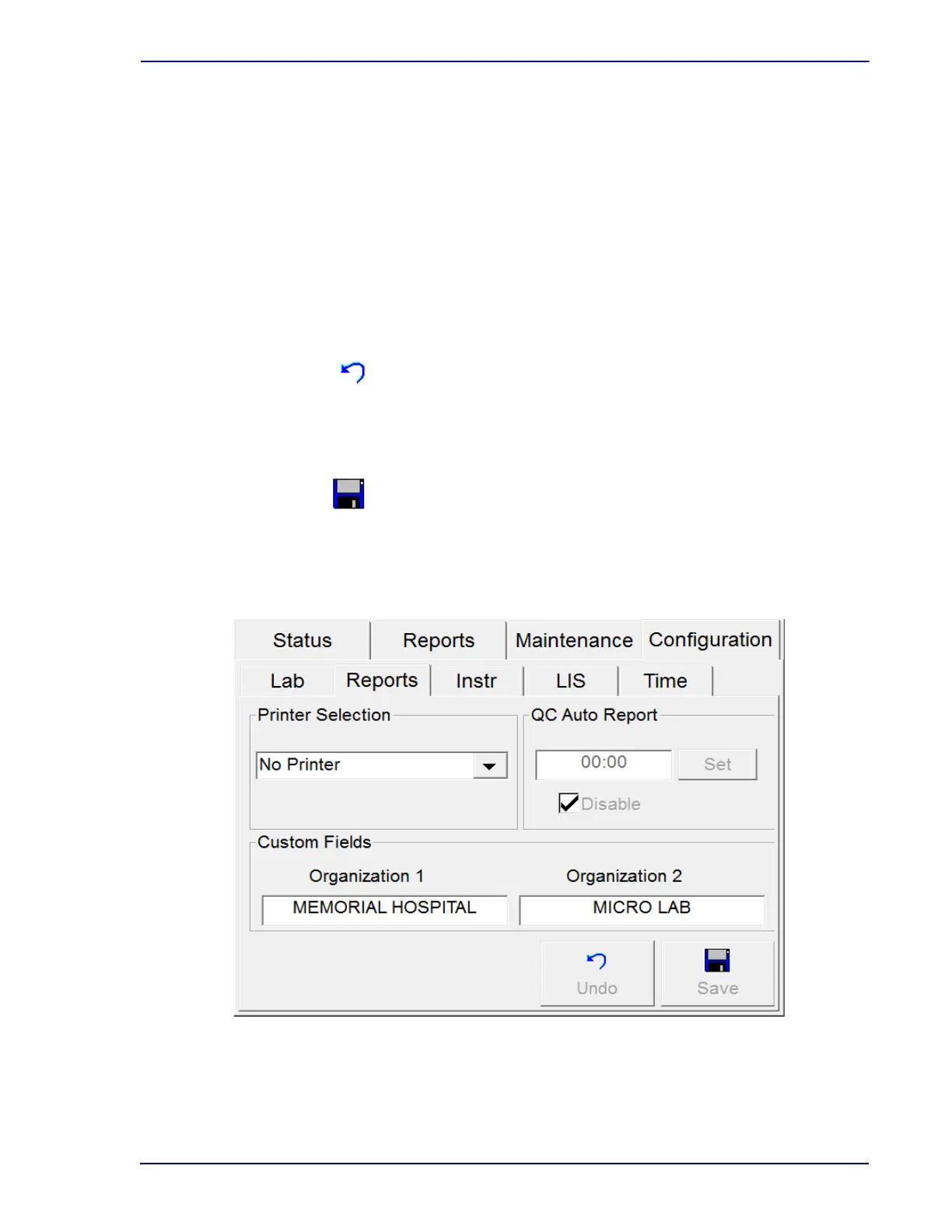
Custom Fields Window:
Organization 1 / Organization 2
Enter the desired name for your laboratory or hospital. There are two lines of text available,
each of which accepts up to 25 characters. Select in the Organization 1 field to access the
onscreen keyboard (see Section 3.10) to enter the desired hospital or laboratory name. When
the first line is complete, select Enter. Select in the Organization 2 field to use the keyboard to
enter the second line of text.
The Organization information prints at the top of reports.
Configuration – Reports Buttons:
Select to clear changes and return to saved values. Only active if field values are changed and
are not saved.
Select to save changes. When the Enter Password window appears, select the blank
password field. Enter the Supervisor password with the onscreen keyboard, then select
ENTER, followed by OK.
Figure 2-5 – Reports Configuration Display
Undo button
Save button











 To Next Page