BD BACTEC™ FX Instrument User’s Manual
38
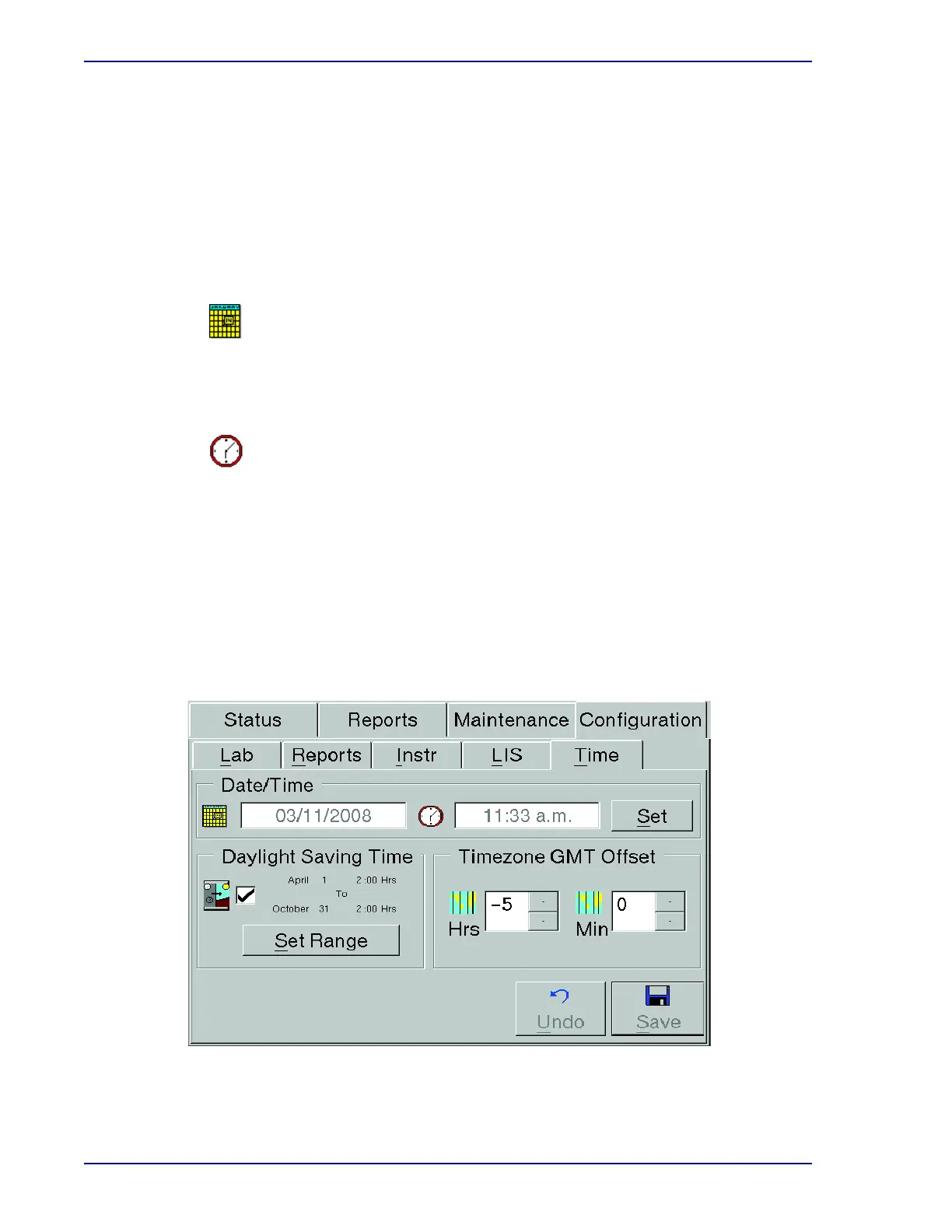
2.4.5 Time Configuration
Time and date configuration settings can only be changed in a standalone configuration. Time and
date may not be changed in a BD
EpiCenter configuration.
To modify default values, refer to the field requirements listed below. When changes are complete,
select Save. See Figure
2-8.
Date/Time Window:
The current date is shown next to the calendar icon. To change the date, select Set at the right
of the Date/Time window, and refer to the instructions below.
The current time field is shown next to the clock icon. To change the time, select Set at the
right of the Date/Time window, and refer to the instructions below.
Set Button
Select Set to display the Set Date and Time window (Figure 2-9). To set or change the date,
select the Up or Down Arrow in the Month, Day, or Year field. To set the time, select the Up or
Down Arrow in the Hour or Minute field. For USA locations, select the a.m.-p.m. Drop-down
Arrow to select either value. Select OK when complete to set the new Date/Time. Select
Cancel to exit the window without changing the date or time.
Figure 2-8 – Time Configuration Display
Date
Time











 To Next Page