5 – Reference
85
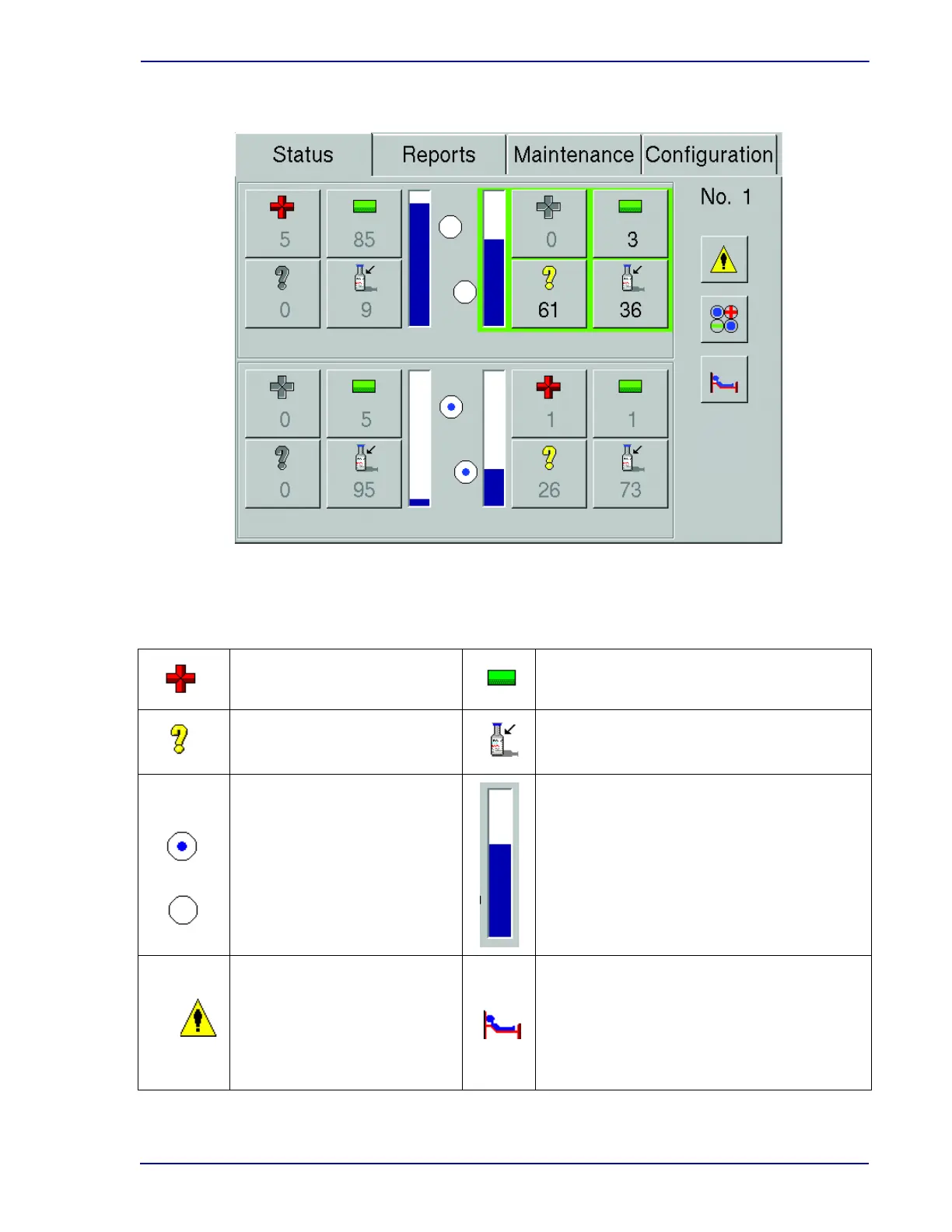
Figure 5-1 – Status Display
Status Display Buttons and Indicators:
Remove Positives button/
Positive Vial indicator
Remove Negatives button/
Negative Vials indicator
Identify Anonymous button/
Anonymous Vials indicator
Vial Entry button/
Available Stations indicator
Testing indicators
When the circle is empty, no
testing is occurring. When the
circle is filled, testing is in
progress.
Drawer Full indicator
Blue portion indicates how much of the drawer
is occupied by positive, negative, anonymous
(all states), and ongoing vials, as well as
blocked and unusable stations. White portion
indicates how much of the drawer is available.
System Alert button
If enabled, select to access:
System Alert display (5.3.5)
Culture button
Select to access:
Culture - Patient display (5.3.7)
Culture - Specimen display (5.3.8)
Culture - Vial display (5.3.9)











 To Next Page