6.1.3 Scheduler
The scheduler allows you to fine-tune the launch of each backup. If you only wish to make occasional manual backups
you can also disable the scheduler by unselecting
’Enable scheduler’.
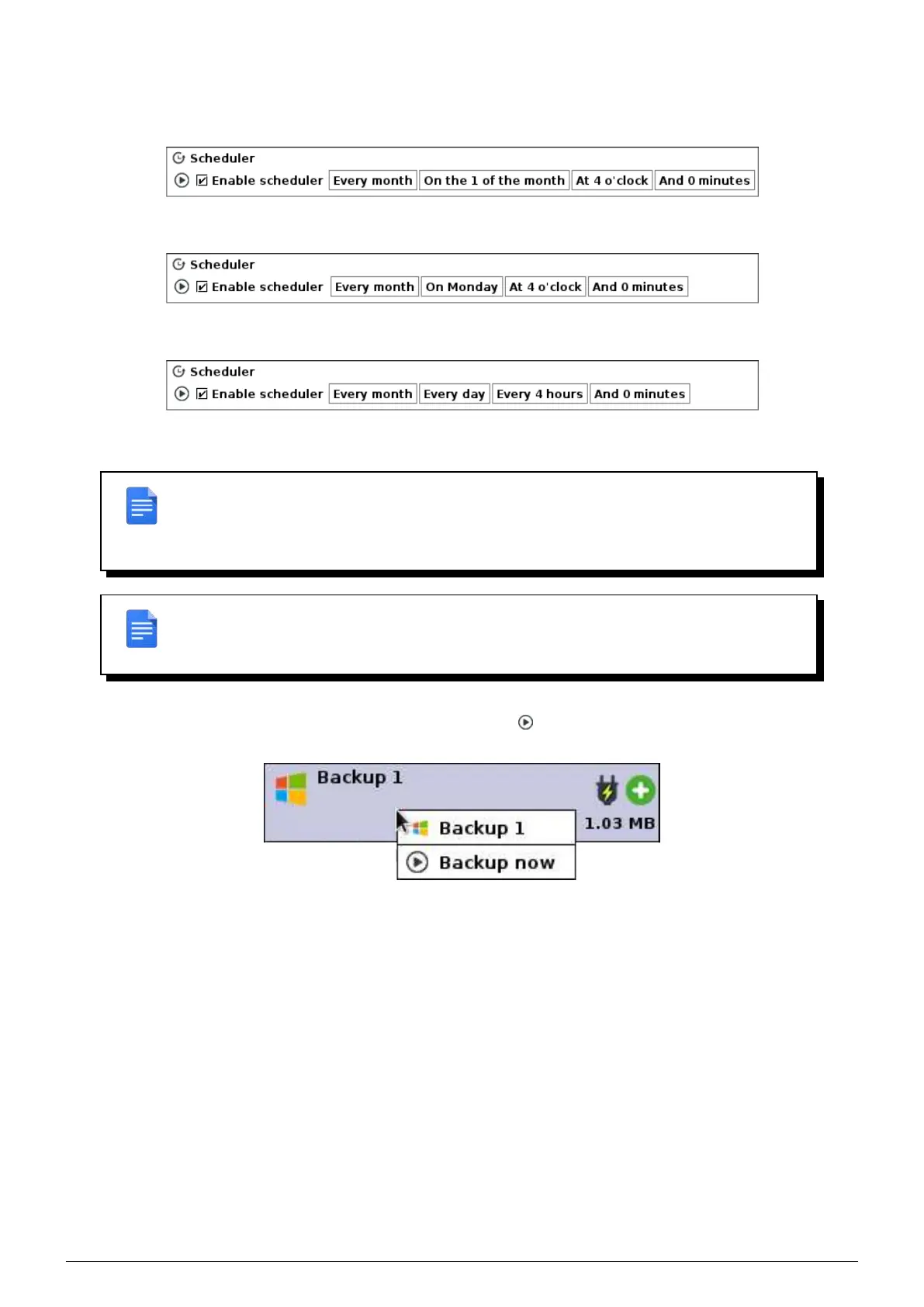
FIGURE 6.6 – Monthly backup at 4 AM every 1st of the month every month of the year.
FIGURE 6.7 – Weekly backup at 4 AM every Monday.
FIGURE 6.8 – Backup every 4 hours.
REMARK : In the case of backups scheduled in hours and minutes only (e.g. backup every
30 mins, every 4 hours, etc.), the first backup will be launched on the same day at midnight
by the system Data Safe Restore, then will be repeated at each interval specified in the
scheduler.
REMARK : The Scheduler is a crucial element for correct backups. Bad settings may make
the backup ineffective. If in doubt, contact Beemo Technologie technical support or an ap-
proved reseller.
You can also perform a manual backup by clicking on the play icon or by right-clicking on the list of backupsets and
selecting
’Backup now’. This operation is not possible if the backupset is already performing another operation.
FIGURE 6.9 – Perform a manual backup.
6.1.4 User access
A password can be assigned to the user of the backupset to allow them to manage their backups. The user will log in
using the name of the backupset. Specific rights can be assigned to the user :
• ’Settings’ : the user can modify the name of the backupset, the scheduler, their own rights and choose files and
folders to be backed up.
• ’Restore Backups’ : the user can restore any file to their own machine.
• ’Cleanup Previous Backups’ : the user can delete files from previously backed up data.
Data Safe Restore User manual Version 3.08 Page 27



 To Next Page