Chapter 11
Disk image backup
11.1 Setting up image backup
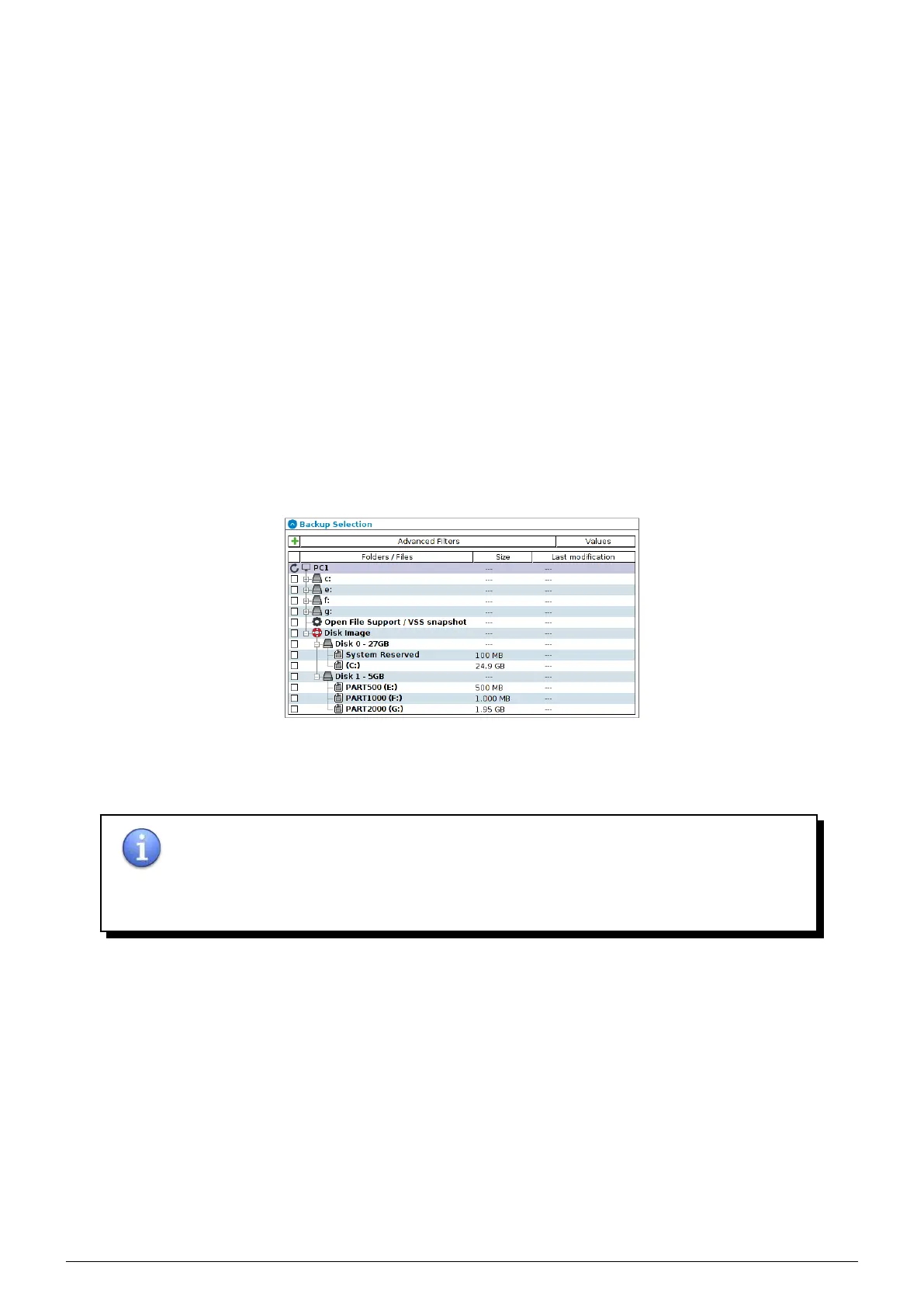
This feature, unless file backup, allow to backup :
• All disks and their volumes by selecting Disk Image.
• Particular disks and their volumes by selecting disks in question.
• Particular volumes by directly selecting them.
FIGURE 11.1 – Selection of image to backup
You can make a full backup image of a machine or volume to restore it on a different hardware (provided that drivers
are compatible with such hardware).
NOTE : Image backup is compatible with the following operating systems :
• Windows Vista and later.
• Windows Server 2008 and later.
11.2 Restore an image backup
Once an image backup has been done, the
Restore tab allow his restoration.
You can restore (depending on what was backed up) :
• A full disk.
• One or several volumes based on the same disk.
• A partition table.
Data Safe Restore User manual Version 3.08 Page 45



 To Next Page