Chapter 14
Shared Folders (NAS option)
A NAS (Network Attached Storage) is a network storage device. This is a storage server in its own right that can be
easily attached to the corporate network in order to be used as a file server and provide fault tolerant storage space.
REMARK : the Beemo appliance runs under the Samba protocol (SMB) as a file ser-
ver. More information on Samba is available on the official website of the sharing solution
http://www.samba.org.
the Beemo appliance from Beemo Technologie can, depending on your needs, serve as a file server for network
users and this regardless of their operating system and system configuration.
14.1 Configuration of the
Beemo appliance NAS
Go to the tab
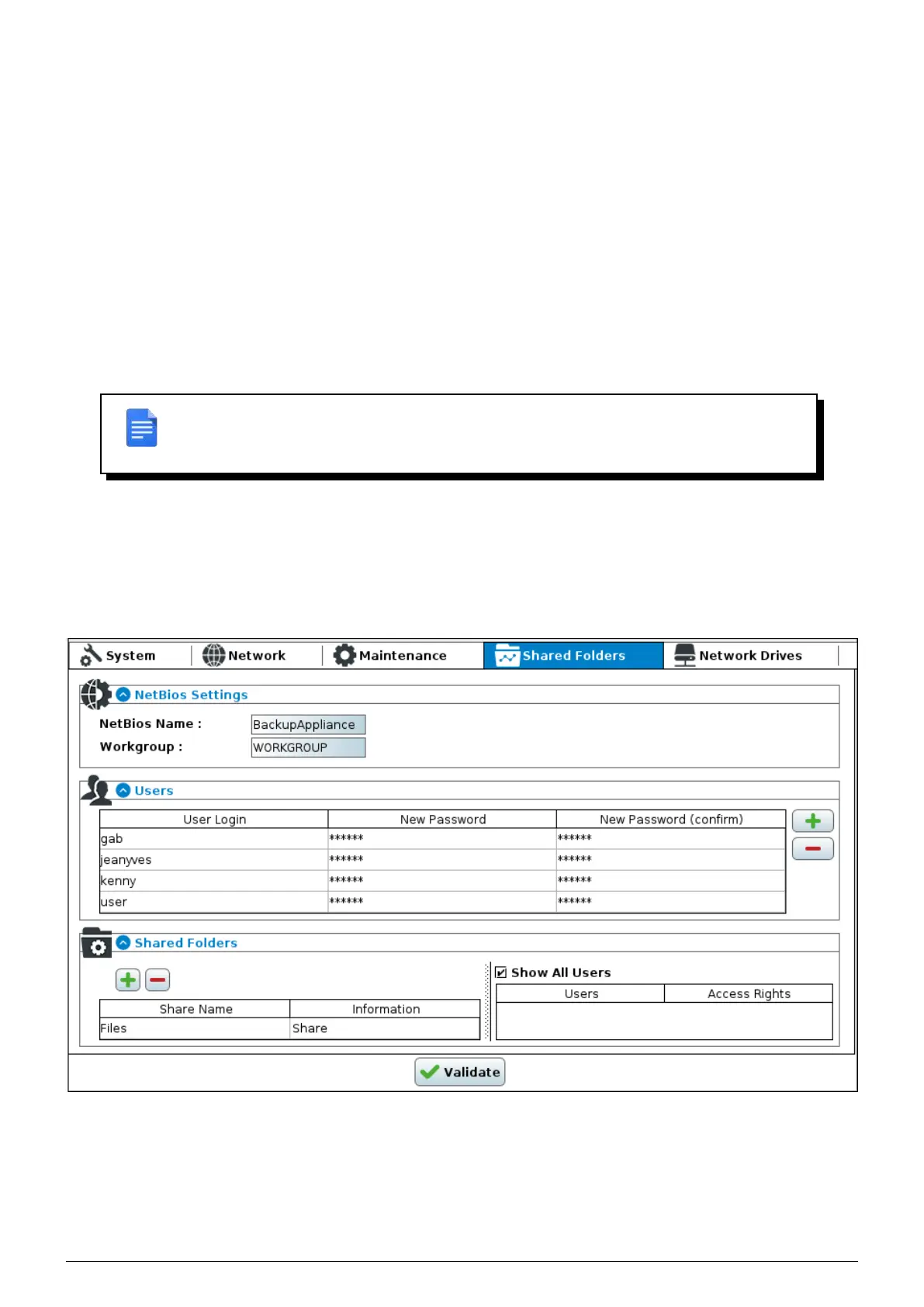
’Shared folders’ of the the Beemo appliance administration.
FIGURE 14.1 – Shared folders administration page of the Beemo appliance
The Shared Folders configuration page is divided into three sub-sections :
1. One NetBios Settings section where the Beemo appliance NetBios name and the domain it belongs to are
Data Safe Restore User manual Version 3.08 Page 56



 To Next Page