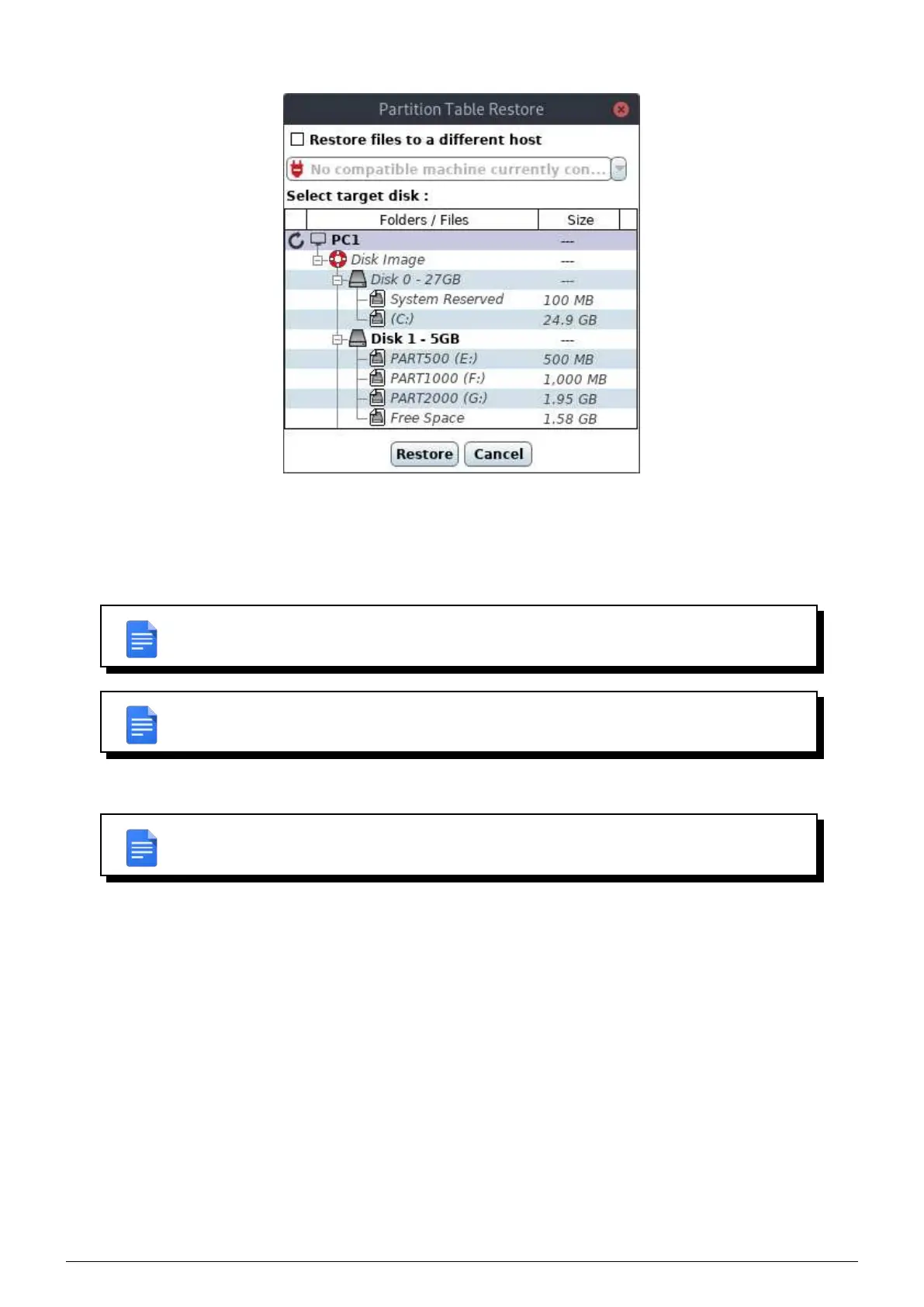
FIGURE 11.7 – Partition table restore window
Only those elements are selectable :
• Empty disks.
• The original disk.
REMARK : Invalid volumes as restoration target are shown in italic and greyed.
REMARK : A disk is correctly selected when his path is indicated after Select target disk.
Once the target selected, click Restore.
REMARK : If you restore on a non empty disk, a confirmation window will be displayed
before the restoration to take effect.
11.2.4 Delete partitions
In order to restore, you may need to delete partitions (to gain necessary space for example).
In every restoration mode (full disk restore, volume restore and partition table restore), you can delete a partition by
Data Safe Restore User manual Version 3.08 Page 49



 To Next Page