7.2 Advanced restore
7.2.1 Version display
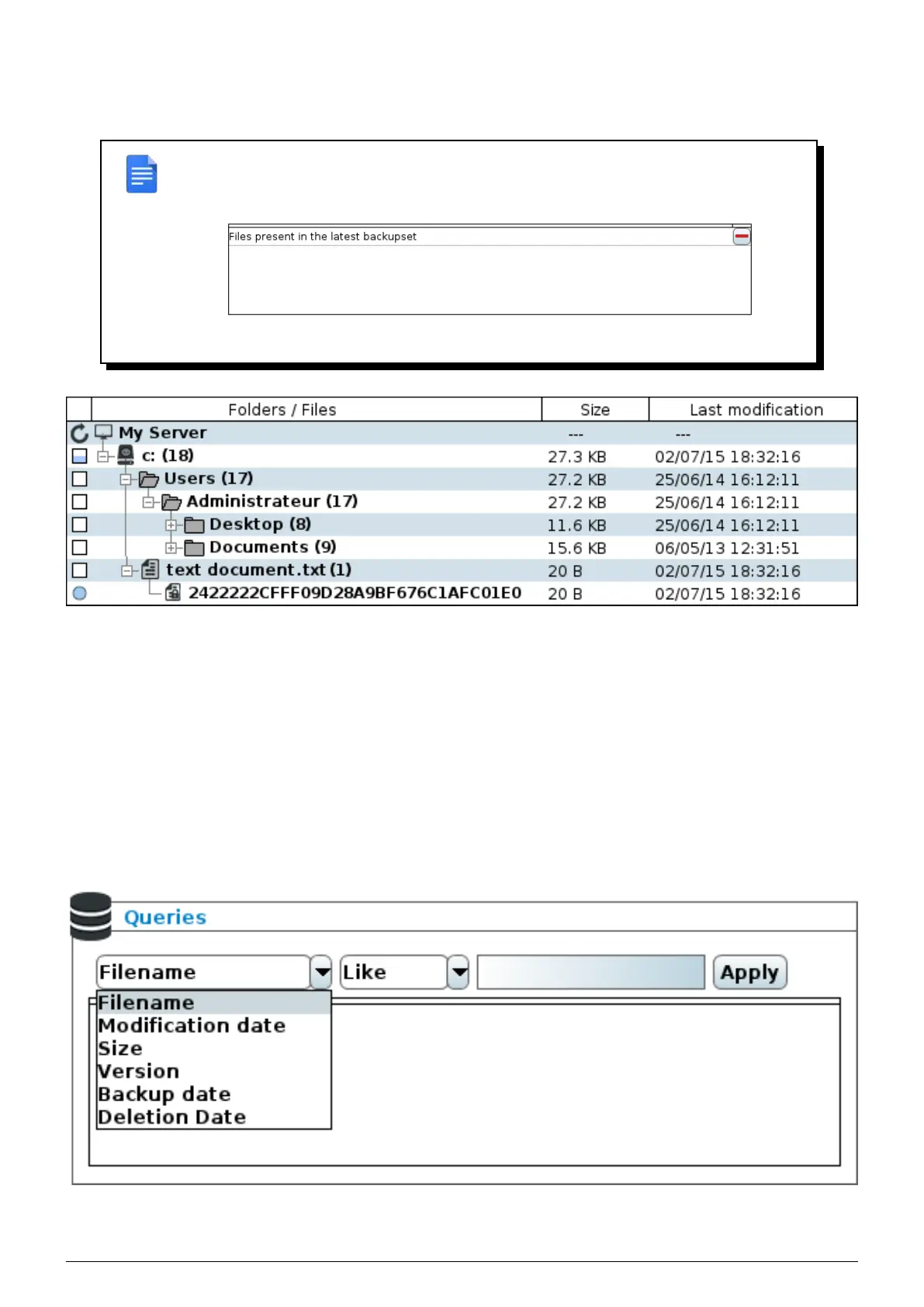
REMARK : By default the tree structure only shows the latest versions of files. To see all
available versions click on the
Delete button, the tree structure is then reconstituted with
all versions.
FIGURE 7.3 – Version filter
FIGURE 7.4 – Each version of a file is symbolised by the MD5 print of its non-encrypted content
7.2.2 Details
When the "Details" option in the lower left corner of the file tree structure is checked, the tree structure will display
the number of files in each folder and their size.
7.2.3 Data filtering
You can apply various filters to the data backed up on the
Beemo appliance. Several filters (of the same type or
different types) can be applied cumulatively.
Generally, in order to correctly apply a filter, you must select the type of filter, the logical operator concerned (greater,
lesser, oldest, newest, etc.), and complete the search field, if there is one.
FIGURE 7.5 – Restore filters
Data can be filtered :
Data Safe Restore User manual Version 3.08 Page 36



 To Next Page