indicated
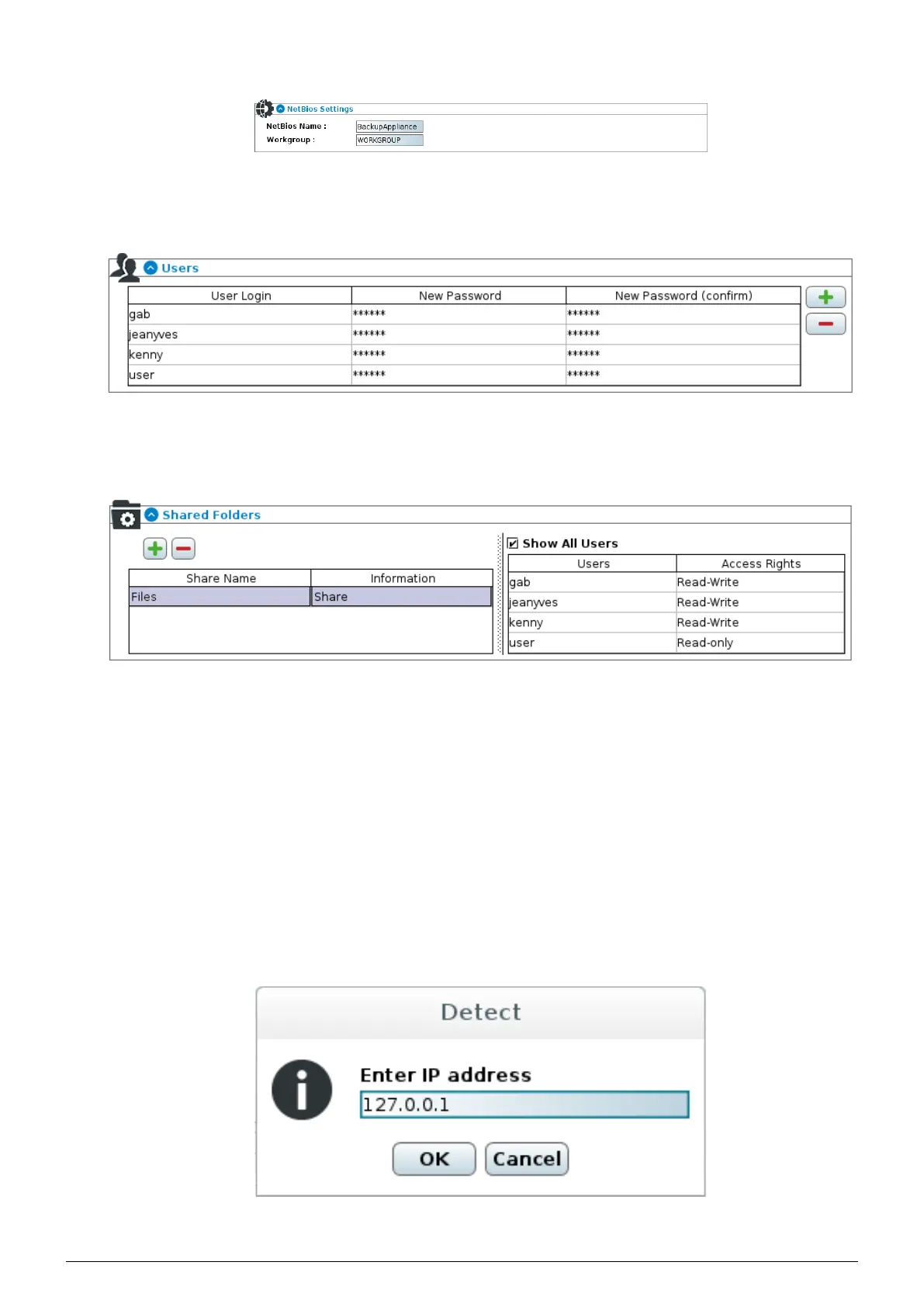
FIGURE 14.2 – Shared Folders NetBios settings
2. One
Users management section where users can be added, removed or have their respective password
changed
FIGURE 14.3 – Shared Folders user management
3. And finally a
Shared Folder management section where shares can be added or removed and specific user
rights (i.e. no access, read-only access, read-write access) are defined for each user of each share
FIGURE 14.4 – Add/Remove Shared Folders and user rights management.
Once all these settings are defined and validated, the Beemo appliance is fully functional as a file server and the
shares can be mounted and used on the machines in the network.
14.2 Backing up the
Beemo appliance
The Beemo appliance can be secured by means of backupsets according to a process similar to that seen in chapter
6. However, there is one specific feature when it comes to detecting the NAS as a machine that can be secured by
the Data Safe Restore system. In order to do this :
1. Log on as admin to the
Beemo appliance administration console (see chapter 4).
2. Click on the Administer button on the left side of the menu.
3. In the
Network tab click on Connect to a backup agent, enter the address 127.0.0.1 and click OK.
FIGURE 14.5 – Detection of the NAS in the the Beemo appliance administration
Data Safe Restore User manual Version 3.08 Page 57



 To Next Page