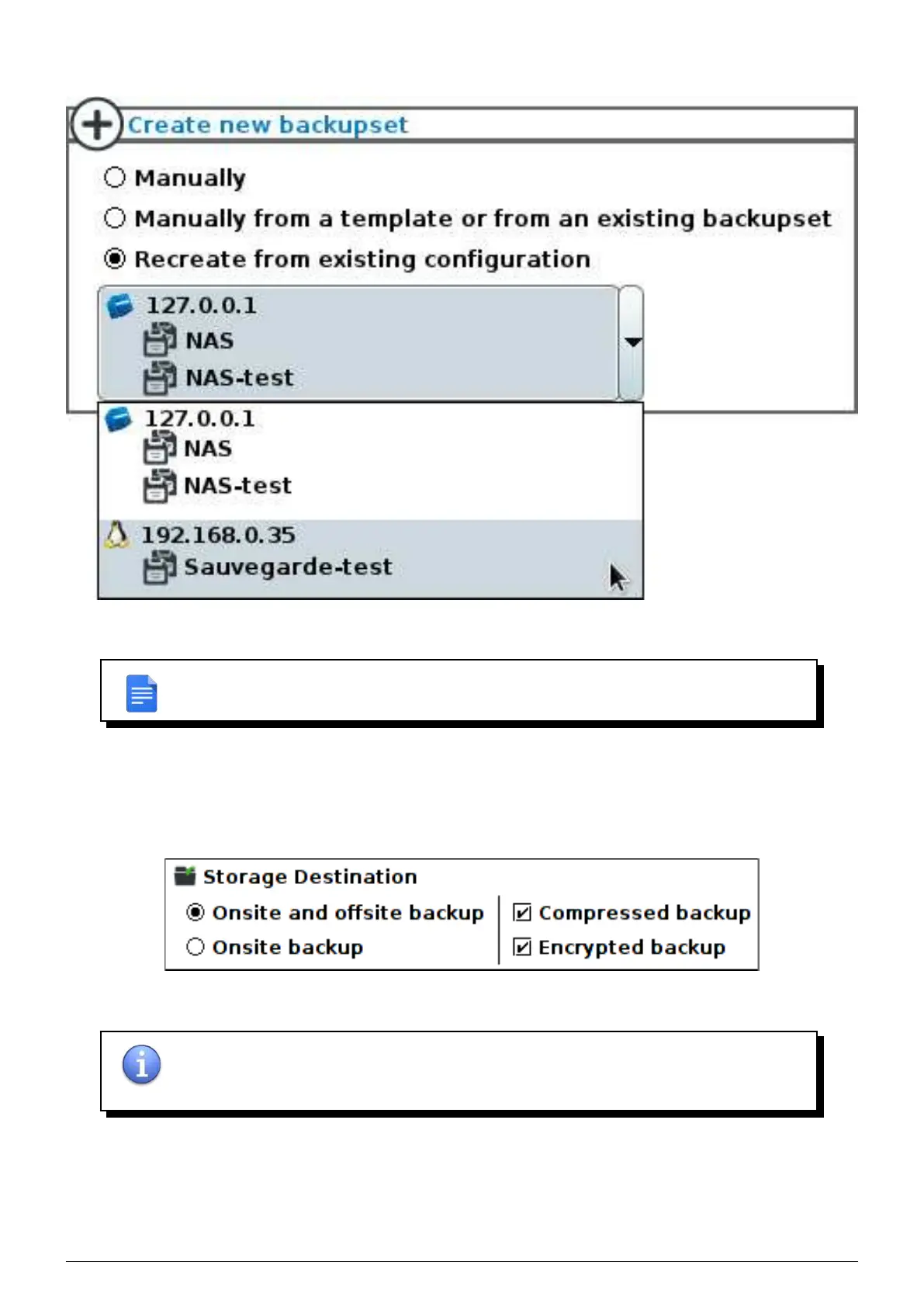
the backupsets you want to associate to this client.
FIGURE 6.4 – Associate a client to existing backupsets
REMARK : if you associate a new client to currently active backupsets, the machine cur-
rently associated with these backupsets will lose all its configuration.
6.1.2 Storage destination
Choose the
’Onsite backup’ destination to specify that the backupset will only be stored on
the
Beemo appliance or ’Onsite and offsite backup’ if the data is to be replicated. You may choose to disable
compression and encryption for onsite backups only.
FIGURE 6.5 – Destination of the backupset
NOTE : in case of destruction or failure of the the Beemo appliance, data from backupsets
that are not offsite will be permanently lost. Unencrypted data is not protected if the
Beemo
appliance
is stolen or broken into.
Data Safe Restore User manual Version 3.08 Page 26



 To Next Page