Chapter 2
Initial network set-up
Network prerequisites : the
Beemo appliance ships without a predefined IP address. It must be connected to a
TCP/IP network via an ethernet cable. You will need to assign a fixed IP address to the
Beemo appliance and
supply the subnet mask, the internet gateway’s IP address (router) and the DNS server’s IP address. If your
internet connection is protected by a firewall, outgoing connexions from the Beemo appliance on TCP port 6666
and UDP port 123 must be enabled.
REMARK : You must have previously connected the Beemo appliance to the network and
turned it on according to chapter 1.
2.1 Set-up from a Windows computer
1. On a computer r unning Windows and connected to the same network as the
Beemo appliance, insert the
"installation CD". The
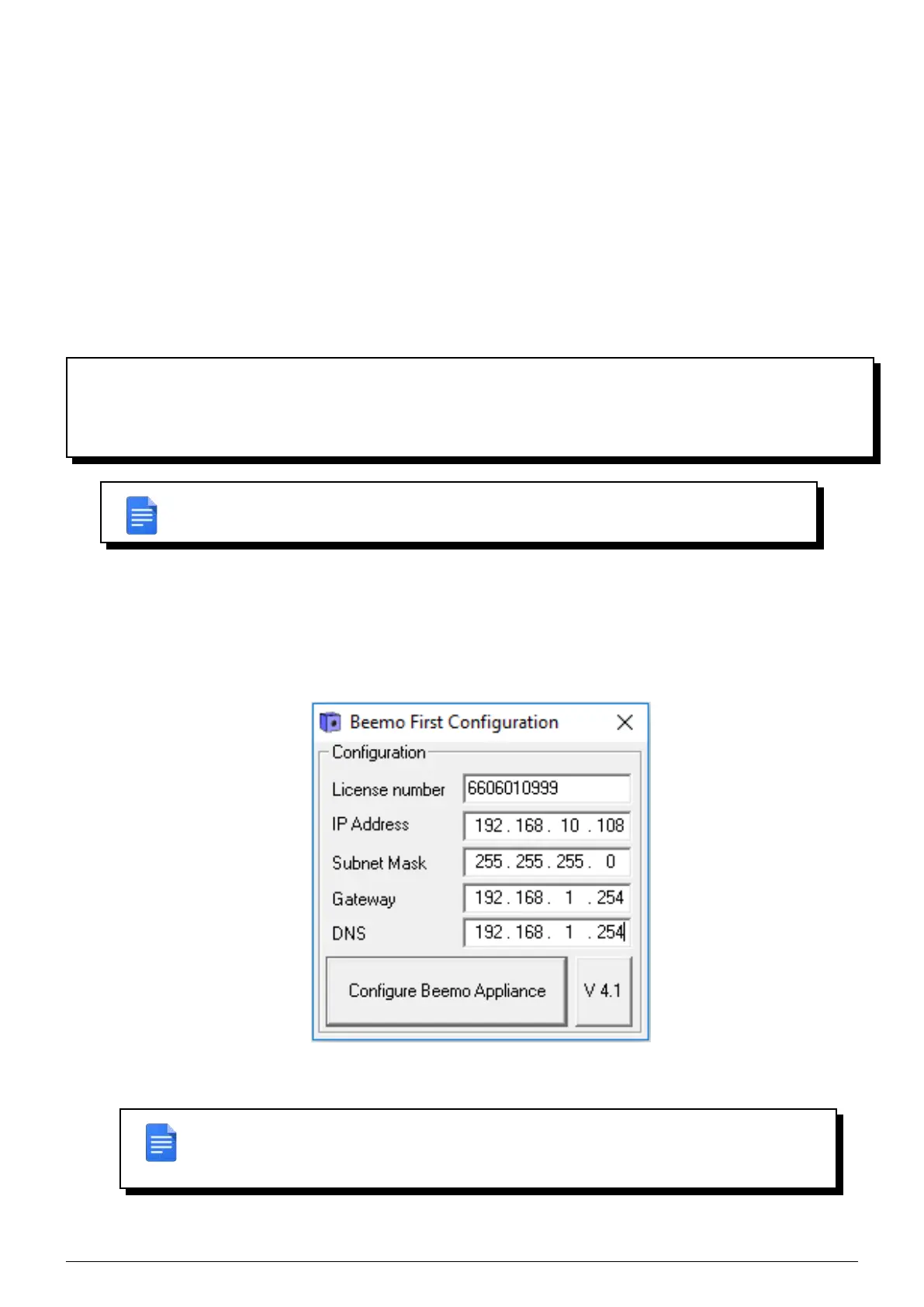
Beemo appliance setup program ("BeemoFirstConfiguration.exe") is then automatically
launched (autorun) and the ’Beemo First Configuration’ window is displayed (Figure 2.1).
FIGURE 2.1 – Set-up window ’ Beemo First Configuration’
REMARK : If the ’Beemo First Configuration’ window is not displayed automatically after
a few seconds, run the application manually from the content of the CD. You must be the
system administrator for the ’BeemoFirstConfiguration.exe’ application to wor k correctly.
Data Safe Restore User manual Version 3.08 Page 2



 To Next Page