1. Password Change : to change the administrator password, you must enter a password with at least 5 characters
(and enter it a second time to confirm).
NOTE : the Beemo appliance’s default password is the license number. To protect the
confidentiality of your data, it is strongly recommended to change this password.
2. Date & time : the Beemo appliance synchronises with a network time server to ensure that scheduled ba-
ckups are launched at the requested time. It is also here that you specify the time zone in which the
Beemo
appliance
is located.
REMARK : A standard time server is set by default on the Beemo appliance. It is therefore
not necessary to set up another one unless your firewall configuration prevents the
Beemo
appliance
from communicating with this server.
3. Activity Reports : alert emails are sent by the Data Safe Restore system to all addresses saved when a problem
is encountered during the backup (virus detected, backup interruption, etc.). Simply enter an e-mail address in
this field to add it. Click on
Test to send a test email to all addresses saved.
4. Daily Reports : daily backup reports contain all activity from last 24 hours.
5. Quota management : You can assign quotas to backupsets (see Chapitre 6) in order to control the consumption
of disk space on the
Beemo appliance as well as the contract subscribed.
These quotas can be applied to all backupsets for a station or only backupsets selected via the dropdown list.
They may be enforced (and effectively limit the amount of data backed up), or simply informative (an email is
sent when the quota is reached).
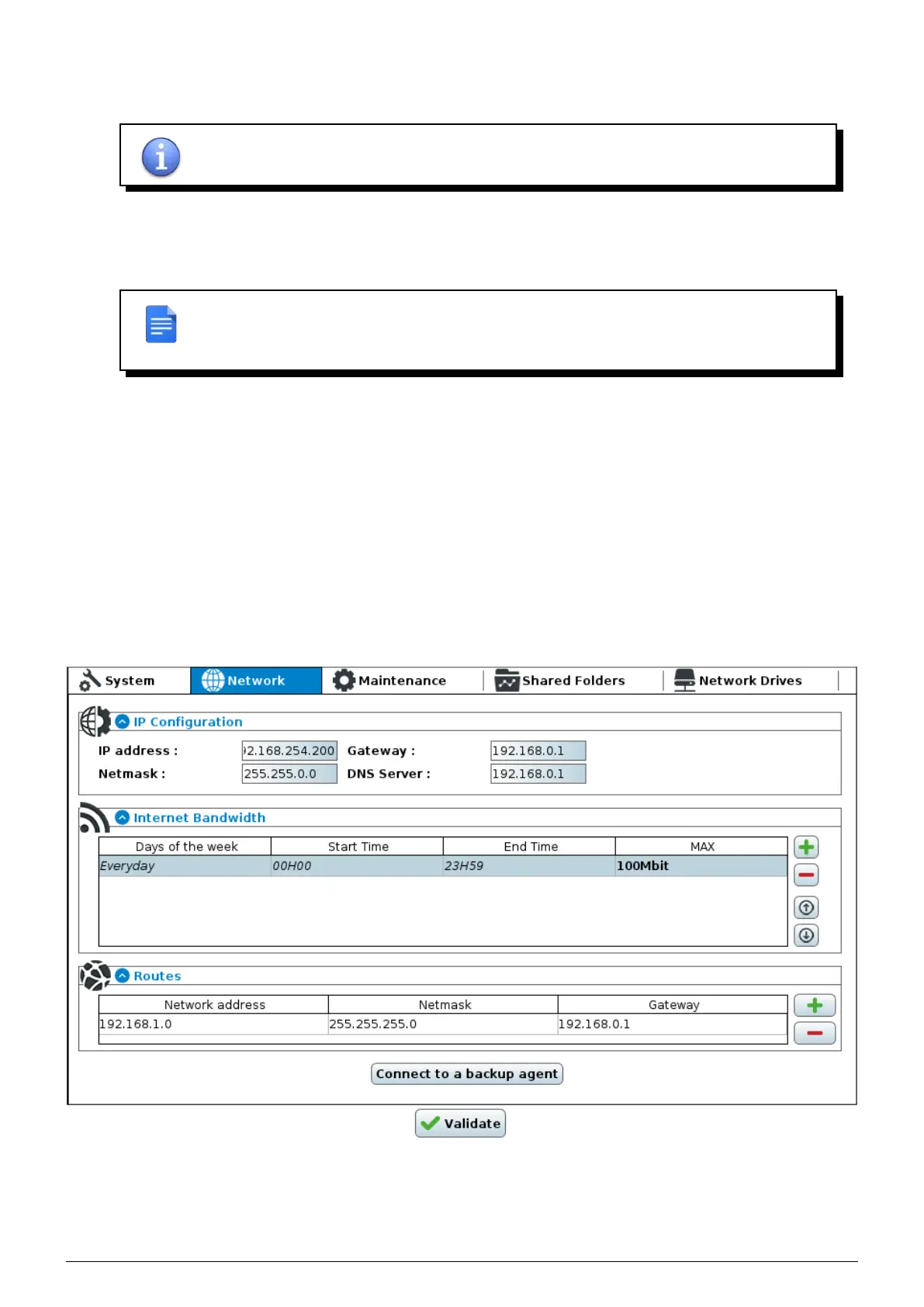
5.2 Network settings
FIGURE 5.2 – Network settings window
1. IP Configuration : the Beemo appliance’s IP address, subnet mask, internet gateway and DNS server can be
changed at any time.
Data Safe Restore User manual Version 3.08 Page 20



 To Next Page