REMARK : Invalid disks as restoration target are shown in italic and greyed.
REMARK : A disk is correctly selected when his path is indicated after Select target disk.
One the target selected, click Restore.
REMARK : If you restore on a non empty disk, a confirmation window will be displayed
before the restoration to take effect.
11.2.2 Volume restore mode
In the
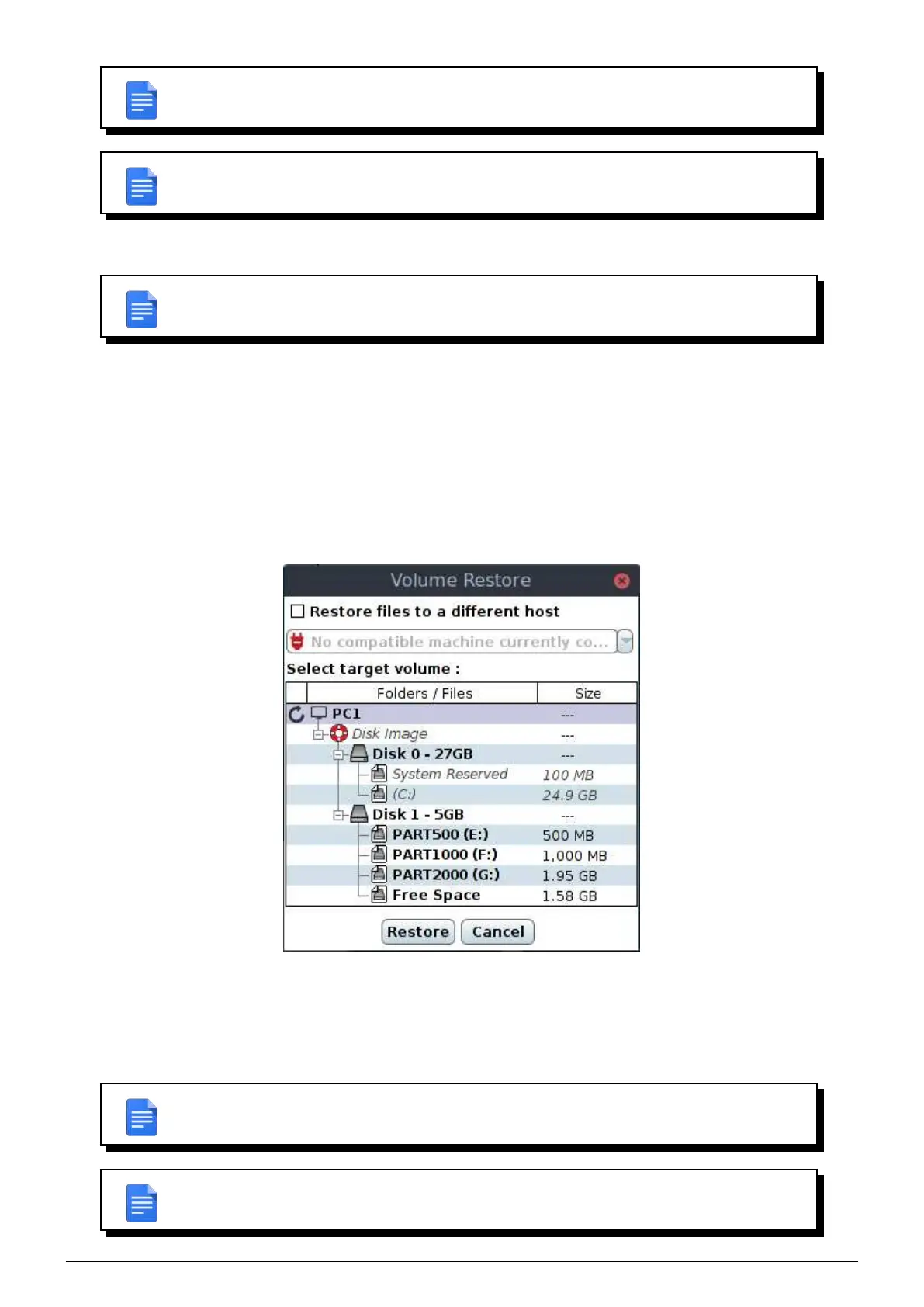
Restore tab, if you select a volume and you click on Restore selected files, the Volume restore window
appears.
Then you can specify :
• The machine on which you want to restore.
• The volume or free space on which you want to restore.
FIGURE 11.4 – Volume restore window
Only those elements are selectable :
• Free spaces with equal or greater size than volume to restore.
• Volumes with equal or greater size than volume to restore.
REMARK : Invalid volumes as restoration target are shown in italic and greyed.
REMARK : A volume is correctly selected when his path is indicated after Select target
volume
.
Data Safe Restore User manual Version 3.08 Page 47



 To Next Page