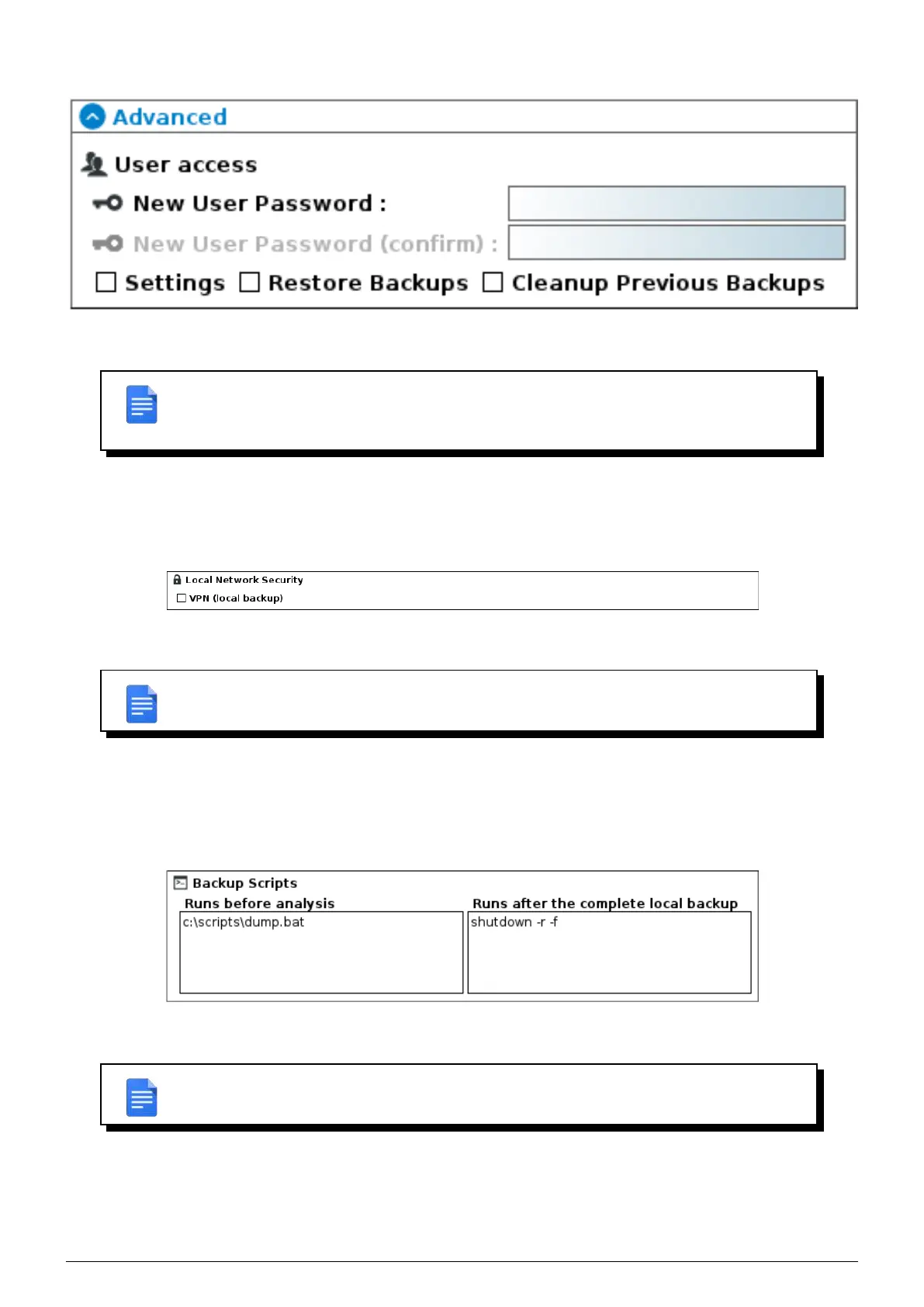
FIGURE 6.10 – User access rights
REMARK : If the user loses their password, only the administrator can regenerate another
one. There may be only one user per machine, regardless of the number of backupsets
configured on it.
6.1.5 Local network security
By default, data transfers between the client and the Beemo appliance are done in cleartext. If you back up machines
on a remote network or if you want to secure local traffic, select this option.
FIGURE 6.11 – Encrypt local backups
REMARK : remote backups are always done through a secure VPN. If you select this
option, your local backups might be slower.
6.1.6 Backup Scripts
Before and after the backup, the Data Safe Restore solution can automatically launch scripts, executables and various
services located on the backed up station. These scripts can enable a service to be stopped or launched, a database
to be exported, or any other operation necessary for the proper functioning of the backup.
FIGURE 6.12 – Pre- and post-backup script management
REMARK : The use of the pre- and post-backup scripting option is recommended for ad-
vanced users. You must specify the absolute path of the script to run.
6.1.7 Data Versionning Rules
• Deleted files or files excluded from the latest backup :
◦ Keep every version : keeps all versions of saved files.
Data Safe Restore User manual Version 3.08 Page 28



 To Next Page