Chapter 1
Setting up the
Beemo appliance
1.1 Hardware set-up
Upon unpacking check the contents of the box. It should contain :
• The Beemo appliance
•
One power cord
• One Ether net cable
• The installation CD
• The quick installation guide
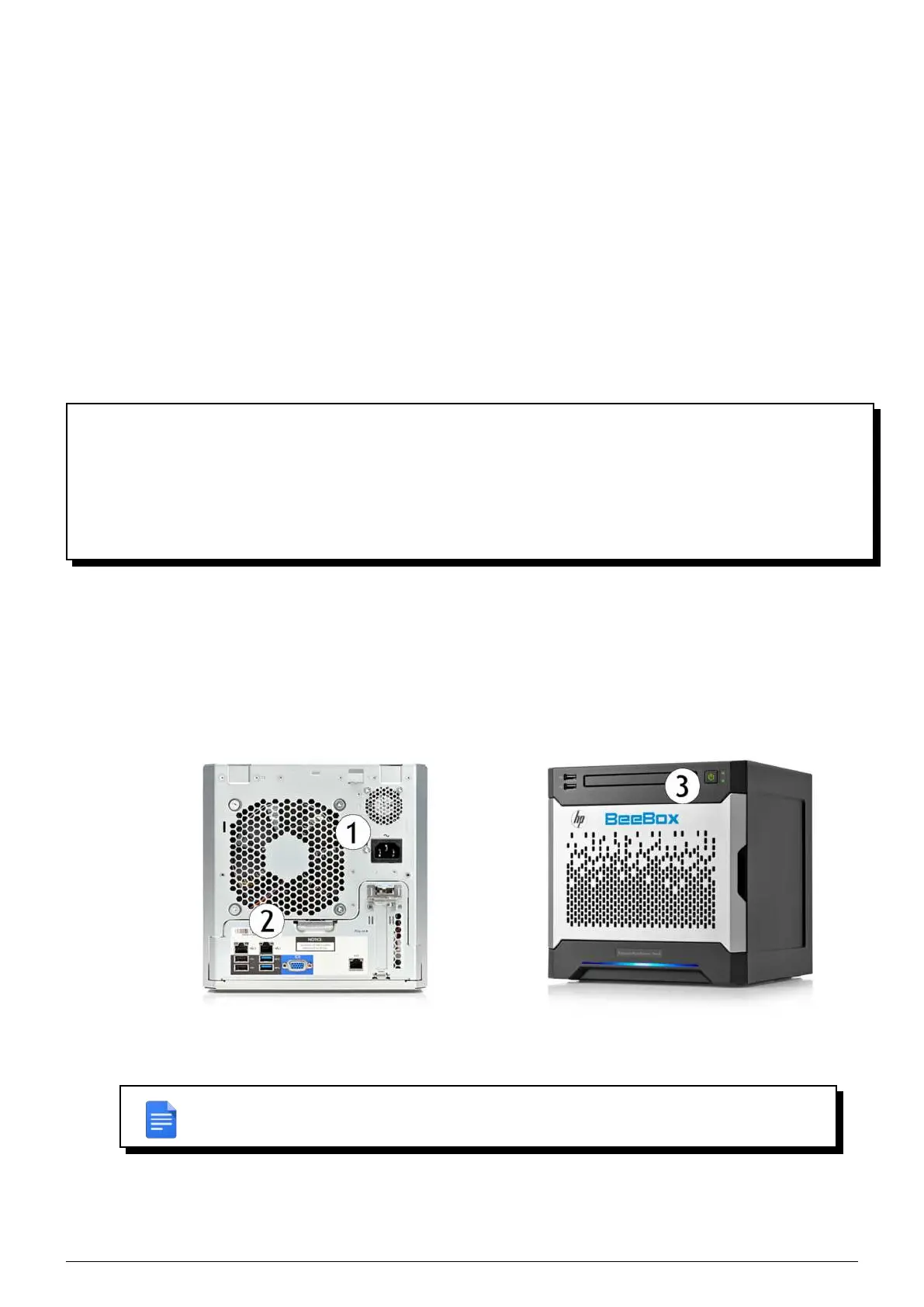
1. Setup the Beemo appliance in a properly ventilated and cool location.
2. Connect the power cord to an appropriate electrical socket and to the location specified on the
Beemo ap-
pliance ( ①Figure 1.1),
3. Connect the Ethernet cable to your switch or router and to the location specified on the
Beemo appliance (
②Figure 1.1),
4. Press the power button (
③Figure 1.1),the the Beemo appliance starts up.
FIGURE 1.1 – Front and back views of the Beemo appliance
REMARK : It is best to use the Ethernet cable supplied with the Data Safe Restore solution.
In any case, a category 5 straight Ethernet cable must be used.
Data Safe Restore User manual Version 3.08 Page 1



 To Next Page