2. Fill out all the fields, then click on Configure Beemo Appliance (Figure 2.1). The operation can take several
minutes.
3. A dialog box is displayed, indicating the success or failure of the the
Beemo appliance setup.
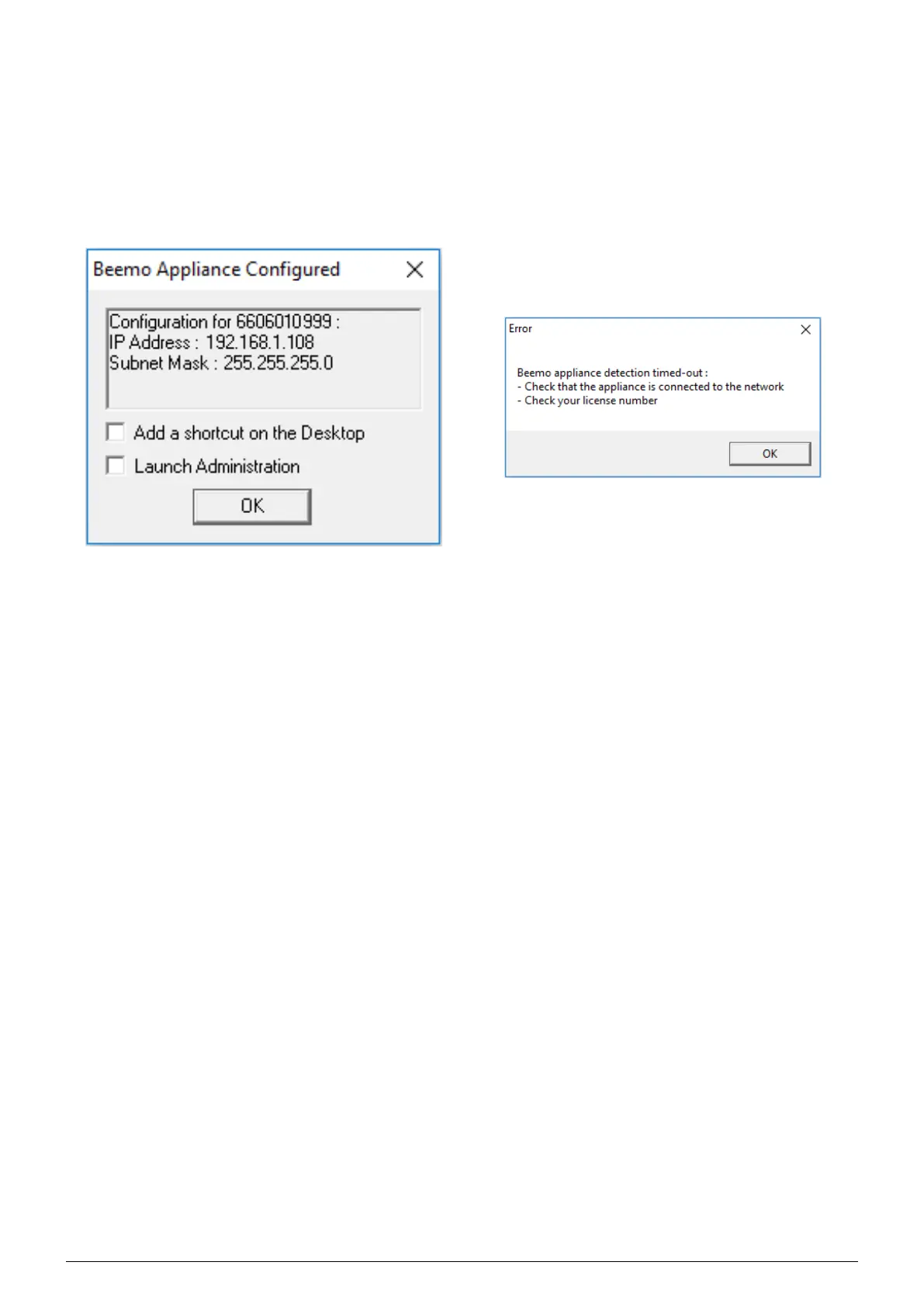
If Figure 2.2 is visible, the
Beemo appliance is ready to perform backups of servers and workstations on your
network.
If Figure 2.3 is visible, check that the
Beemo appliance is turned on and connected to the networ k, check your
network settings, your license number and make sure port TCP 6666 is indeed open then rerun the ’Beemo
First Configuration’ .
FIGURE 2.2 – ’Beemo First Configuration’ succeeded
FIGURE 2.3 – ’Beemo First Configuration’ failed
2.2 Set-up from a GNU/Linux computer
In a terminal window, run the backup client in command line mode with the following settings :
--detect ’Licence
number’ ’IP Address’ ’Subnet mask’ ’Gateway’ ’DNS’
Using the example in Figure 2.1, the command line would be :
# /usr/local/dsr/dsr --detect 6606010999 192.168.1.108 255.255.255.0 192.168.1.254
192.168.1.254
2.3 Set-up from a MacOS computer
In a terminal window, run the backup client in command line mode with the following settings :
--detect ’Licence
number’ ’IP Address’ ’Subnet mask’ ’Gateway’ ’DNS’
Using the example in Figure 2.1, the command line would be :
# /Applications/Data\ Safe\ Restore/dsr --detect 6606010999 192.168.1.108
255.255.255.0 192.168.1.254 192.168.1.254
Data Safe Restore User manual Version 3.08 Page 3



 To Next Page