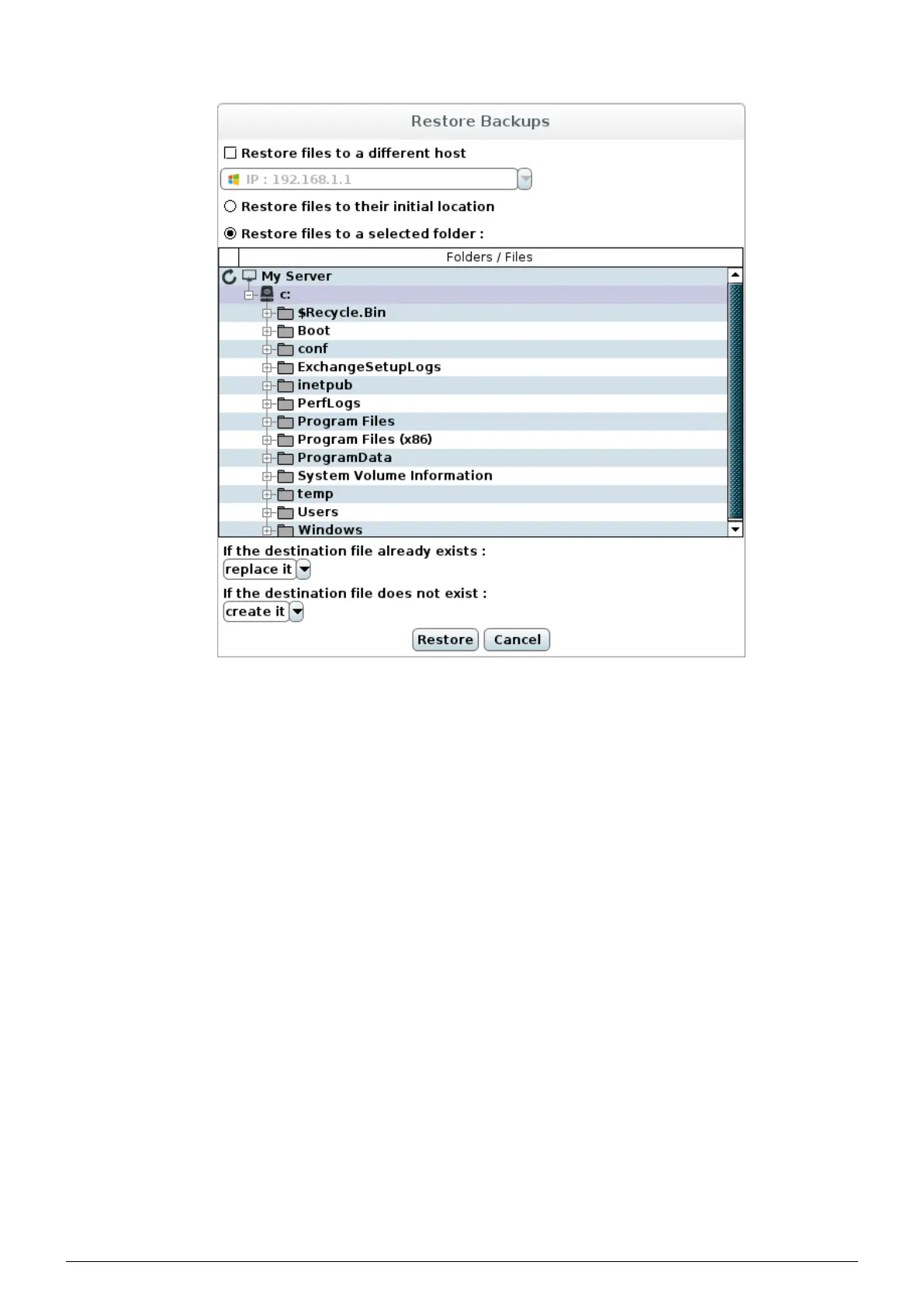
6. A dialog box appears, letting you choose the machine and location to restore to.
FIGURE 7.2 – Restore location selection
• Restore files to a different host : select another machine to restore to. For a machine to be the destination
of a restore operation, the Data Safe Restore Client must first have been installed on this machine (see
chapter 3).
• Restore files to their initial location : files will be restored with their initial tree structure.
• Restore files to a selected folder (default) : select the folder to restore to. The original tree str ucture will be
recreated inside the selected folder.
• if the destination file already exists :
◦ replace it (default) : the file will be overwritten
◦ do not replace it : the original file will be kept
◦ replace it if it’s been modified : the file will be overwritten if different from the file to restore
◦ replace it if it’s been modified between : the file will be overwritten if it has been modified between
specified dates
• if the destination file does not exist :
◦ create it (default) : the file will be restored
◦ do not create it : file will not be restored
7. Choose the restore location and then click on the ’Restore’ button.
Data Safe Restore User manual Version 3.08 Page 35



 To Next Page