+
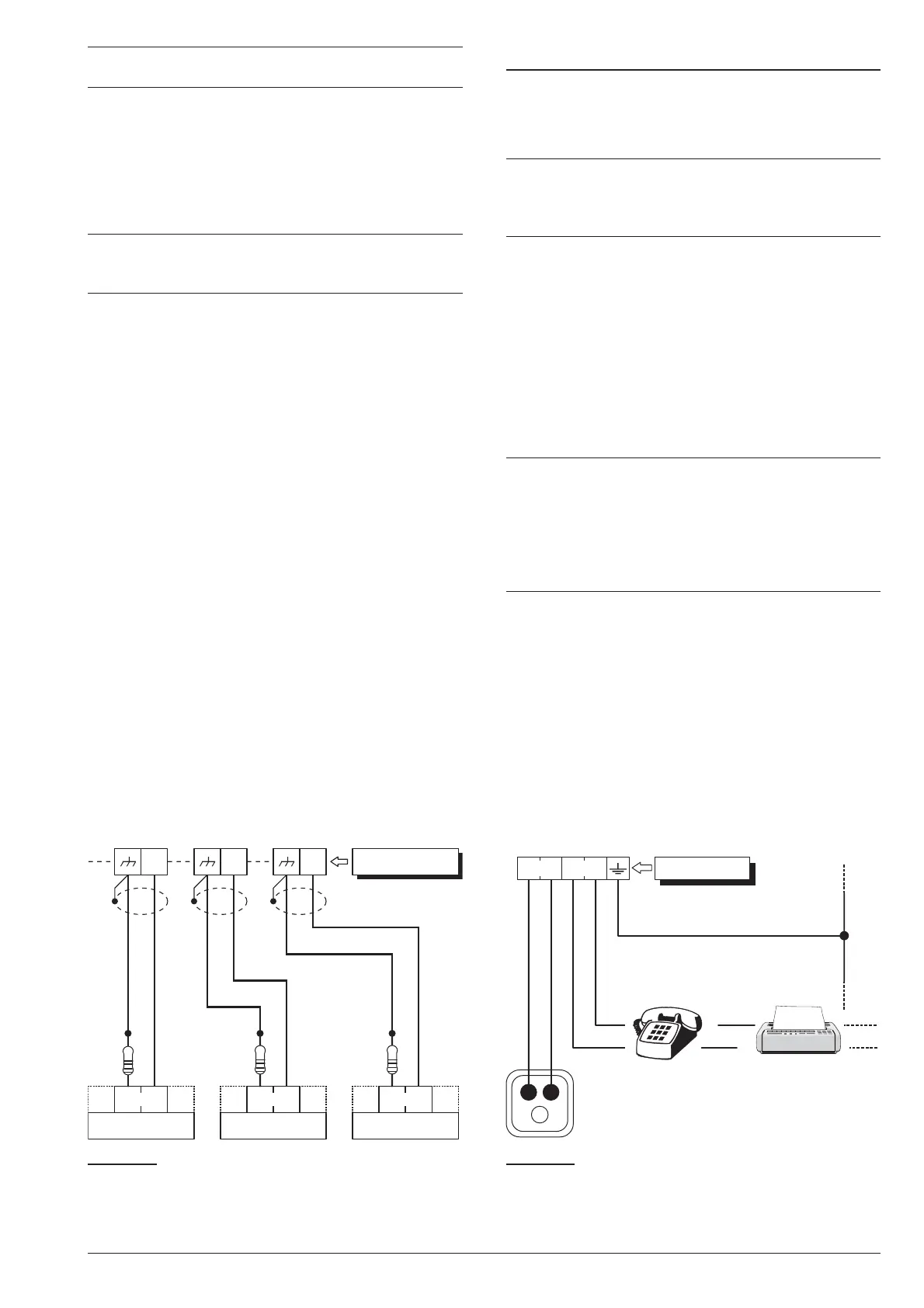
If several contacts are connected to the Tamper
Line, the tampered device will be unidentifiable.
To identify tampered devices:
Ø
select DEOL Supervision for motion detector con
-
nections (refer to “DEOL” under “Connecting Motion
Detectors”);
Ø
connect each Tamper contact to a 24h zone with
SEOL Supervision (see Figure 19).
+
Tamper contact zones can be programmed with
Normally Closed Supervision, in which case, the
10 KW resistors must not be connected.
Connecting the Telephone Line
In order to allow use of the Dialler and Digital communi
-
cator, the telephone line must be connected to termi
-
nals [LE], as shown in Figure 20.
A
In order to comply with the EN50131-1 and
EN50131-3 standards, the Vocal Telephone Dial
-
ler and/or the Digital Communicator must be
enabled.
The Control Panel can detect Telephone line trouble
(Line down), which will be signalled when the voltage on
the [LE] terminals drops below 3 V for over 45 seconds.
Telephone line trouble will be signalled by:
Ø
the Line-down event;
Ø
ON status of the G indicator on Keypads;
Ø
flashing on the i indicator on Keypads.
The Control Panel will signal restoral when the voltage
on the [LE] terminals returns to 3 V for over 15 seconds.
+
If the telephone line IS NOT CONNECTED to the
Panel, the Telephone Line check option must be
DISABLED. If it is not Disabled, the Control Panel
will signal Line-down status persistently (refer to
“PSTN options” in the “PROGRAMMING FROM
THE PC” section). By default this option is
disabled.
Connect Line-sharing devices (Fax, Answerphone,
etc.) to the [LI] terminals. This will allow the Control
Panel to take priority ONLY in the event of an alarm.
Connect the [-] terminal to the Mains Earth — this will
protect the PCB against surges from the Telephone
line.
!
Ensure that the Mains Earth is fully intact and
operating properly before connecting the Tele
-
phone line.
34 Expandable Hybrid Control Panel
L2
A.
S.
A.
S.
A.
S.
10
KW
L4 T1
Control Panel
10
KW
10
KW
Figure 19 Connecting 3 Tamper contacts to three 24h
Zones with SEOL Supervision — the [A.S.] terminals rep
-
resent the Normally Closed Tamper Contact of the device.
Telephone
plug
a
LE LI
Mains
earth
This connection
is necessary!
Control Panel
b
c
Figure 20 Connecting the Telephone Line to the Con
-
trol Panel.










 To Next Page