OPERON D 850 SURGICAL TABLE
OPERATING INSTRUCTIONS
Rev. 1 700000120
1-4
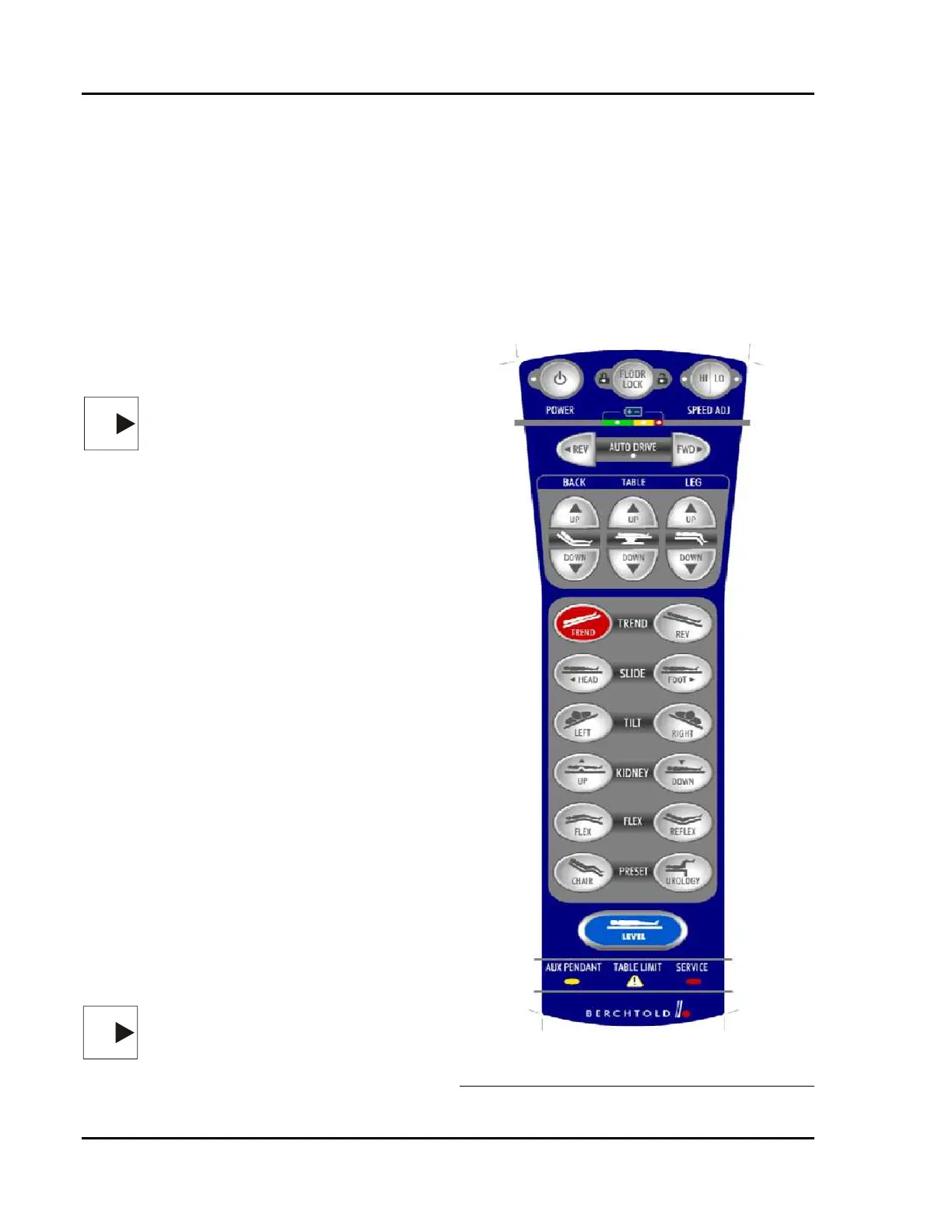
PRIMARY HAND PENDANT INDICATORS
See Figure 1-3 for the location of the indicators
1. AUX. PENDANT (amber flashing) —
Auxiliary hand pendant is active. The primary
hand pendant will be disabled if the auxiliary
hand pendant is active.
2. SERVICE (red) — Table malfunction. It is
likely that most of the functions still work
properly and can still be controlled from the
primary hand pendant. If the control pendant
is not working, use the auxiliary hand pendant
and the manual foot pump (if necessary) to
articulate the table until the malfunction can
be repaired.
NOTE
NOTE — If the SERVICE indicator lights,
call your local Berchtold Corporation
Service Representative.
3. TABLE LIMIT (amber flashing) —
Indicates that the movement commanded has
reached a software controlled limit to avoid
damage to the table components.
4. POWER (green) – hand pendant is active.
Backlight may or may not be lit.
5. FLOOR UNLOCK ² (amber) — Floor feet
are raised so table is mobile.
6. FLOOR LOCK ± (amber) — Floor feet are
lowered so table is locked in place.
7. SPEED ADJUST HI (green) – articulation
speed of all functions is set to normal.
8. SPEED ADJUST LO (green) – articulation
speed of all functions is set to low.
9. BATTERY — LEDs indicate the charge
status of the batteries:
• Green — Full to medium charge. Normal
Operation.
• Yellow — Low charge. Table still
operates normally, but batteries should be
charged at the first opportunity.
• Red (steady) — Recharge battery. Pump
motor is shut off and manual foot pump
must be used.
• Red (flashing) — Auxiliary pendant must
be used. Recharge battery immediately!
NOTE
NOTE — In the event of a primary hand
pendant failure, use the auxiliary hand
pendant and foot pump to complete the
procedure and contact your local
Berchtold Corporation Service
Representative.
10. BACKLIGHT – Pendant backlighting
(electroluminescent panel) combined with
the green Power LED indicates that the
pendant is active. The Backlight will time
out after a preset time period, which can be
set in the service software. The backlight
timer can be set to a shorter time than the
Controls Wakened state. This will reduce
electrical current drain on the batteries,
slightly extending the battery charge cycle.
The lowest backlight timer setting is 1
second.
Figure 1-3 Primary Hand Pendant
Indicators








 To Next Page