OPERON B850 SURGICAL TABLE
USING THE SERVICE PROGRAM
Rev. 1 700000120
6-10
All of the settings parameters are identical to the
High Power settings.
Sensor Tab
NOTE
NOTE: — The Sensor tab is disabled
for the Technical Service password.
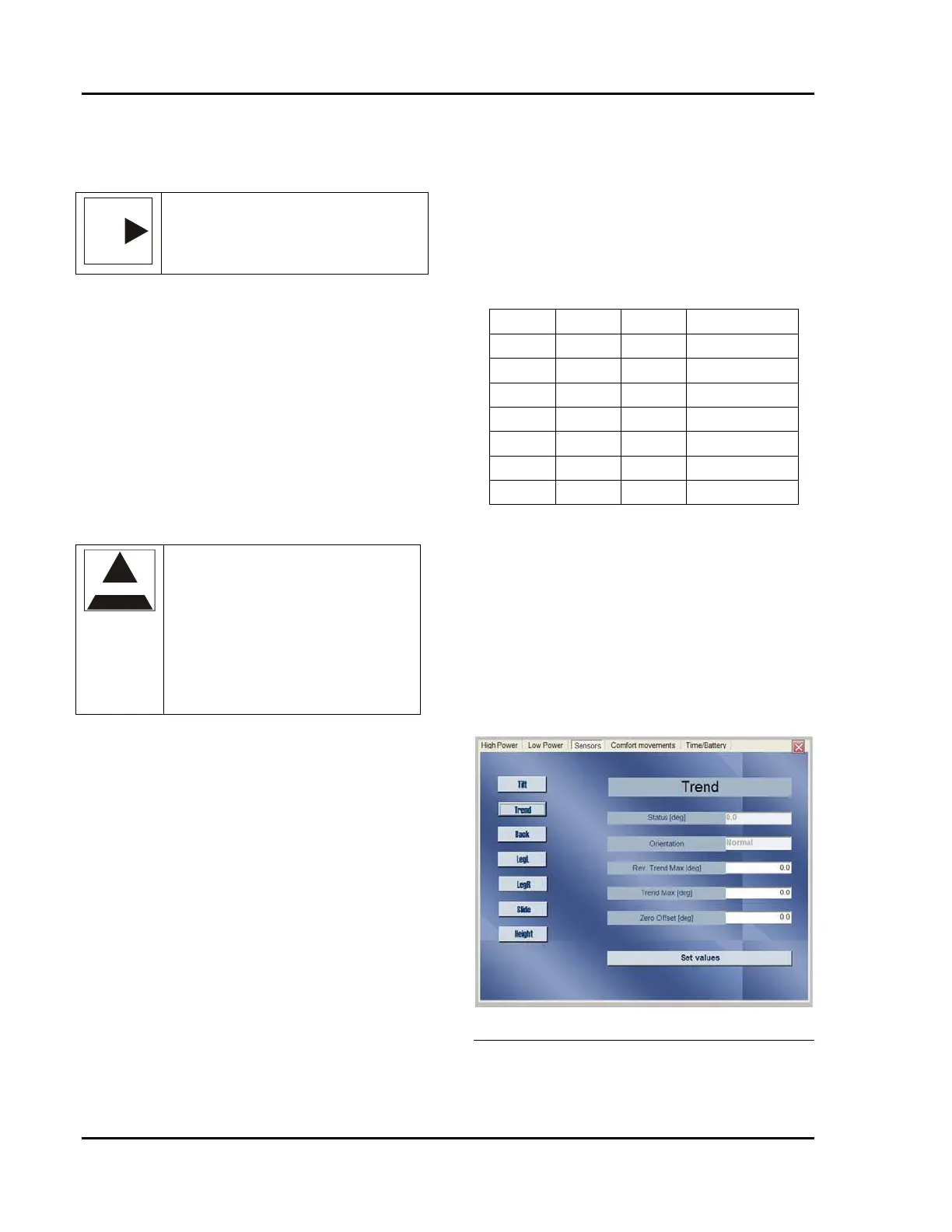
The sensor tab allows you to set the parameters
for the following sensors:
• Tilt
• Trendelenburg
• Back
• Leg Left
• Leg Right
• Slide
• Height
The sensor for kidney bridge position is an
optical switch which requires no settings or
adjustments.
CAUTION
CAUTION —The Service Program
will allow you to set sensor
parameters outside the min and max
range shown in 4. This could lead to
damage to the table or its
components, including a failure to
operate. Always double check your
settings before clicking on “Save
Parameters”.
Do this to set the parameters:
1. Click on the button for the function you
wish to set. The name of the function
will appear in the title box in the listing
2. Use your cursor to highlight the number
you wish to change.
3. Type in the new value to replace the old
value.
Slide and height parameters are measured in
millimeters of movement.
Do this to set the zero position:
1. Level the section using the pendant
controls and an accurate level.
2. Click in the “Zero Offset” window on the
Sensors Tab.
3. Read the Status window of the sensor. If
the Status reading is not zero, enter a
number of equal values but opposite sign
in the Zero offset window (i.e. if Status
reads 1.5°, enter -1.5°).
4. Slide and height have large offsets due to
the length of the cable on the
potentiometer. The offset indicates the
approximate voltage when ½ of the cable
is extended from the potentiometer, not
necessarily the mid point of the
movement.
TABLE 6-1 SENSOR PARAMETERS
Name Max. Min. Zero Offset
Tilt 20 -20 0
Trend 30 -31 0
Back 90 -45 -5
LegL 30 -105 0
LegR 30 -105 0
Slide 183 -232 -260
Height 335 -266 -367
After setting all of values for the parameter to
the desired levels, click on the “Set Values”
button to record them in the table’s MCU.
The Status window on the tab shows the current
value of the section in degrees or millimeters.
Thus, if the table is tilted slightly to the right
(positive tilt) the angle will read slightly higher
than the zero position value. Similarly, if the
table is tilted slightly to the left (negative tilt) the
voltage will read slightly lower than the zero
position value.
Figure 6-23 Sensor Setting Screen








 To Next Page