OPERON D 850 SURGICAL TABLE
GENERAL INFORMATION
700000120 Rev. 1
1-7
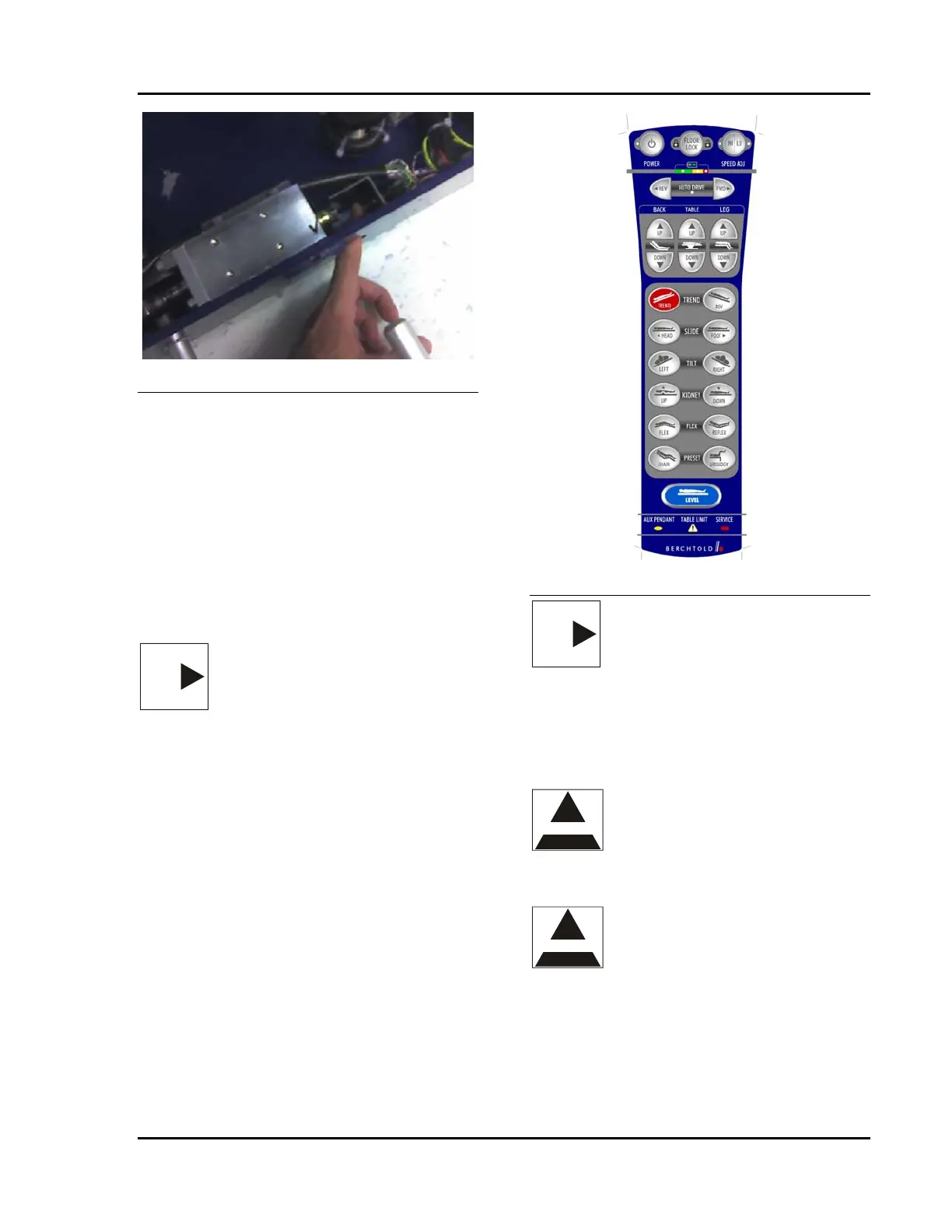
Figure 1-7 Emergency Switch
Do this to access this switch:
1. Pull the foot pedal straight out as far as it
will go. It will rotate counter clockwise as it
is pulled outward.
2. Put one finger through the handle storage
hole as shown and press the button.
3. The floor locks should release and the table
should be resting on its casters.
4. Press the button again to switch off the
power to the valve solenoid.
AUXILIARY HAND PENDANT
NOTE
NOTE — Activating the auxiliary
hand pendant disables the primary
hand pendant.
.The auxiliary hand pendant is identical to the
main hand pendant. It has limited function when
plugged into the auxiliary control connector,
located in the auxiliary hand pendant
compartment on the head end of the column.
The active functions are Leg Up/Down, Table
Up/Down, Back Up/Down, Floor Lock, Trend,
Tilt Left/Right, and Kidney Up/Down. Only
these buttons will be backlit when in auxiliary
mode.
Figure 1-8 Auxiliary Hand Pendant
NOTE
NOTE — The Auxiliary hand
pendant is identical to the main hand
pendant and may be used as a
replacement for the main hand
pendant. See Primary Hand Pendant
for details.
Use the auxiliary control pendant when:
• The primary hand pendant will not
function.
WARNING
WARNING — The auxiliary hand
pendant functions will operate
regardless of whether the floor feet
are locked or unlocked. If the floor
feet are unlocked, the table may roll
when the manual pump is operated.
CAUTION
CAUTION — The auxiliary hand
pendant does not have the following
functions: AUTO DRIVE, HI/LO,
FLEX, REFLEX, UROLOGY,
CHAIR, RETURN TO LEVEL, and
SLIDE. This pendant is intended to
be used for completing procedures,
followed by charging the batteries or
servicing the table.








 To Next Page