OPERON B850 SURGICAL TABLE
USING THE SERVICE PROGRAM
Rev. 1 700000120
6-12
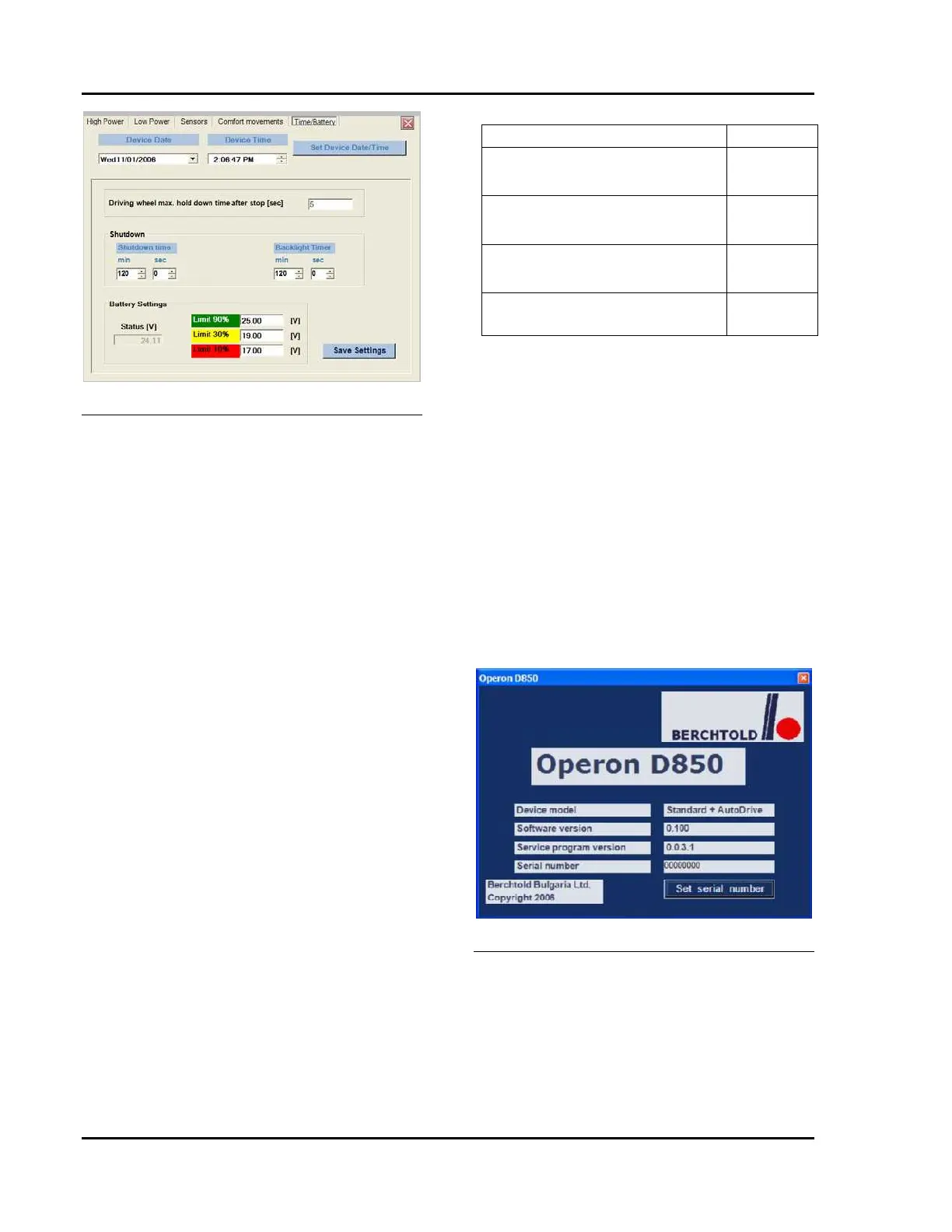
Figure 6-25 Shutdown Screen
The shut down time adjustment sets the sleep
time delay: how long after the last use until the
hand pendant enters “sleep” mode. In sleep
mode, the back lighting goes out and all LEDs
turn off. The longer the table remains in “sleep”
mode, the longer the battery charge will last.
User preference should be the primary
consideration for the sleep time delay setting.
Generally, procedures which require more
frequent table position changes should have
longer sleep time delays. Procedures that
require infrequent position changes can have
shorter sleep time delays.
The backlight time adjustment sets the sleep
time delay for the backlight only: how long after
the last use until the backlight enters “sleep”
mode. In sleep mode, the back lighting goes
out, but the controls may be active. The longer
the backlight remains in “sleep” mode, the
longer the battery charge will last, although the
effect is minimal.
To set the sleep time delay, click and hold the
left mouse button as you drag the pointer to the
desired setting. Time increments are in full
minutes.
After setting all of the parameters to the desired
levels, click on the “Save Settings” button to
record them in the tables CPU.
TABLE 6-2 BATTERY SETTING
PARAMETERS
About Tab
The information on this tab is display only. It
cannot be changed by the technician in the field.
The “Set serial number” button on this form is
not active. The Device model describes what
model the table is. “Standard + AutoDrive”
means that the InstaDrive™ feature is installed.
Software version refers to the version of
software (or firmware) installed on the MCU of
the table. Service program version is the version
of Service Software you are using to
communicate with the table (installed on the
service computer). Serial number is set by the
factory and cannot be changed.
Figure 6-26 About Information Screen
Software Commands with Primary Pendant
The level position of the table can be set using
the primary hand pendant. Here is the sequence:
1. Articulate the table section s to the
desired level position.
2. Turn the table off at the breaker
switch (base).
Name Default
Limit 10% (LED changes from
Steady Red to Flashing Red)
21.4V
Limit 30% (LED changes from
Flashing Red to Yellow)
22.7V
Limit 90% (LED changes from
Yellow to Green)
23.5V
Sleep timer 90 minutes








 To Next Page